I’d like to see the front cover and the Key details at the same time, maximizing the number of items I can see that the same time. So far I can obviously go into Cover mode, but have to click to see the Key details. In list mode I can add the Front Cover, but I’m only able to see about 3.5 covers at a time. So something more like the Card view, but with the Key details, maybe.
Can you explain why List Mode would not do this for you?
Maybe with a screenshot?
So to better explain, I have a YouTube channel where I show the books from my collection (check it out - @glennsimpsonscomics). Down the road, I want to make sure I don’t repeat showing books. So I am going through my existing videos and marking the books (via a custom field) that I have already shown. I am also adding new timestamps to the descriptions under each video for when keys are shown. My current process is to first mark all of the books that are in the video. This basically involves watching the video and selecting the books (in Covers view) as they go by. Then at the end of the video, doing a mass change to the “Video_Appearance” custom field to mark them. Then I use a list view of Storage Box > Video_Appearance > Key to isolate the ones with the keys (the cover is necessary to make sure I’m not missing anything). Which also has the problem that keys are divided into Major and Minor, so that’s two different groups. So this is doable, but I have to use two different views and do Major and Minor separately. OR I can use the second view for the first step. , but I have to scroll scroll scroll to find the next book.
Perhaps another question would be, is there any way to get the cover images smaller, so more will fit on the page?
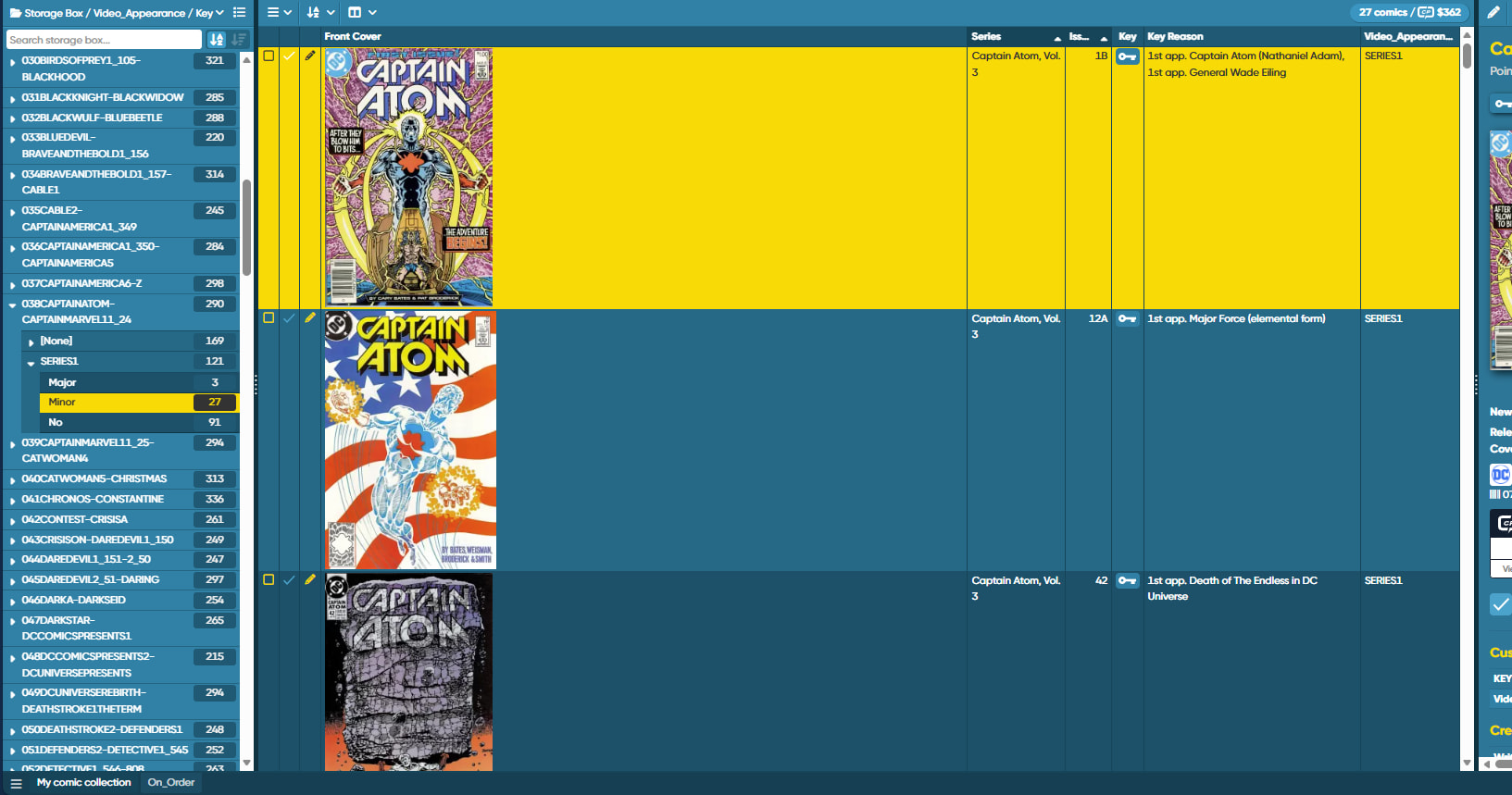
Sure, you can make that cover thumbnail smaller by making the column narrower.
Just drag the divider between the column headers to do so.
I am unable to drag the dividers. In neither Edge nor Chrome.
Wait, I had to turn off “auto-size column widths”.
And, did it help? How many rows can you see on screen now?
I’ve got it up to 8 on the screen, which is much better. I actually made it my standard view. So rather than having two other views for my project, I just do it all in this one. Excellent.
1 Like