I have an Box set in my collection where the back cover is corrupt. I did not fix the problem, so you can investigate if you want to.
In my Movies collection you can go to “Infernal Affairs III” and click on the back cover from the Box set. You see the image does not load. If you then select the front cover you get a strange result. It should look like this:
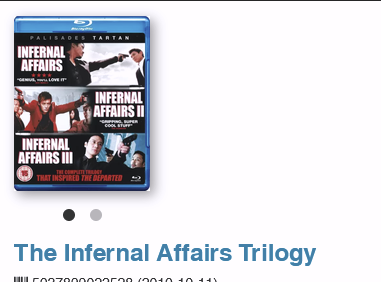
Click on the back cover and you get this:
Click on the front cover again:
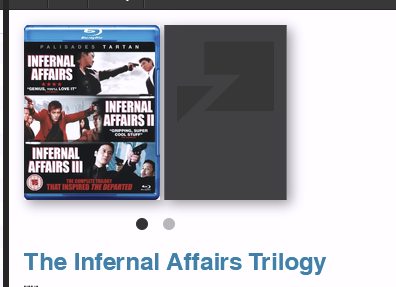
If I look at the Backup XML it looks like this:
				<boxset>
					<movieid>86155</movieid>
					<mediaid>249476</mediaid>
					<sortname>Infernal Affairs Trilogy</sortname>
					<displayname>The Infernal Affairs Trilogy</displayname>
					<upc>5037899022528</upc>
					<rank>0</rank>
					<coverfrontdefault>https://clzmovies.r.sizr.io/core/covers/lg/84/84_249476_0_TheInfernalAffairsTrilogy.jpg</coverfrontdefault>
					<coverfrontfilesizedefault>-1</coverfrontfilesizedefault>
					<coverbackdefault>https://clzmovies.r.sizr.io/core/covers/lg/60/60_249476_1_TheInfernalAffairsTrilogy.jpg</coverbackdefault>
					<coverbackfilesizedefault>-1</coverbackfilesizedefault>
					<coverback>https://movie-clzimages.s3.amazonaws.com/cloud/lists/boxset/E:\Movie Collector\Images\TheInfernalAffairsTrilogy181153XOCR_bf.jpg</coverback>
					<coverbacklarge>https://clzmovies.r.sizr.io/cloud/lists/boxset/lg/E:\Movie Collector\Images\TheInfernalAffairsTrilogy181153XOCR_bf.jpg</coverbacklarge>
The back cover has a reference to my local filesystem. This URL is not valid and cannot be found.
I have no clue how this happened. I don’t use the old desktop anymore, so no way to try to trigger this issue.
Not a big deal. Let me know if I can fix the issue on my side.