When you have an entry selected and then apply a sort, the selected entry is deselected. The selection is reset. This only happens when the selected entry is outside of the set after the sort.
Example in my database:
Sort by Title (default sort order ascending)
Scroll down a little bit and select the movie “10.000 BC”
Sort by Index (default sort order ascending).
10.000 BC is still selected
Sort by Title
10.000 BC is still selected
When it breaks:
7. Sort by Purchase Date (default sort order descending)
8. Now 10.000 BC is not selected anymore
Now I have to use the search bar to get 10.000 BC selected again
What I would expect:
After applying a different sort column or different sort order, always follow the selected entry.
The Desktop version does this really well. I switch between different sorting and filtering quite a lot where I would like to keep my selected entry selected.
Not a really big issue, but sometimes quite annoying when I lose my selection.
In case this is seen as a bug by you. If you fix it you get a new problem in return. Sometimes (maybe in most cases) I don’t want to follow my selection after changing the sorting. Then hitting Home (Searching the first result based on the applied sorting like you would do a search) or End would be my natural thing to do to go to the top. But this is currently also not possible.
If this is not considered as a bug then I can live with the the current working OR
Always reset my selection instead when you change the sorting. Then it is clear what it is doing, now it throws me off
Little bit out of scope of this topic but related:
When you apply a filter. For example filter on Blu-ray format while 10.000BC is selected, the selection is also reset. It would be nice that 10.000 BC is still selected because it is a Blu-ray. Only when you select a filter the current selected movie does not apply for, reset the selected entry.
What kind of change do you mean? Like, editing a box set name or something? Indeed, the folder selection gets lost on refreshing (and thus the selected movie as well) - also a known bug, but a tricky one to solve. It is on our bug list.
Please always keep the selection after making changes in the columns
Here, do you mean like adding/removing a column? That is indeed also something that is a bug and on our radar, but a bit tricky to resolve. We will look into it.
@CLZ_Alwin , I did get a notification this morning on this Topic, but I don’t see your reply over here.
So I will quote the notification:
This is quite hard to fix. Selecting the movie is easy when it is “in view” and loaded. But as you know the movie list is a lazy loading list. So it is likely that the movie that needs to be selected has not even loaded in the list yet, so it cannot be selected.
Not sure how this could be fixed?
You fixed it for your newly released feature: “Easily filter your movies by clicking hyperlinks.” So I would say you already have the technology to do this My guess it is a similar problem.
Hm, we’ve never built something like that into Web. I can understand what you want and I’ve taken note of this feature request.
For clarity, Twazerty was asking to keep 1 movie “selected” as in, in view, blue, with the details in the details panel. This is something we worked on with the latest feature to build into keeping it selected when the blue filter pill gets switched off/or when you activate a filter. Was a bit of work, and we can likely build that into Twazerty’s way of clicking around too.,
However, judging from your screenshots, (mixXxim), it seems you are asking to “checkbox” 3 movies, then switch around folders/sorting etc and “keep the checkboxes on” - that is entirely different, but I do understand the request, and that would be cool!
It’s actually quite simple. A selection should remain until I remove it.
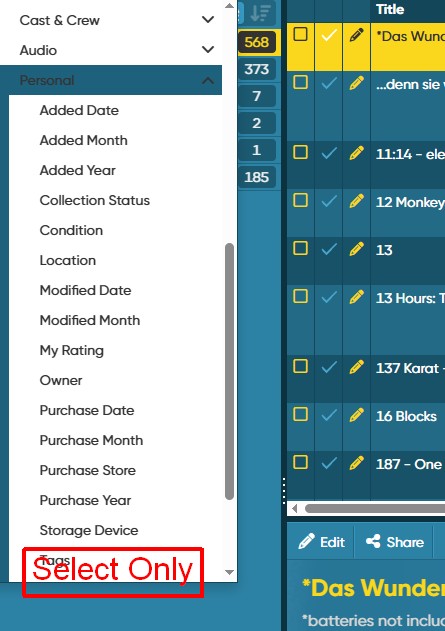
In this context, a selection on the left side that only displays the selected items would be possible. For example, “Personal” - “Select Only” or something similar.
Yes, I did understand eventually, and I’ve taken note of that suggestion. This is probably the first time anyone has suggested this, and it’s a nice idea, and I’ve taken note.
You now add to your suggestion that you want a “foldergroup” option where you can "see everything that was checkbox selected? Correct?


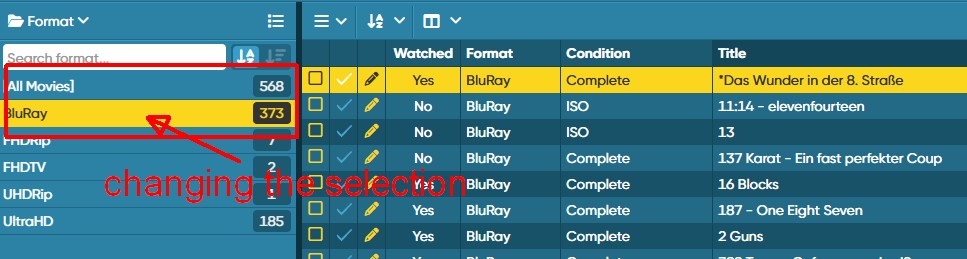
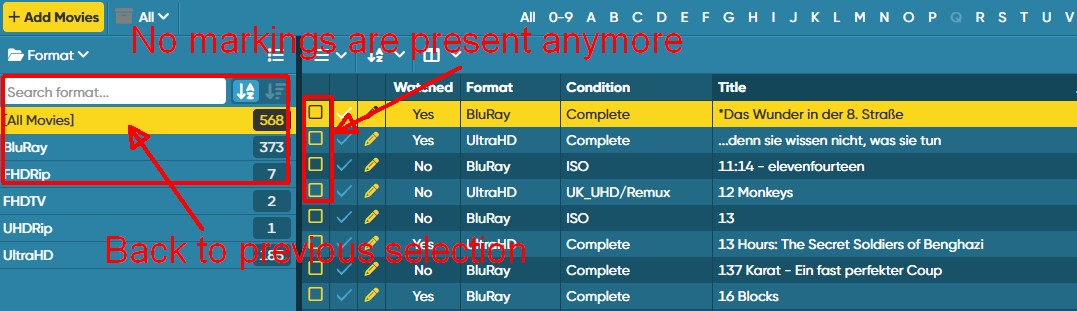
 My guess it is a similar problem.