Hi all. I’m getting ready to inventory my 80’s- 90’s collection of over 4,500 titles or 15 1/2 long boxes.
Is there a way to add comics via images upload since it’s a time saver to snap cover images via camera… Or even I phone???
Hi all. I’m getting ready to inventory my 80’s- 90’s collection of over 4,500 titles or 15 1/2 long boxes.
Is there a way to add comics via images upload since it’s a time saver to snap cover images via camera… Or even I phone???
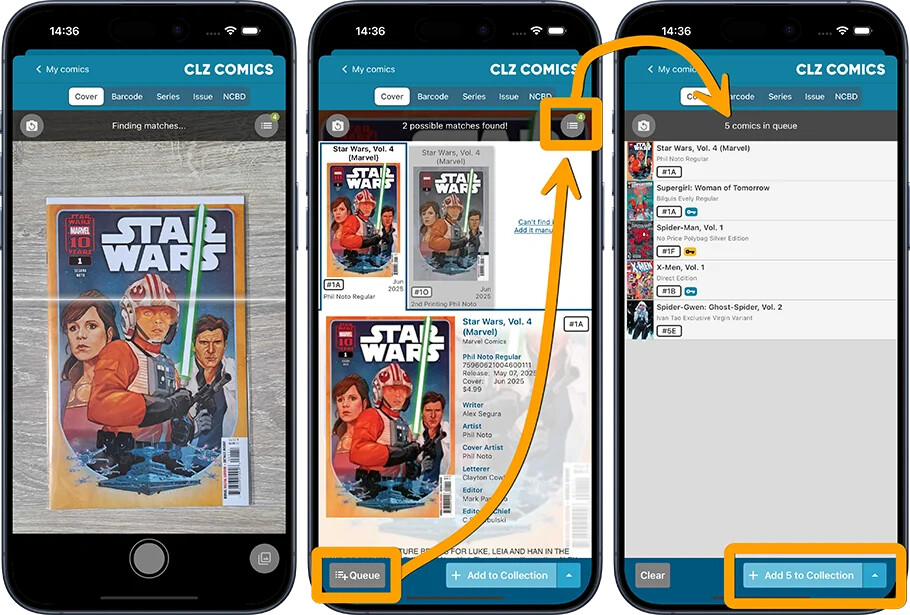
You can use the “Add to queue” button in our app’s Add Comics screen when scanning covers. And then add them all in bulk.
Here’s how the queue mode works:
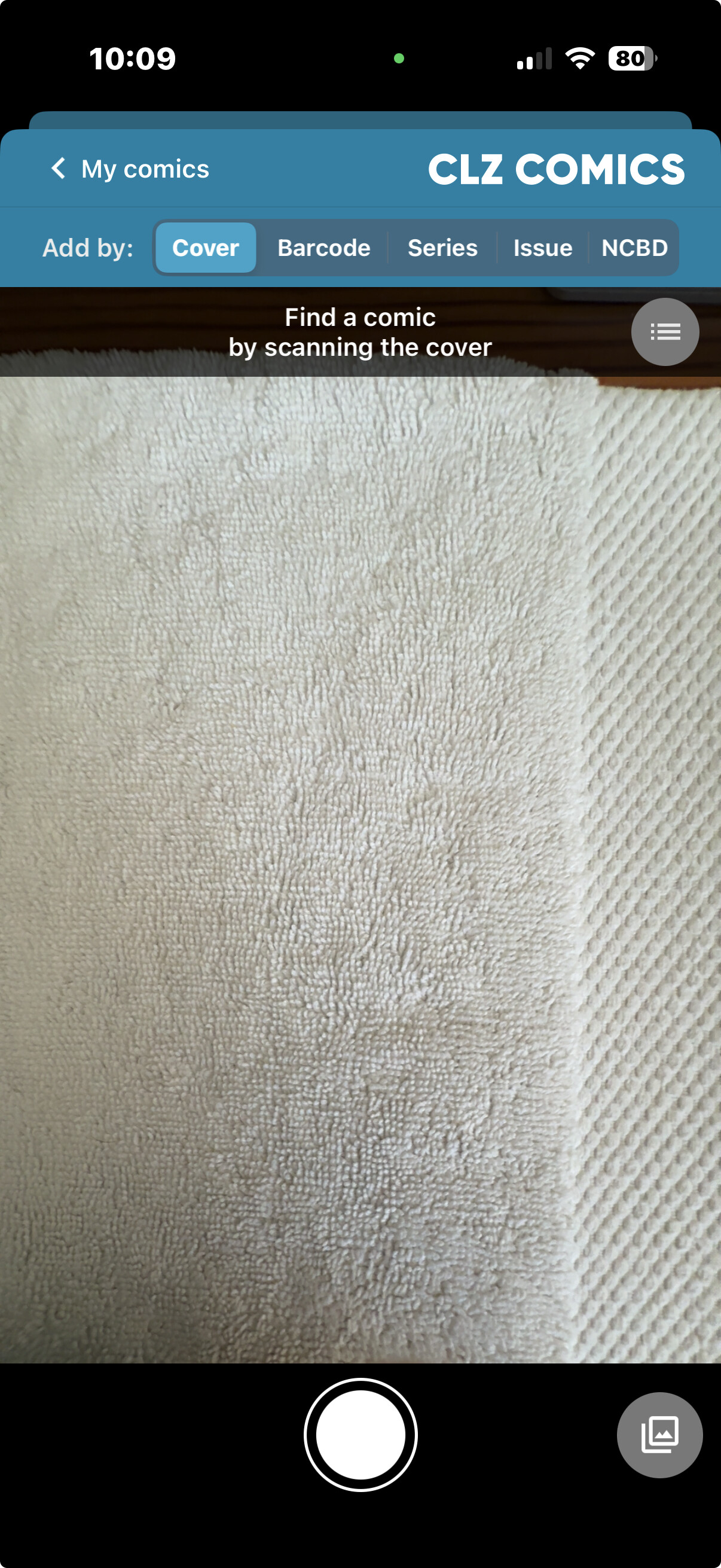
You can also, instead of taking a picture with our Add Comics screen, tap on the “image” icon, in that screen and just pick one from your camera roll… and then let it search that. Also, one by one.
There is no way to upload 6000 comic images in one go, and then just do 6000 image searches on our server. I take it you would really want to double check whatever our cover scanner is giving back as a result… right?
Awesome, and thanks so much.
In all actuality I would be adding them 5 or 10 titles/images at a time. I’d be INSANE to think I could drop 1,000 … but wouldn’t that be great.
Thanks for the feedback.
Cheers!
and to make things even easier, I found this little button next to my camera button when I’m scanning images, it’s a direct upload button easier than your flow so I thought maybe you could say that better because I’m sure users will want to know this at least I think they would
Yes, like I said here 
Or am I missing the point?
But wouldn’t it be horror to make sure it selected 1000 correct results? I mean you should reallly double check the results our cover scan gives you after scanning a cover.
My bad. I guess your image flow threw me.
But thanks for the assist. Couldn’t have done it without you
Yes I see, the image flow was only how to “add scanned items to a queue”
(i didn’t point out the "pick an image from your camera-roll, sorry about that  )
)