@CLZ_AJ Is there a way to search for books that do not have a tag. Example: I add a Graded tag to all the books that I have given close examination to and modified the value grade. I would like to see all the books (records) that do not have this tag.
Work-around: Apply ungraded tag to all books. Select all books with graded tag and mass-edit removing the ungraded tag. Ugly and not very dynamic.
In short: You could click the folder button, then group by TAGS, and any comic without a tag filled in will appear in the [NONE] folder.
However:
But I would not recommend using “Graded” as a tag in Comic. Comic has a Grade field.
So edit a comic, fill in a grade on the value tab. A grade can also be set for Raw comics (doesn’t have to be slabbed!)
You can just click the folder button top left, then make it group by GRADE.
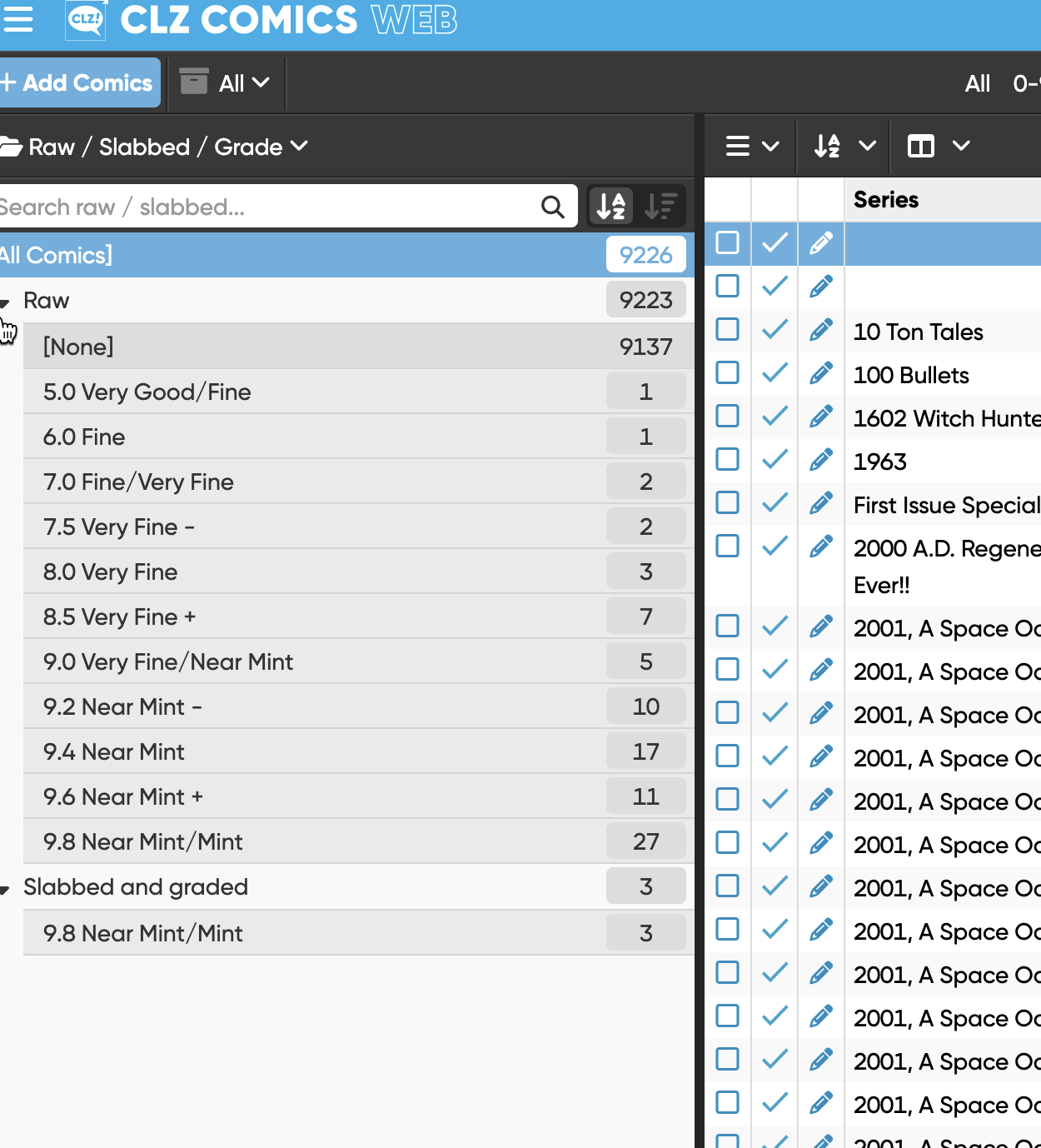
Then you can see all your grades folders, and there is also a NONE folder for comics you didn’t grade.
Tip:
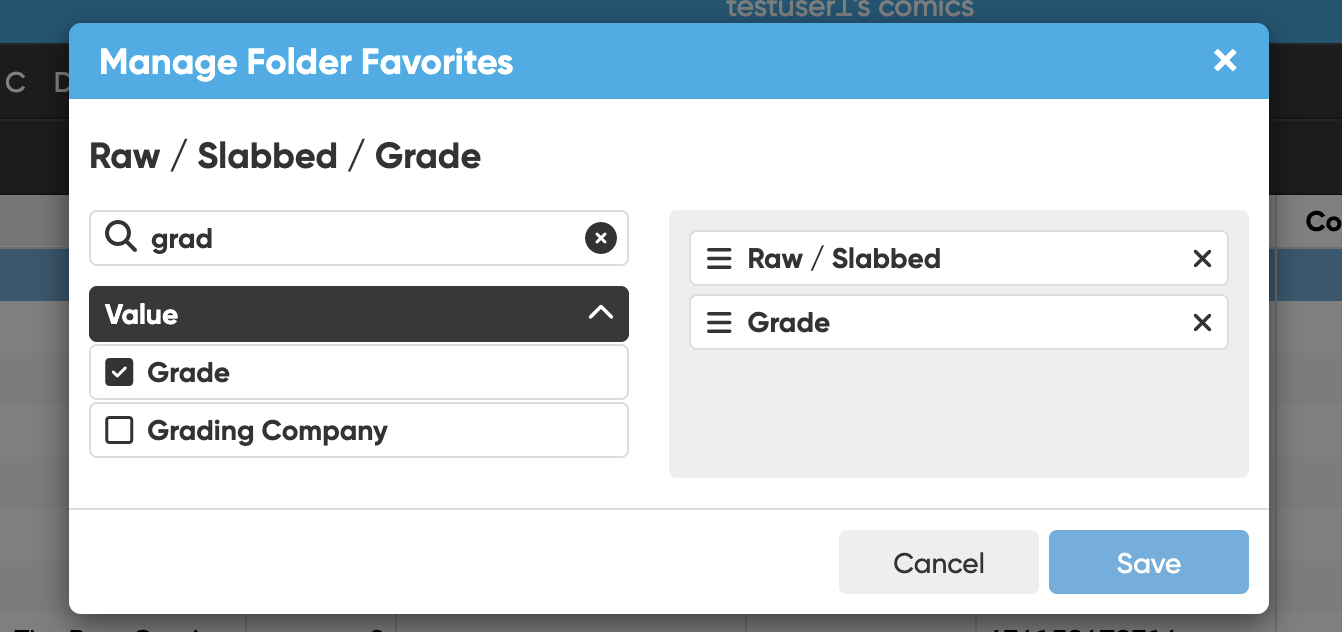
You could even create your own multi-level folder system: like Raw/Slabbed, and then Graded.
That way you would get folders on the left for Raw/Slabbed.
You click on Raw, or Slabbed.
Then you see all your Grades, and a folder for books you didn’t fill in the grade field for.
Yes, I only have comics, but thought that my hack might help others using other CLZ collections. I saw the OP’s question and shared my experience, Thr search question is applicable across the CLZ web apps it seems,
When we initially add a comic we put the grade listed by the seller into the grade field. We then go back and closely examine each book and correct the grade. We use the Graded/Ungraded tags to keep track of which books we have graded. There is quite a backlog on us grading our books as we suck at grading and it is time consuming. Rather than have no reference of a books condition we prefer to enter the initial value based on the seller’s advertised grade and our acceptance examination upon receipt.
If nothing is filled in for Grade, there will be a “None” folder.
If you have comics without tags, and you group by tags using the folder system, there is also a “None” folder for items without tags. Works for any field you can group on.
Thx. The none folder does help by eliminating the need for the ungraded tag, but not the graded tag There is graded by us and graded by them. We don’t trust them unless they are CGC or maybe PSA
Grading company is only used for slabbed comics. If this field allows values other than the predefined CGC, PSA, etc. I could use “me” instead of null and the graded tag,
Note: we use the grade field on all comics, not just ones that are slabbed. The amount we trust the grade obviously depends on where the grade came from. CGC being the gold standard for lack of anything better.
Grading company is only used for slabbed comics. If this field allows values other than the predefined CGC, PSA, etc. I could use “me” instead of null and the graded tag,
Yes, that is possible. You can add your own values to that field.
 There is graded by us and graded by them. We don’t trust them unless they are CGC or maybe PSA