Is there a way to remove the collection tabs at the bottom of the CLZ Comics Cloud page? I used to sort differently but now a lot of mine are empty.
In the bottom left, there’s a hamburger icon (with three stacked horizontal lines). This button allows you to manage your collections, and remove them.
I see that in the app but on cloud.clz.com i see hamburger but all it does is show a list of my collections/tabs. There is no manage collections option as far as I can tell.
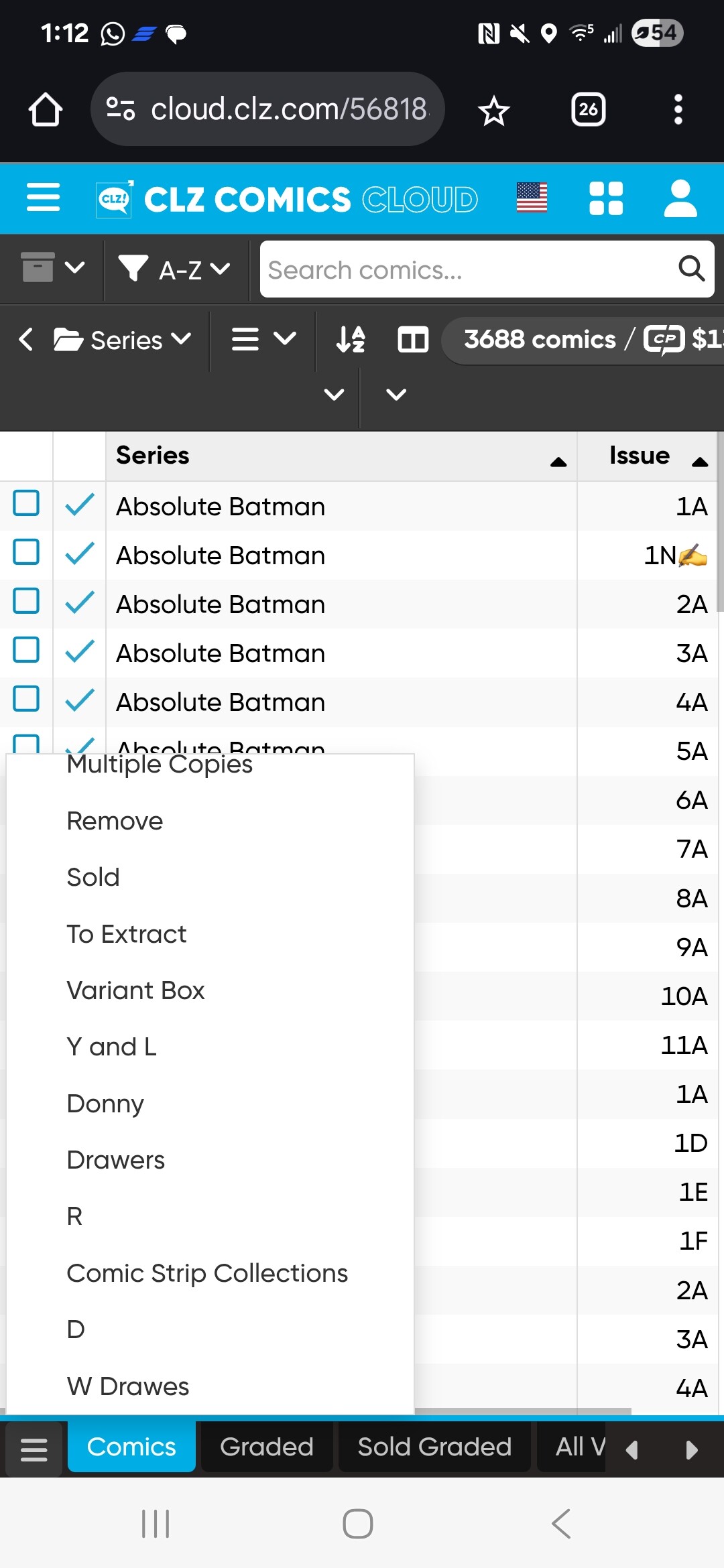
Can you perhaps scroll the list to the bottom? The bottom option should be Manage collections.
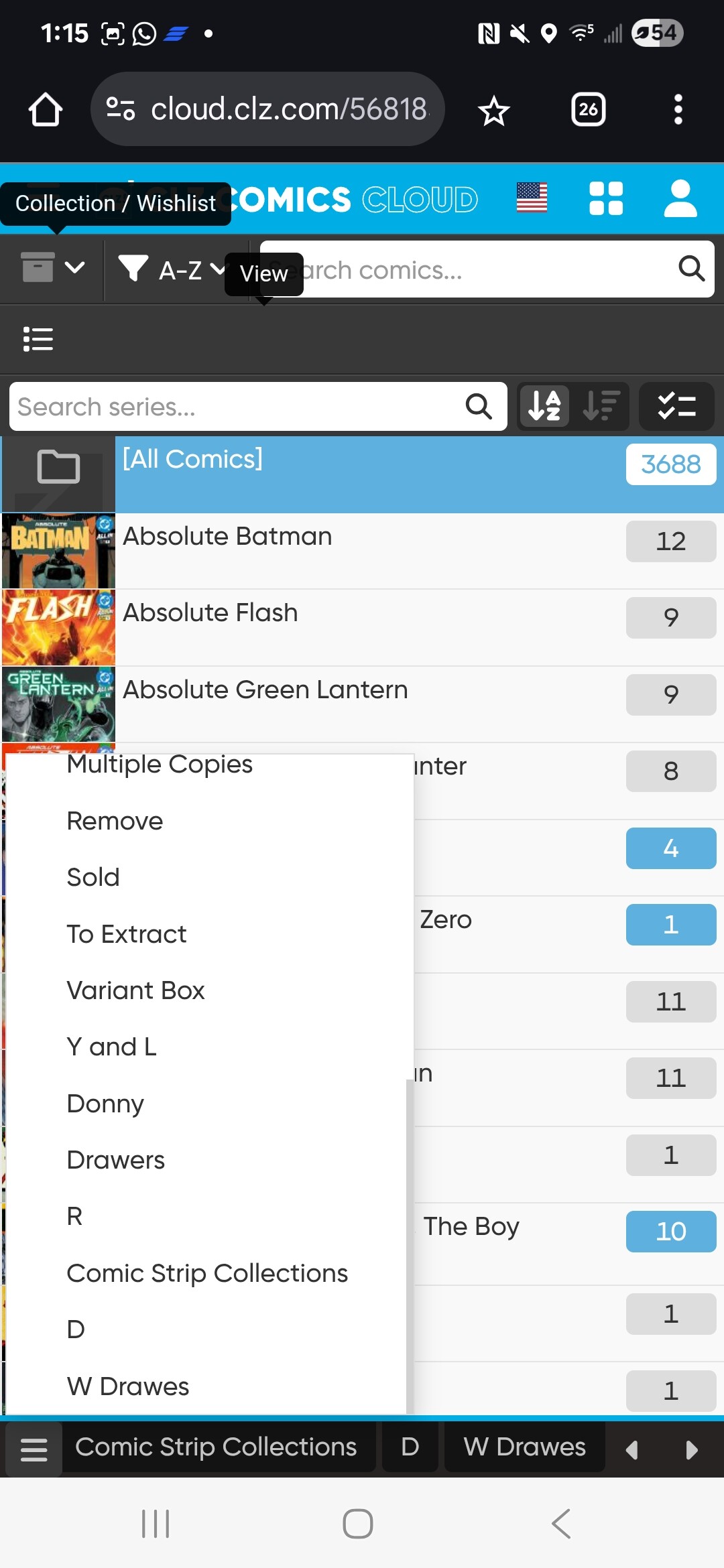
Do you have access to a computer or an iPad? Perhaps the responsive mobile layout doesn’t show this option properly with a large list of collections.
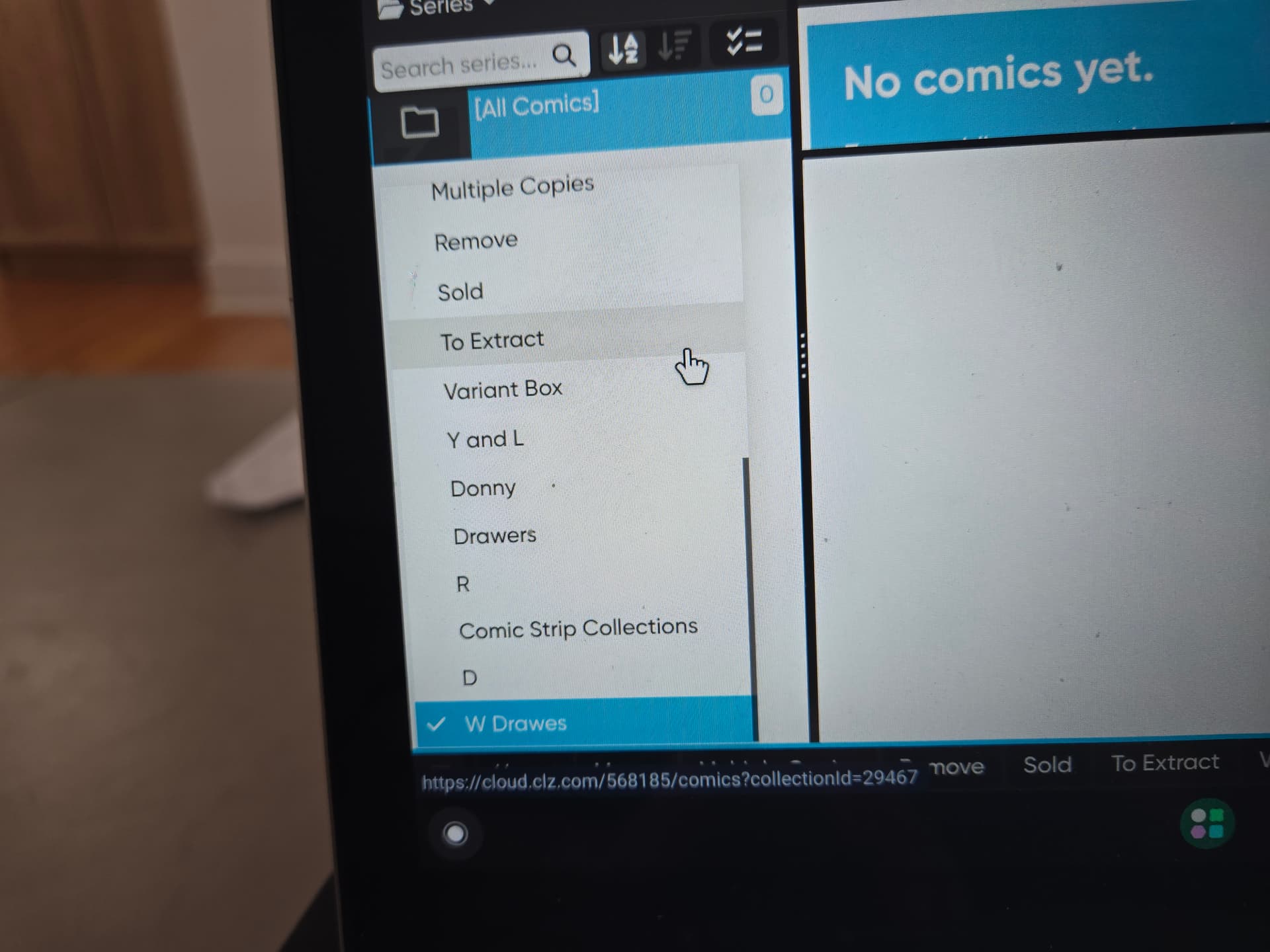
Strange, i think it’s a display bug.
However you can also access the Manage collection option through the main menu.
Is there a way to fix the bug? How do I do it through the main menu?
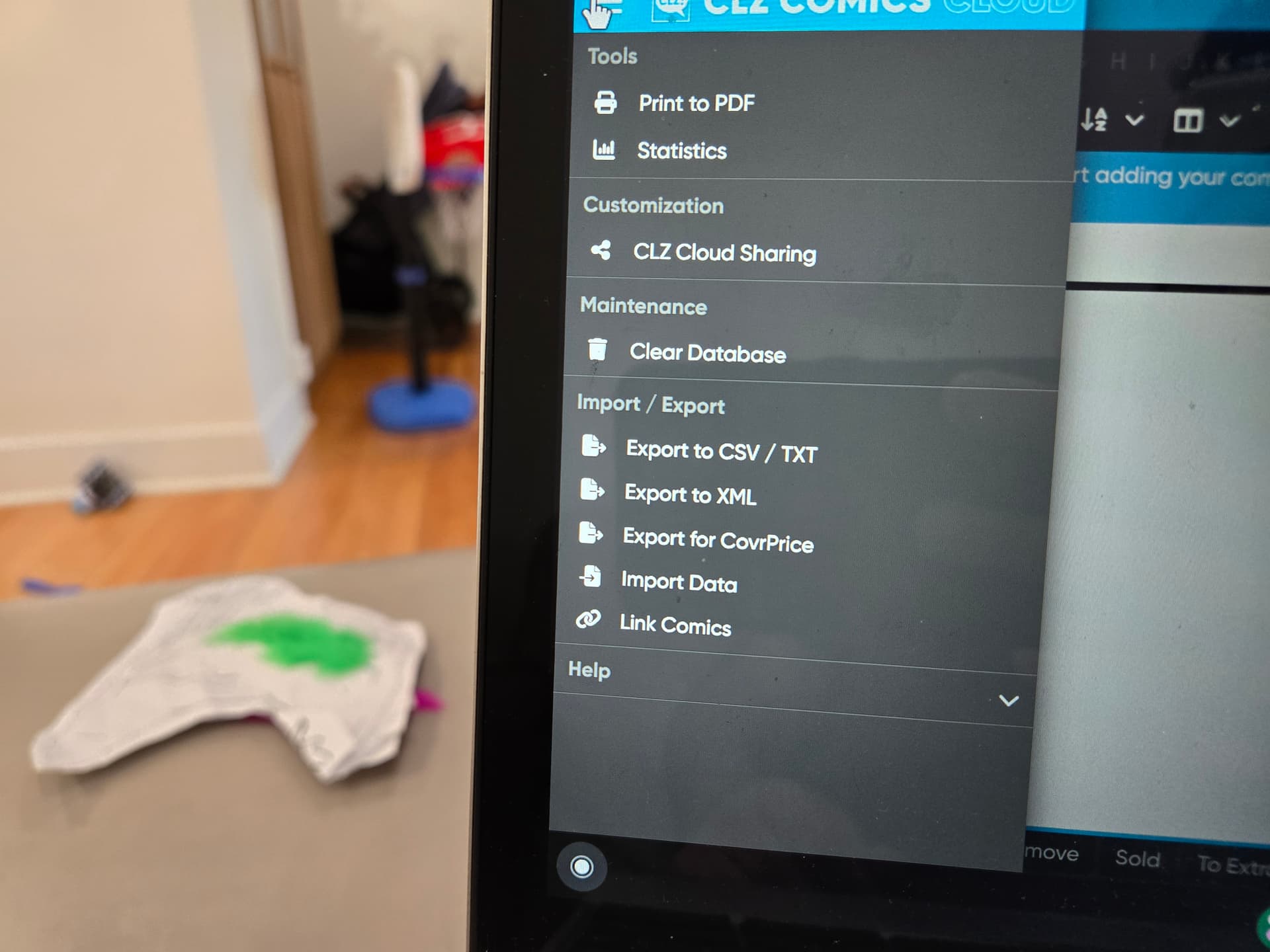
Hmm, I noticed you are using cloud.clz.com.
Can you try Online comic book database software » CLZ Comics Web?
Okay, that works. I just followed the View My CLZ Cloud in the app.
Thanks!
1 Like
I missed this topic. Sorry.
Please understand:
in CLOUD you can not MODIFY your collections. And, if you have EMPTY collections, they will stay in view.
in WEB, you can modify collections, so you can remove empty collections.
(the thing is, if you remove a collection on mobile, currently the removal of the actual tab is not synced).
If anyone needs any help from me removing empty collections from their Cloud, just let me know.