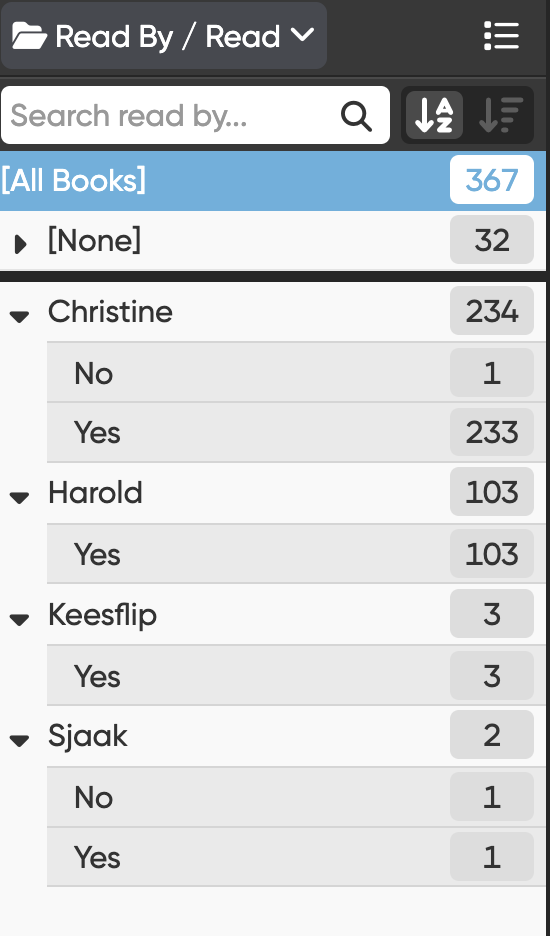
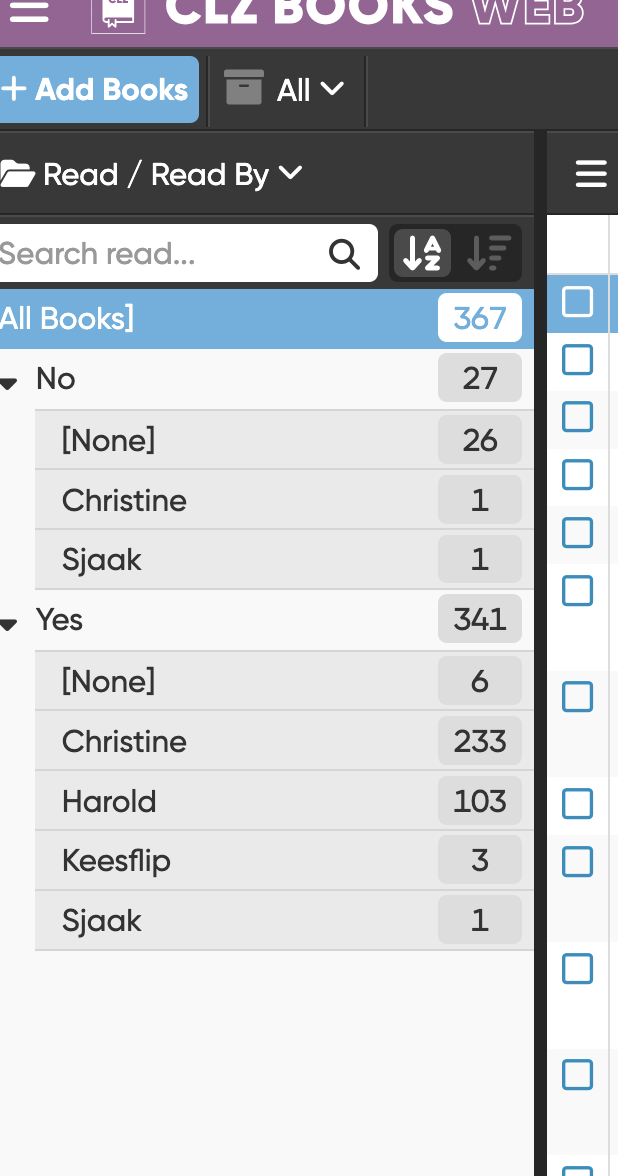
I have made the switch from the Desktop version to the Web version, one reason for switching is the new Read History feature.
In the Desktop version I used Self defined fields to keep track of the Read status, one field for each family member.
To transfer this information to the Web version I first used the Transfer Field Data tool to add Tags to each book, in the Web version I could then filter by Tag, select all books and mass update the Read History.
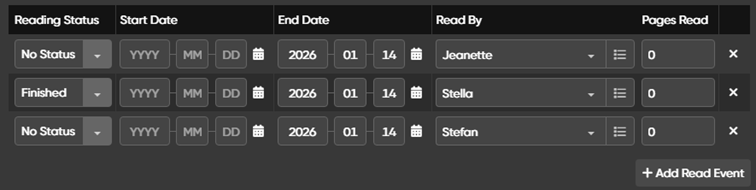
I added one Read Event for each family member with Reading Status = Finished if the book is read, Reading Status = No Status if it is Unread.
When doing this, I noted the following problems and missing functionality, I hope you might solve at least some of them in coming releases.
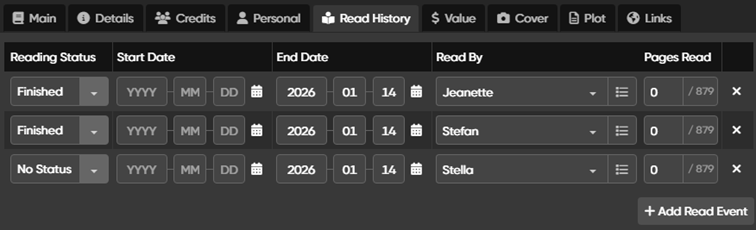
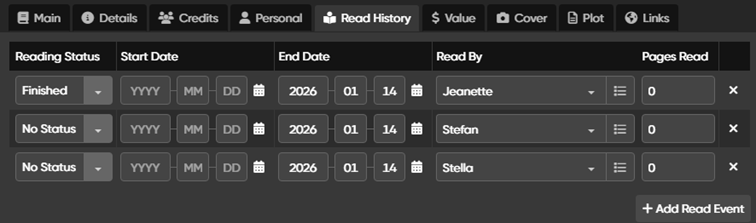
1 When Read History is mass updated, “Pages Read” isn’t updated
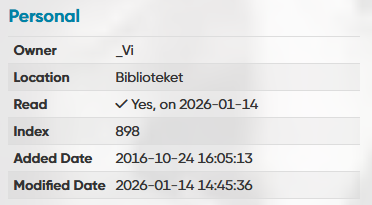
2 As mentioned, I have multiple readers to keep track of which family members have read a book. That looks good when more than one reader has read the book:
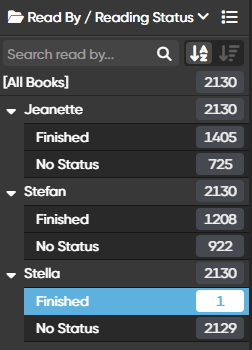
3 One of the things I used this for in the Desktop version is to quickly find books that are unread by one or more readers.
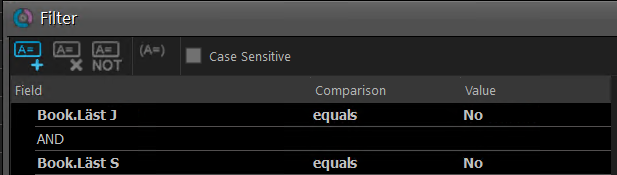
I have managed to do this for one person by creating a filter, but how do I find books that is unread by two persons?
4 I would also like to see the Reading Status for each Reader as a column in the book list, do you have a plan to support that?
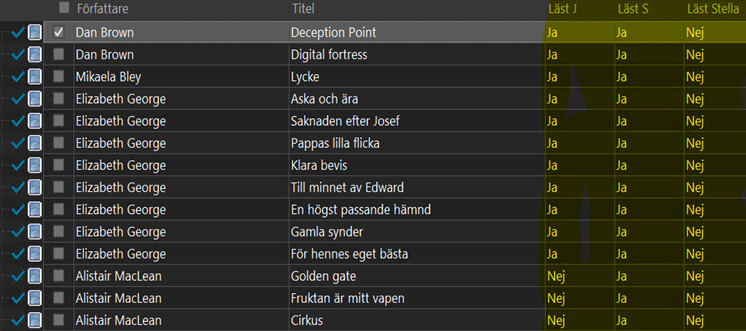
In the Desktop version I had defined my own fields for each users that where visible in the grid, making it very easy to find unread books:
Indeed, it is not following the Automation settings in Settings. This is a bug and we will work on a fix, but I do not have a solution for you now. This might mean you have to stop and try again once we fix this?
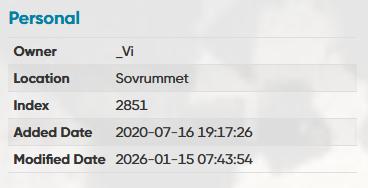
If you have 3 users in that book and 2 are status “no status” it should just show under a Read History. That is a bug, we will work on a fix.
I’m guessing you don’t
CLZ Books Web has foldering, but it can’t do filtering. That is on the feature request list though.
No plan to be honest, but that could be interesting.
What if a reader has read the book 3 times, and dropped it 2 times, and is reading it currently? What would the column show then?
Yes, I can try again whe you have a fix. It’s not that important to me, but it might be for others.
Ok, I’m looking forward to the fix
Ideally, I also think that the Reading Status “No Status” doesn’t even have to be a Read Event row. That should be the default status if no other Reading status has been set for a Reader.
I’ll just have to handle it then, and hope for a fix in the future!
The way I use it I only need to see the latest status for each reader, so it should show Reading.
But there might be other use cases for other users (even if I can’t think of any for the moment).
I understand, for you, because you have your system set up that “all readers in the household” appear under all books.
But that’s not how the feature was intended (otherwise we probably would’ve created a setting that would always put all readers under all books, always). The read status is intended to just add a read status and reader whenever “someone in the household has read the book” for instance, or is reading the book.
Someone who hasn’t read the book at all (or no status) can just be left out of that list of course.
(there is no reason to always add all readers to all books - but that said: I understand where you come from because you used to do this as a “checkbox field” in your user defined fields, so they would always appear of course.)
That should be the default status if no other Reading status has been set for a Reader.
So you could just “do” that, right? Just don’t add a reading status for a reader if they haven’t read it
4: I see. I’m not sure - it feels very inclined to how you used to use your user defined field, and feels like it could cause major weird “things” for users who use it… well, as we’ve intended so far. But, I’ve written down your idea.
Please know that “custom fields” are coming to web… so perhaps you might just be happier with that in the end
No worries. As I said, it’s not something I really have a need for (right now anyway).
Wow, that was quick! It looks much better now .
The reason that I want to see the “No status” (or Unread) status is that it’s more useful to me to be able to find all unread books and hide the ones that are already read.
So until there is another way to hide all read books I will simply keep adding this status to new books .
Happy to hear that Custom fields are coming! Then I can add my Characters back as well .
1 has been fixed now. You can set the pages read in edit multiple yourself, or if you don’t do anything, it will just fill it up with the amount of pages the book has when you set it to finished.



 .
. .
. .
.