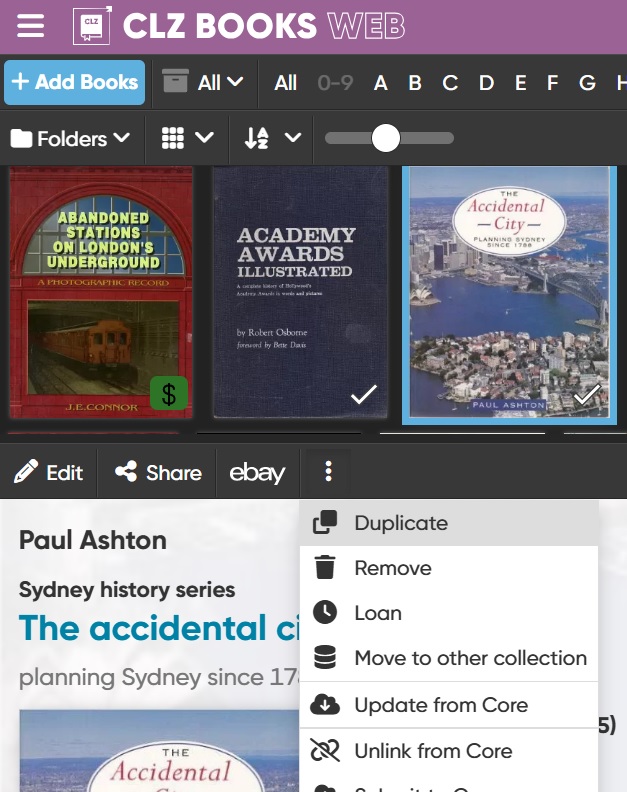
I will have to add many books manually to my book collection because I cannot find enough of them in the Core through searches, at least not the version I have because it is so old and doesn’t have barcodes yet.
Is it possible to copy data from one of the books to the other books, for example by opening book one and then editing the title and other differences and saving it under the new title as book two? Does this method create a second book or just change the first one?
Until I look at the book to be imported, I cannot tell yet where the differences will be and making a batch update may not be as effective.