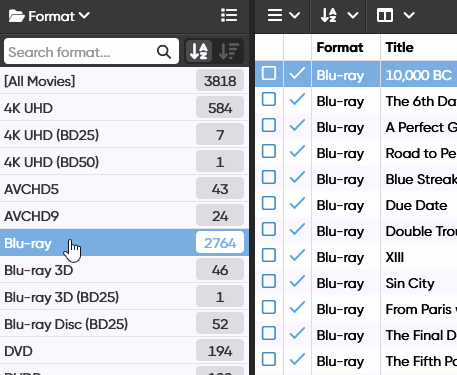
When I choose the formats folder I see a folder for All movies, a folder for 4K UHD, a folder for Blu-ray, and a folder for DVD.
With the new custom fields, can I create a folder that will populate all 4K and Blu-ray in one folder? This way I can select this format folder and only see 4K and BR?
this data is already collected , I’m trying to find a way to just see 4K and BR
Yes, you could create your own MyFormat field, that has just two values “DVD” and “Blu-ray/4K”.
Set the MyFormat field using two batch edit actions, then folder on your own MyFormat field.
Does that help?
It helps because it brings me hope 
just not sure how to do it.
Which part are you having problems with?
Do I create a pick List? Multi pick list? Where are the batch edits?
I recommend a Pick list, because you only want to set 1 value (DVD or Blu-ray/4K), right? And you want to be able to extend the list with more values. Unless you want to set 2 values:
DVD
+
Blu-ray/4K
then use the Multi pick list.
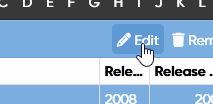
How to fill the new field? Select all your Blu-ray’s (use the Format Folder). Then you can click the Edit button:
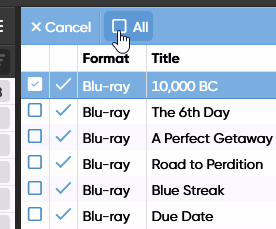
then select all (first select 1, then the button appears):
then edit:
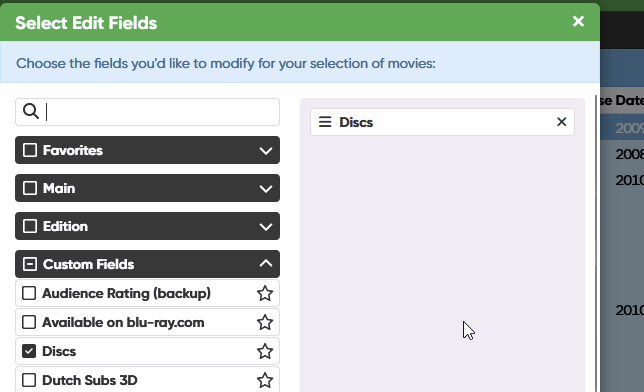
now only select the field you just created, because you don’t want to change other stuff. For exmple “Custom Format” (in my Case: Discs).
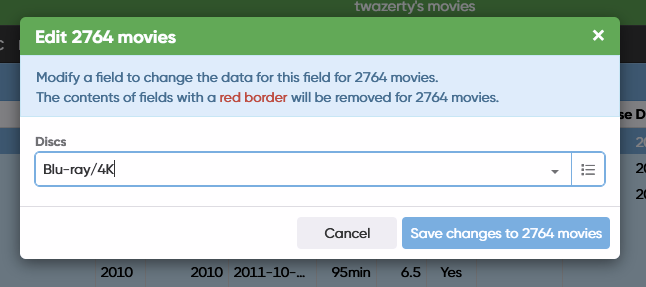
Now you can enter your value: Blu-ray/4K:
Save changes
Now repeat the Steps for your 4K entries and other entries you want to have in your custom field.
1 Like
Thank you so very much. That worked.
In my Blu-ray/4K UHD folder, there is another folder labeled the same which has all my BRs and 4K just as I wanted
there is another folder labeled NONE which has all my DVD. Is there a way to edit his folder and rename it to DVD?
NONE is not a value and contains everything that has no value. You can do the same thing and select everything in NONE and assign the value DVD to it.
For new entries you have to add DVD to that field, otherwise you are getting values under NONE again.
1 Like