Recently, when I logged into Book Collector on my PC, none of my books were in my database, and I had to restore my collection from the web. All my screen layouts were gone.
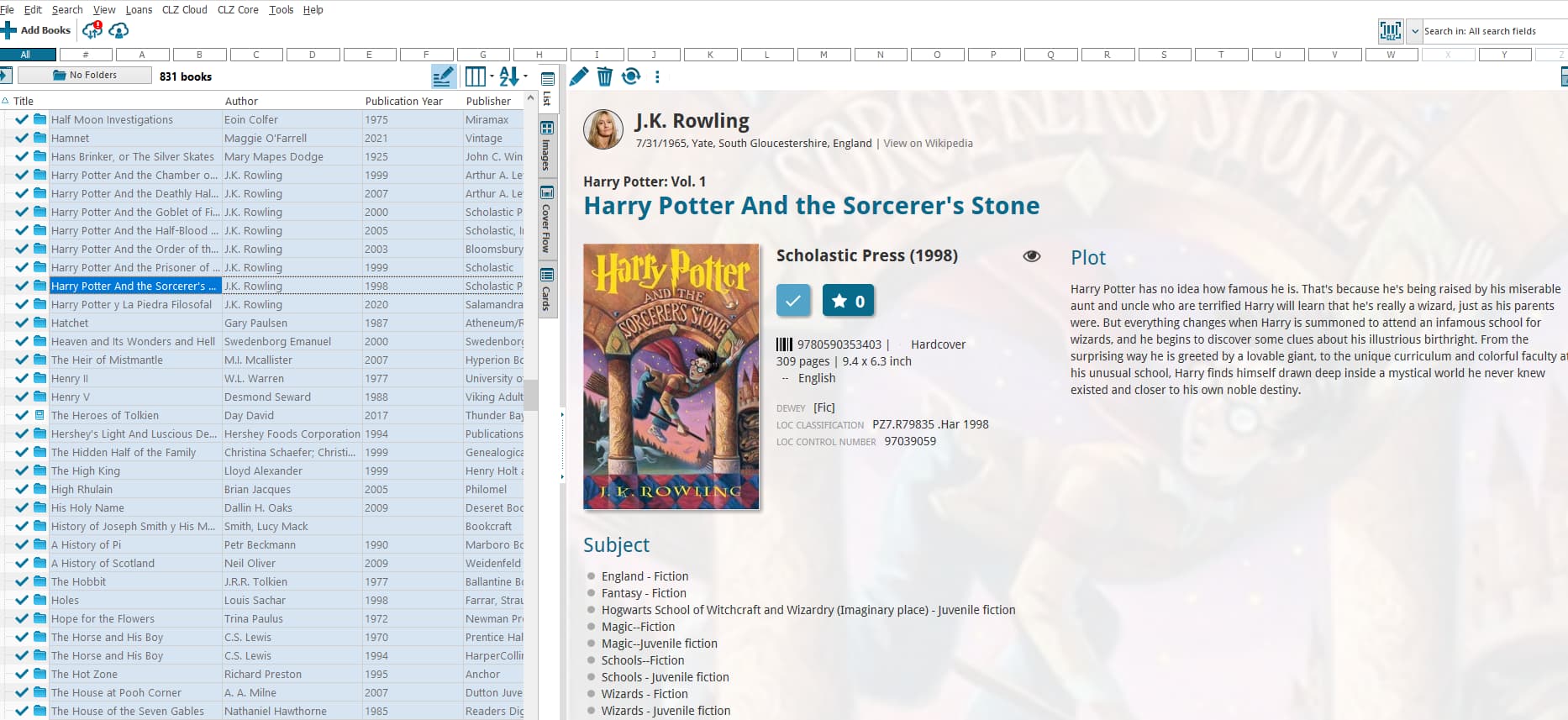
I previously used a “3-Panels: Full Height Folders” layout, with a list of books on the left and two stacked panels on the right, but now I can’t figure out how to pull a third panel to the right and how to arrange the panels. I’ve attached a screenshot to show the current layout, which is not what I want. Plus, all the listed books on the left are highlighted.
I need help understanding how to make the display as it used to be, thanks.
Hi, I replied to your email with the same question as well. Here is a copy of my email reply:
So you are now in 3 panel view, but only 2 panels are showing because you don’t have a folder option selected.
Click on the folder button, top left, and select AUTHOR for instance. That should give you a panel (full height, folders) with author names.
Then top right will be your books (or books from the author you selected), and bottom right will be the details of the book selected.
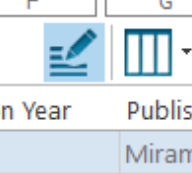
As for everything is selected: you seem to have activated “Edit in List” mode, which looks like that. Click the button indicated in my screenshot below to go back to regular mode: