How do you set the Watched flag when adding movies? I tried adding Watched to the pre-fill fields and set the watched date to today’s date, but after the movie is added, the eyeball icon on the list screen still shows it as unwatched.
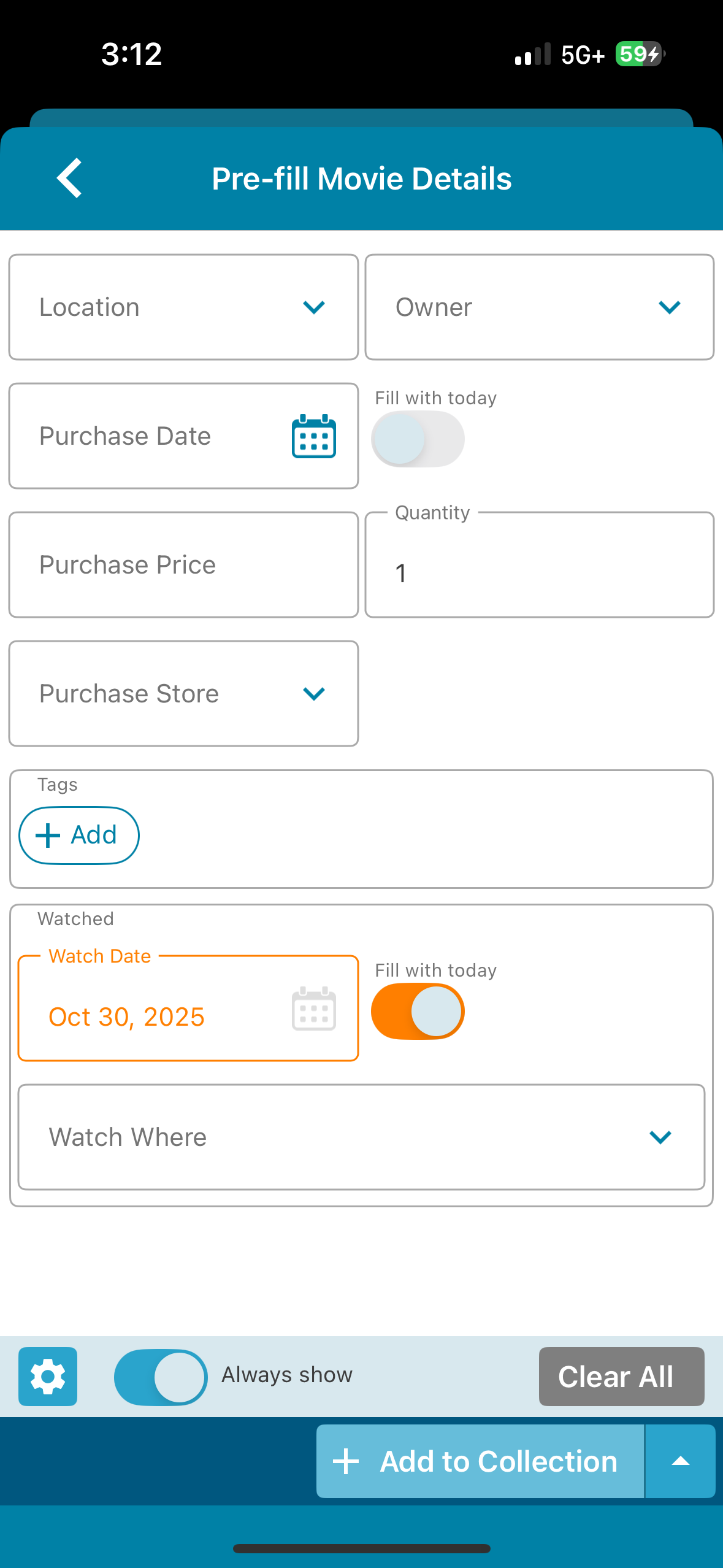
That is a bug indeed. I’ve reported it to the team for fixing, thanks for letting us know about this one.
@jedigrant this should now be fixed in the new version 10.2.1 for iOS!
Your app may have updated itself already (check the menu top left, the version number is at the top).
If it hasn’t updated itself yet, here’s how to force the update:
on iOS:
- On your device, open the App Store app.
- Search “CLZ” and select your CLZ app.
- Tap “Update” to update the app.
Can you please let me know if that worked or not?
Well, it works in that when I set the watched to today’s date on the pre-fill screen it will show as watched in my list. However, it is populating the date and setting it as watched even if I de-select the toggle on the pre-fill screen 
The Watch History needs an “entry” to mark it as watched. So if you toggle it as “mark as today”, that means it is “watched today” and todays date is filled in.
If you only want to set it as “watched” you can edit a movie, then go to the personal tab, then add a “watch history” and then clear the date.
That is not possible with the Pre-fill settings though.
Do I understand correctly you would like to be able to mark as watched from the pre-fill screen but without a watch date?
No (well, that would be nice, but it’s not what I meant) - with the newest version, EVERY movie I add, regardless of whether I have the watched field set or not, is getting marked as watched.
So even if the pre-fill screen is set as below, when the movie is added the watched date IS saved and it shows as watched in the list.
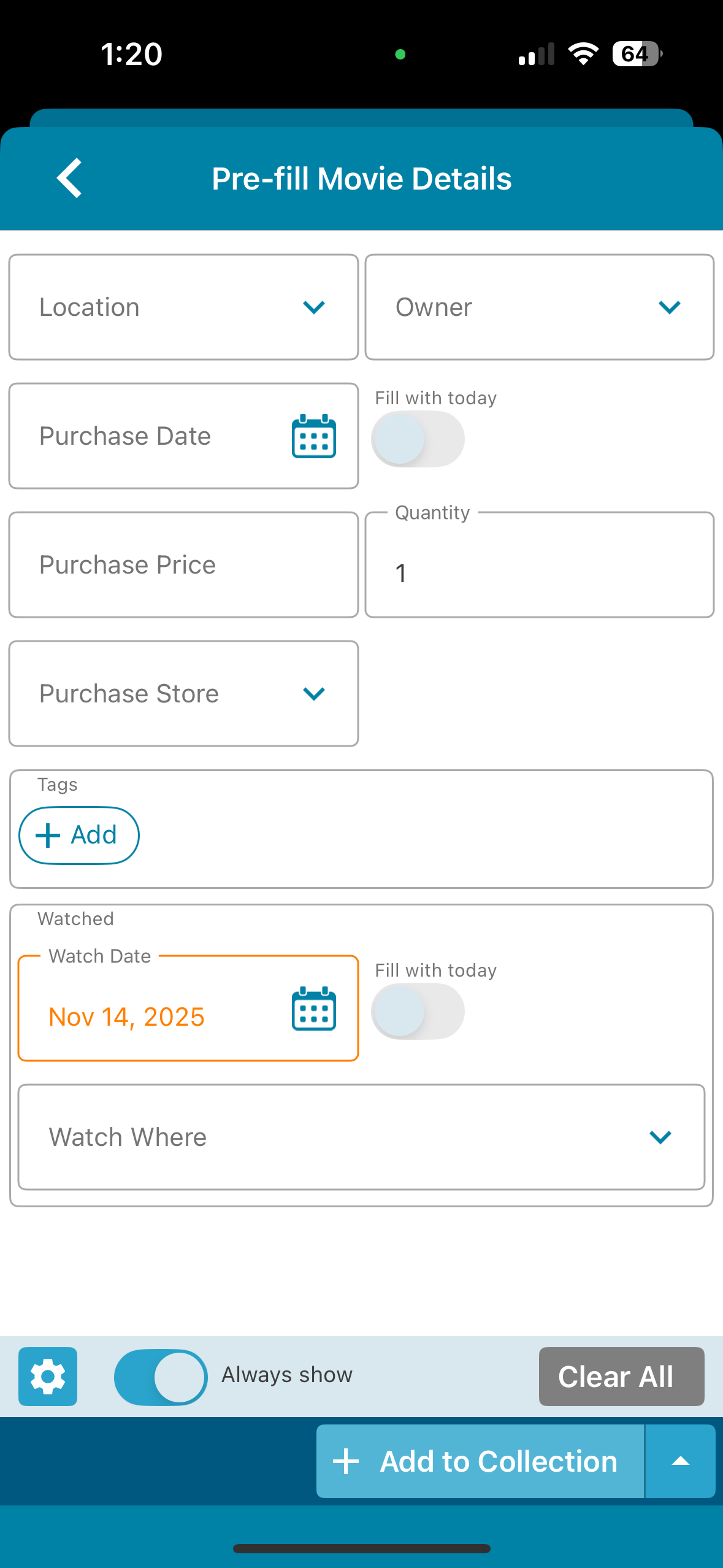
What if you clear that date? Does it also mark it as watched? (that would be a bug though)
You can also just tap the settings button, bottom left, and remove the “Watched” field completely from your pre-fill screen. Or disable pre-fill completely of course.
Clearing the date did not work, it still added it as having been watched but no date associated.
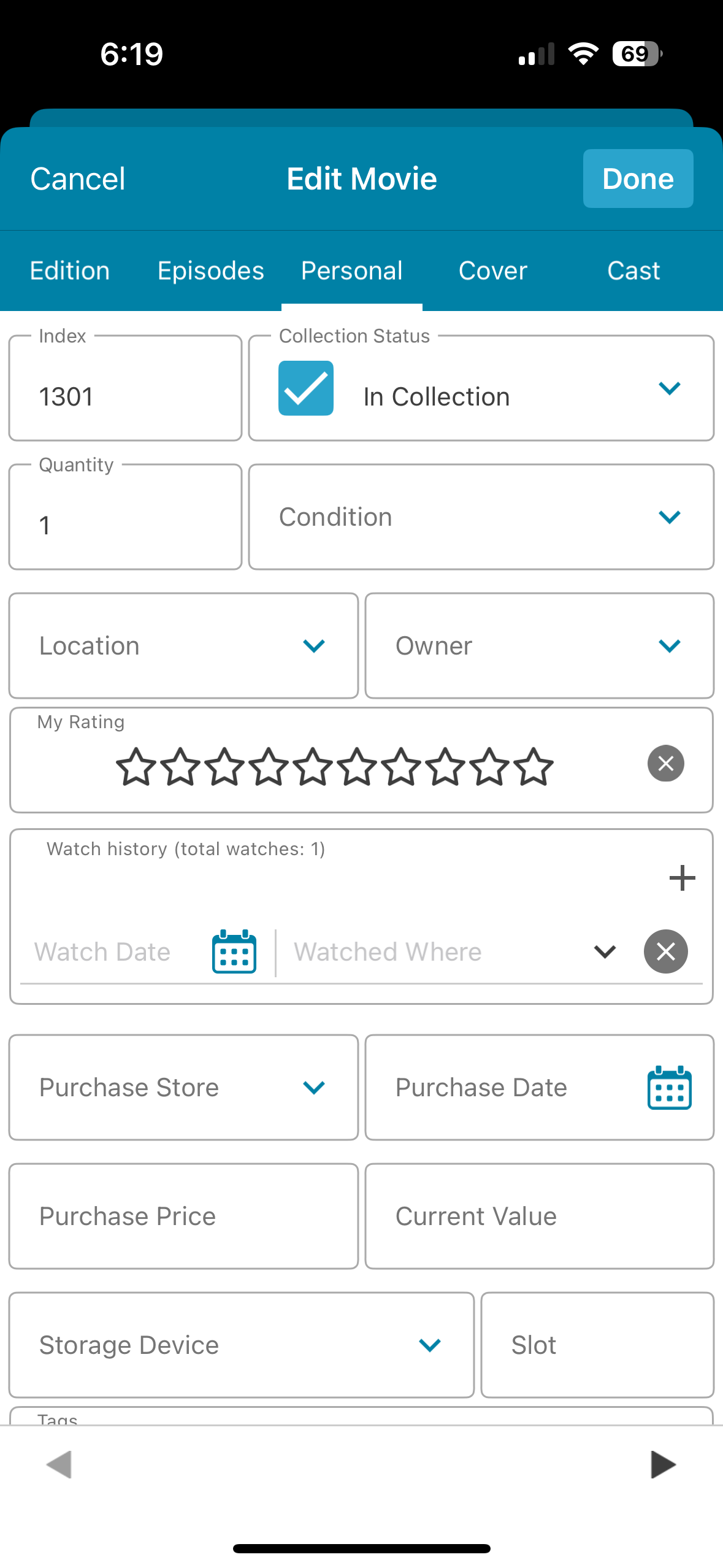
But removing Watched from the pre-fill screen did work.
I guess I’ll have to leave it off and then manually set the appropriate ones to watched for the remainder of my collection I have yet to add (just a couple hundred more at this point).
Thank you. That is a bug then. Will take note here for fixing.