vorazi
1
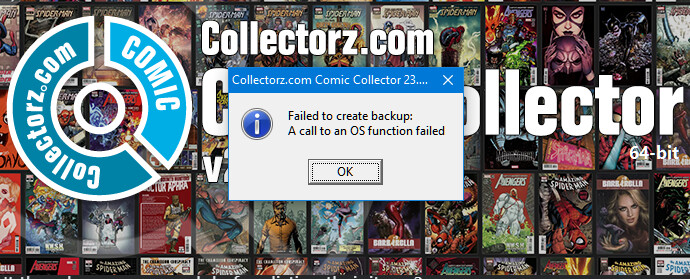
Receiving this error when opening:
Reboot does not clear the issue. Have not done any kind of updates. Just worked yesterday, and does not today.
It sometimes happens that errors like these pop up after updating the software or after upgrading your Windows on your computer.
Please try the steps below to resolve the problem:
-
Restart your computer and restart the program
(Do not skip this step please)
-
Reinstall the program “As an Administrator”
- Download your Collectorz software again from your CLZ Account page: https://my.clz.com
- Click the download button for your platform and download the version you’re entitled to, save it to your computer (do not run the installer).
- Right click on the downloaded installer, and select ‘Run as Administrator’. This will install the program with Administrative rights.
- Now launch the program and see if the problem has been resolved.
- If STEP 2 did NOT work, run the program “As an Administrator”
- Close the program if it’s open.
- Right click the shortcut to your Collectorz program and then select “Properties”.
- Click the Shortcut tab.
- There, click the Advanced button
- Tick the “Run as Administrator” box
- Click OK and you’re done.