I have been using Books Desktop for over 10 years to sync to cloud, and Books Mobile to sync to my Android phone. I love this software!
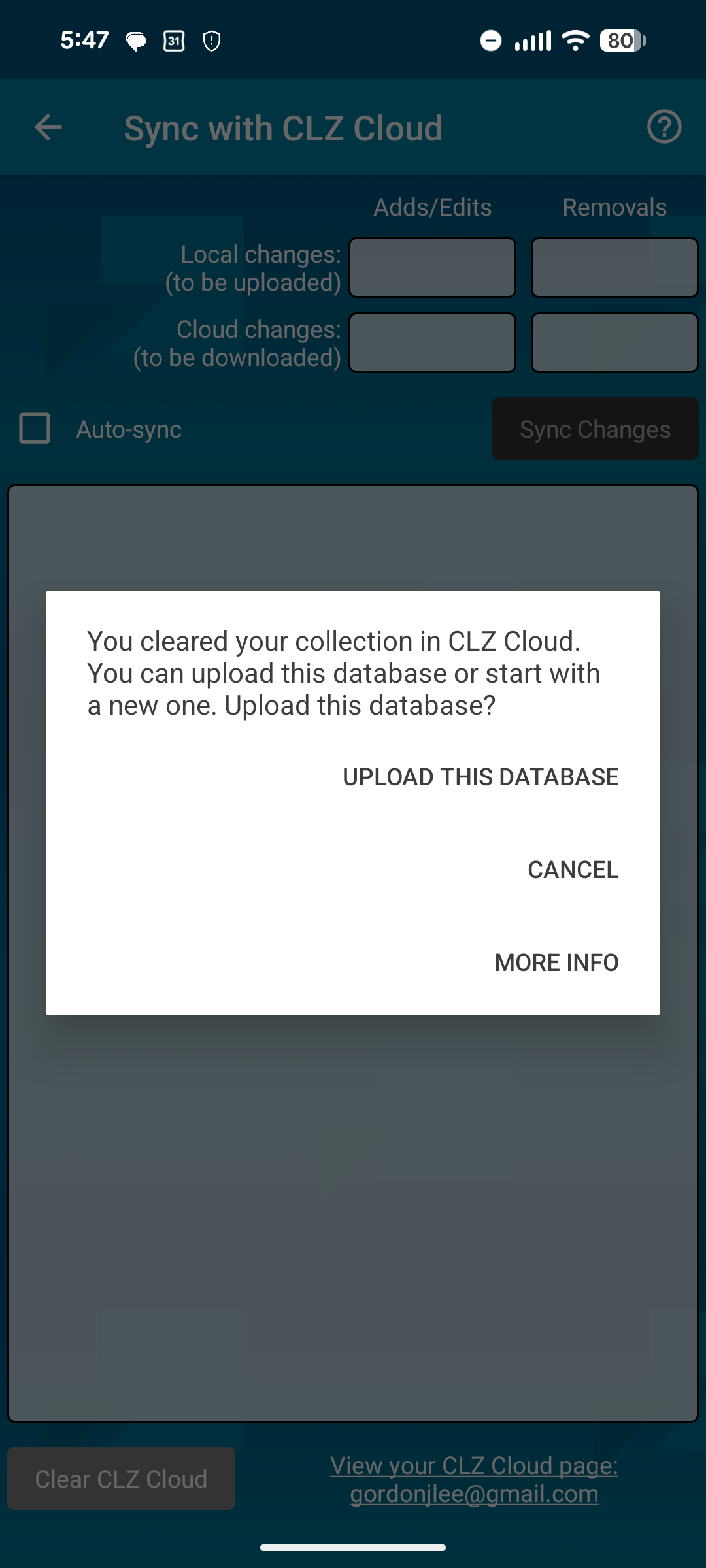
In the past two weeks or so, I find that Books Mobile will not sync from CLZ Cloud. The mobile app says that I have cleared my collection in CLZ Cloud, but I haven’t, it is there if I look through my browser. This was all working fine until a couple of weeks ago. Here is what the mobile app says:
In my workflow, I do all adds/edits/deletes on the Desktop app and I have always treated that as my primary source of truth. So, I am reluctant to upload from Mobile as this will break that workflow. I have some recent adds on the desktop side that the mobile side does not have yet, so an upload from mobile would not seem right.
I realize that Desktop is legacy now, but the currently problem seems to be between Mobile and Cloud.
Hi, thanks for the guidance ! I followed those instructions and my phone has downloaded all the records from the Cloud. I have a further problem with custom images that I will describe in a new topic. But this is progress, thanks again!
Regarding cause, I did not restore a backup or switch computers on the Desktop side. I don’t remember any other significant change on the desktop side. But, the desktop is pretty old and I am planning to replace it.
In my previous message I mentioned a problem with custom images. I cleared my Cloud db and re-synced it from the desktop app and this resolved the problem.