When clicking edit on a cover image, it used to open in windows paint, but now no longer does so.
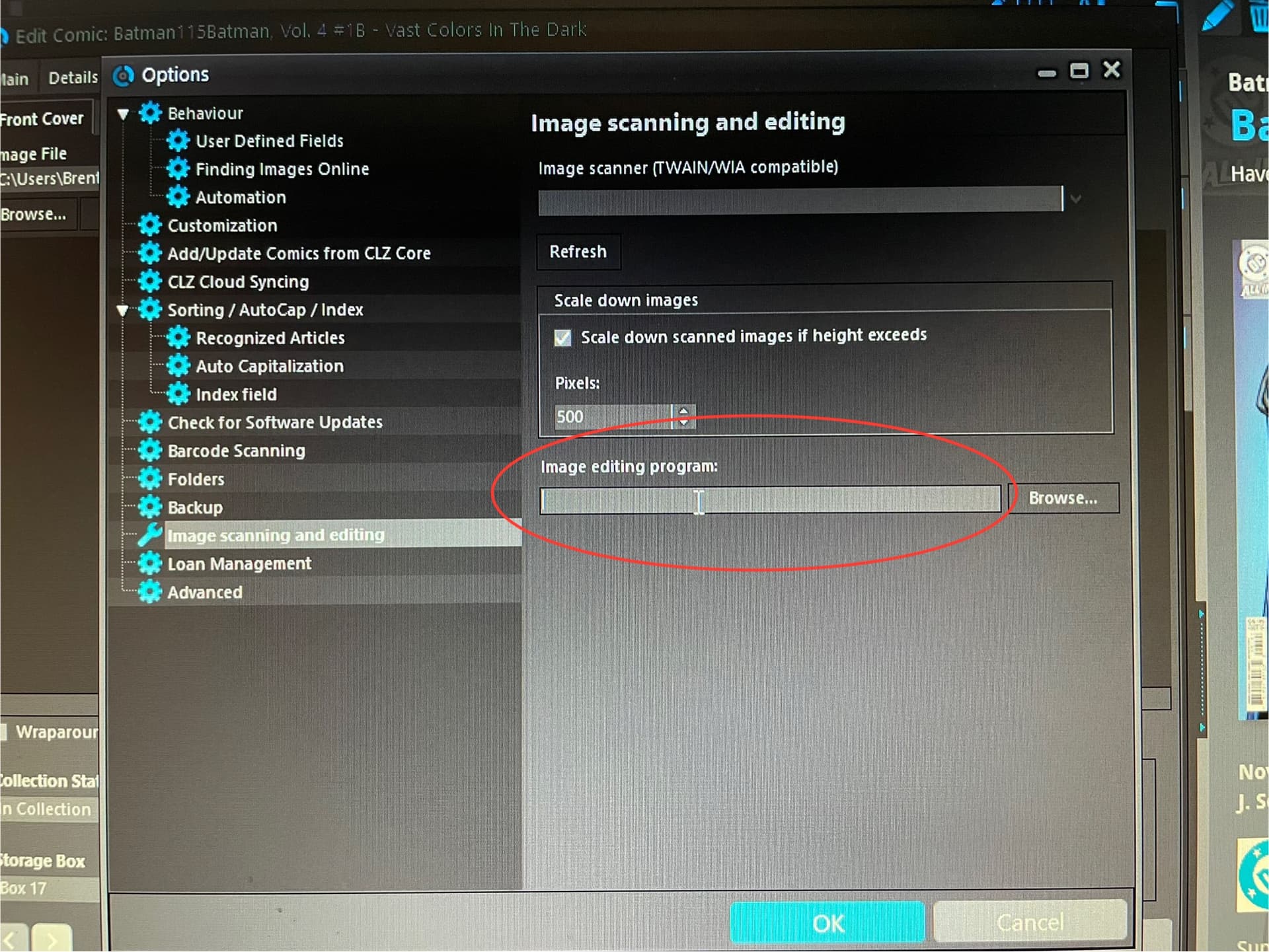
Does anyone know what to type here so it can find paint again? I can’t find the program location by clicking the browse button.
When clicking edit on a cover image, it used to open in windows paint, but now no longer does so.
Does anyone know what to type here so it can find paint again? I can’t find the program location by clicking the browse button.
Your best bet is to pick a different image editting software, do you have one?
If so, use TOOLS > OPTIONS > IMAGE SCANNING/EDITING and change the image editing program to what you want.
We advise to do the above.
If you really need to use “Paint”, then you could try this, but, it’s completely your own risk:
The path to Paint in Windows 11, for me, is :
c:\Program Files\WindowsApps\Microsoft.Paint_10.2108.1.0_x64__8wekyb3d8bbwe\PaintApp
so inside:
c:\Program Files\WindowsApps\
To access that folder, you need to have access to your WindowsApps folder: here’s how you can do that:
takeown /F “%ProgramFiles%\WindowsApps”
takeown /F “%ProgramFiles%\WindowsApps” /r /d y
icacls “%ProgramFiles%\WindowsApps” /grant Administrators:F
*Note: The above command will assign Full Control permissions to the folder “C:\ProgramFiles\WindowsApps” for all Administrators users.
Thank you but I just can’t seem to access that folder (which has all picture editing tools, not just paint). I’ll have to copy to clipboard, then open a program. It works but it’s a little awkward, especially when clicking edit used to open paint automatically.
The only way to access that folder is to follow those instructions to take ownership - but again I can’t guarantee that the steps to take ownership (from my post) will definitely work - you might want to take a look at a free image editing program, install that (Free software Gimp comes to mind: GIMP - Downloads)
That said if you’re okay with using your workaround, that’s good too of course!
Indeed, but Windows changed stuff, they just don’t have an executable our software can access anymore. You might want to contact them - but chances are low you’ll get a reply I think.
Taking ownership of the folder, then go from there worked for some people, but the steps are very difficult as you can see in my post.
Thanks, I appreciate your suggestions.