Hi,
Hope your day is going well.
I am attempting to edit a box set without success.
Here is the procedure:
Call up a record.
See that is a box set containing incorrect information (too many discs so not a box set actually)
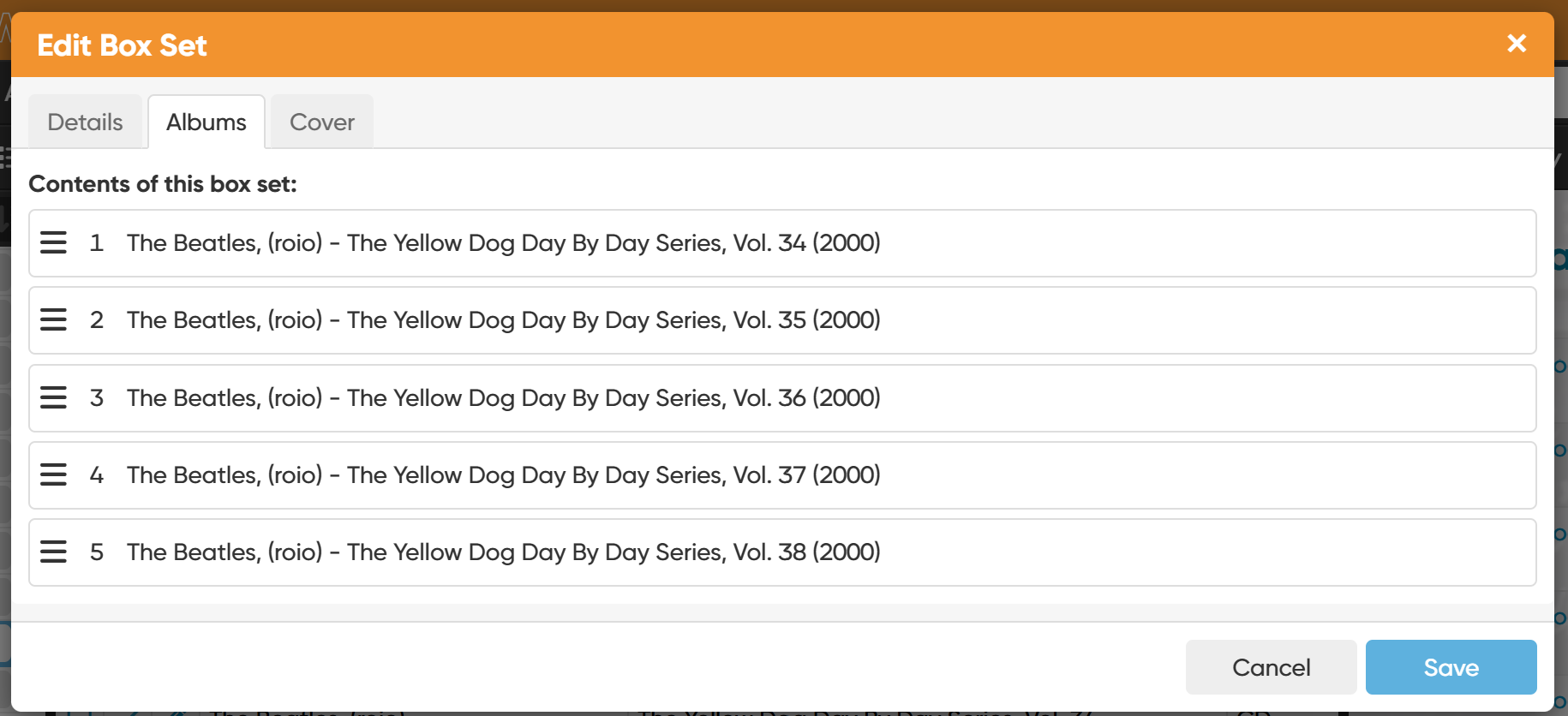
Click on the “edit box set’ link resulting in the Edit Box Set screen appearing.
Attempt to edit this box set but not able to modify any of the information
What am I missing
Thanks
antonmb
September 30, 2025, 3:25am
2
You can’t edit the discs within a box set from the box set edit screen, you have to edit the individual disc from the disc edit screen.
CLZ_AJ
September 30, 2025, 6:10am
3
An easy way to get to it would be to click the Folder button top left in your main screen, then foldergroup on the Box Set field.
Then click the box set
1 Like
Thanks. That worked. Appreciate the help.
1 Like
simes69
February 22, 2026, 5:15pm
5
Am I right that “is a box set” parent record in the database that appears in the “box set” dropdown field in the Details tab? From there, I can associate the individual discs in the box, each with their own database record, as “children”?
If so, what property of the database record causes “is a box set”?
CLZ_AJ
February 23, 2026, 12:54pm
6
Box Set is actually a “field” that is owned by an album.
So: It is not a “parent level” record. It’s a child level datafield of an album.
Based on whether it’s filled in, you will be able to folder on it, and see other albums with the same box set name in the details panel of the album.