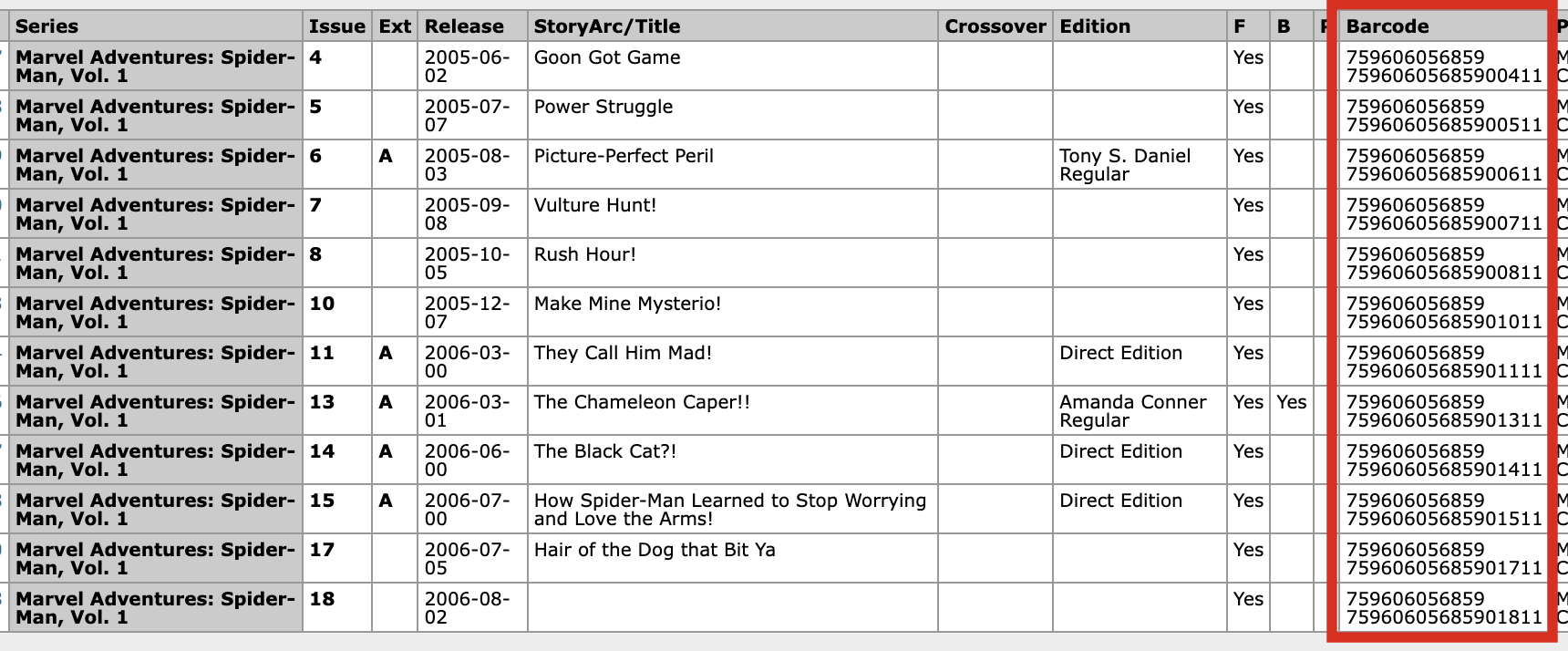
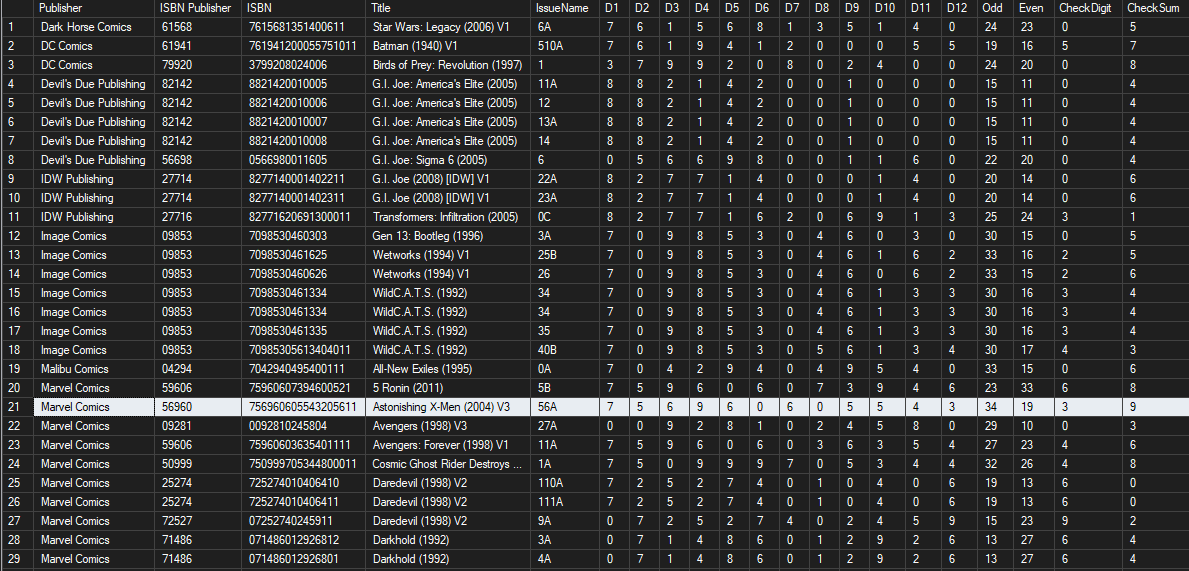
After having scanned my very large collection of comics (over 53K) into the software I have noticed that barcode identification of books (easily one of the best features of the software) is populated with some pretty bad data. Too often I scan a book and it shows me multiple titles and or issues associated with the barcode I scanned. Sometimes the book I scan is not even one of them. Many other times the barcode just does not work at all. Now, my research does show that some publishers re-used barcodes and that explains away some of the errors and at other times in the distant past variants commonly had the same barcodes as well but there are more actual errors in the data than there was errors due to these reasons.
For example, here is a summary by Barcode length
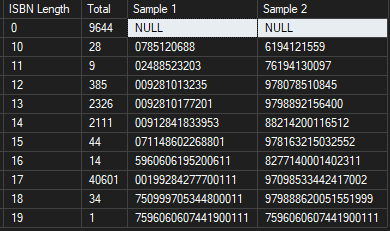
First, it is important to note that barcode or ISBN lengths like 11,12,15,16,18,19 are not valid and should immediately raise suspicion.
Next, there are many that are duplicated. Of the 53K books in my collection I found 2834 distinct barcodes with duplicates across 6976 of my books. Take this list for example:
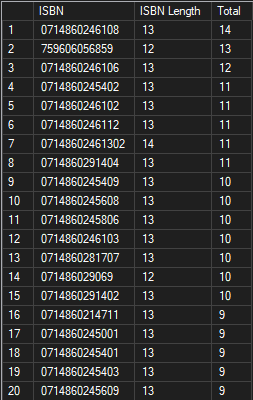
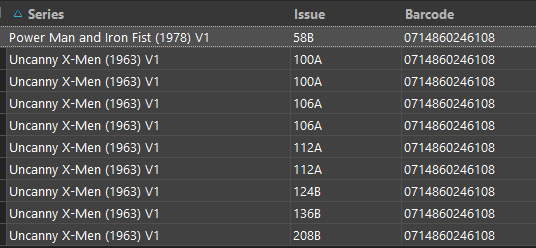
The first barcode, 0714860246108, produces a list of 14 different issues in my collection which when I examine I see that it is actually legit - somehow Marvel used the same barcode across issues of X-Men and Power Man/Iron Fist and it is easily confirmed looking at the covers…
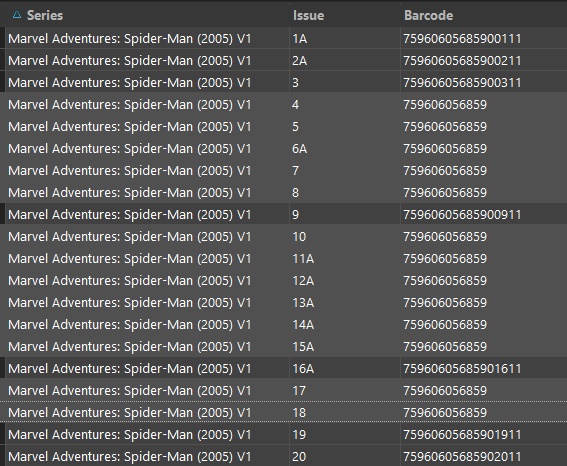
…but if I look at the second barcode, 759606056859, I see 13 issues of Marvel Adventures: Spider-Man where someone did in fact put the wrong barcode for every book and that is going to make bar code scanning impossible for any issue in this series.
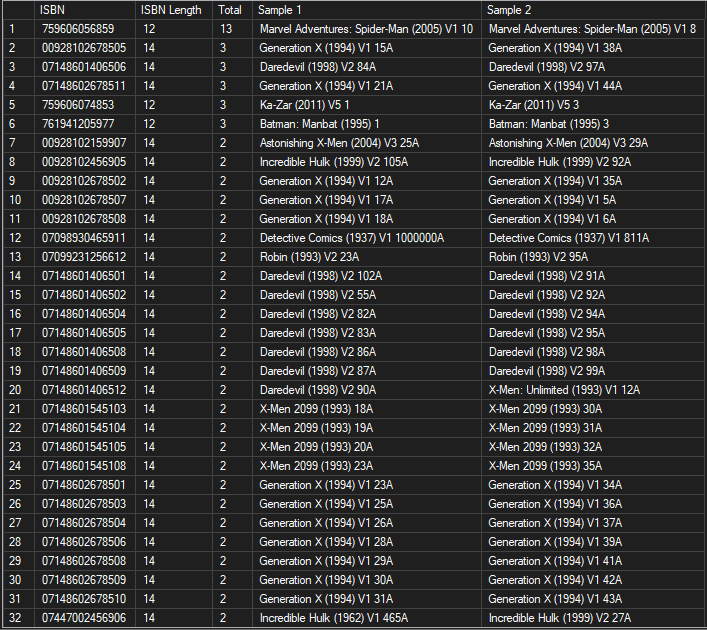
As I dig further into this, I see that there was a time when variant issues all had the same barcodes and understand that duplicates within a single issue are to be expected. But if you factor out per-issue duplication and move to a period where barcodes were no longer re-used by publishers (say 1995 and above) you still see that there are still a lot of duplicate barcodes due to bad entry. Initially, I had assumed that at least one of each item set was correct but looking at them closely it is evident that most of the issues identified in the table below are flat out wrong and all you have to do is click the cover image to see it.
All of this information aside there are easy ways for you to detect bad barcodes. For example, the first 6 digits indicate the publisher. So take a look at the list below:
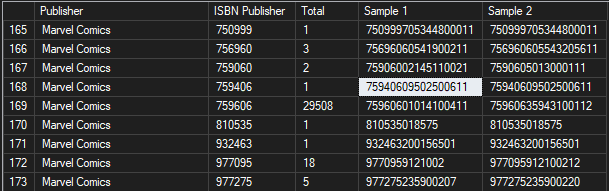
It shows that there are nearly 30K books associated with Marvel Comics by the first 6 digits. So given that look at the others near it, like say 75940609502500611 which says it is Ghost-Spider, Vol. 1 #6A. Wrong. You can clearly see a type-o from the image below:
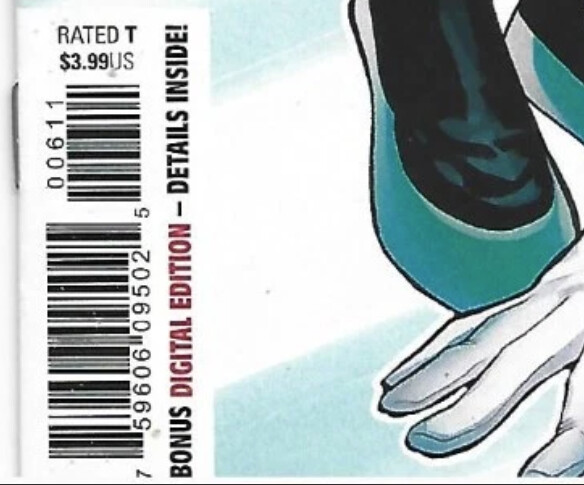
So now I have given you a technique (not 100% foolproof but pretty close) which you can use to at least identify when the publisher portion is wrong (on books from the last couple decades for certain). Note: some publishers legitimately have multiple 6 digit publisher codes (Marvel is one of them)
Also, the last five digits are significant as well for most books (especially modern) in which they represent the issue number and the the variant. You can easily write queries to detect when a 17 digit number is entered that the first 3 of the last 5 digits correspond (usually) to an issue number and the last two are the variant (11 for an A variant, 12 for a B variant, etc.)
But one of the simplest things you might be able to do with the data you have today and is simply run a snippet of code against each cover scan you have to see if the image contains a barcode and if it does extract it and compare it to the barcode you have for the issue. This is easy to do. You can then flag discrepancies and make some manual checks to confirm before applying them and fixing the database.
Glad to assist if you would like more information. In my particular case I have already corrected hundreds of entries in my local database.
Regardless of the actions you ultimately take (hopefully ignoring is not one of them) you do have the tools to improve the database greatly and make scanning and input a lot better for users.
If you would like copies of any of the queries I use against my local database to adapt to your environment let me know…