I almost never look at release year. My collection is Bronze and older. Release dates are often not in CLZ, of if present are often incorrect, and for many books are unavailable in the first place. I use cover dates often for sorting. I would find it useful to be able to select books with a given cover date via a filter.
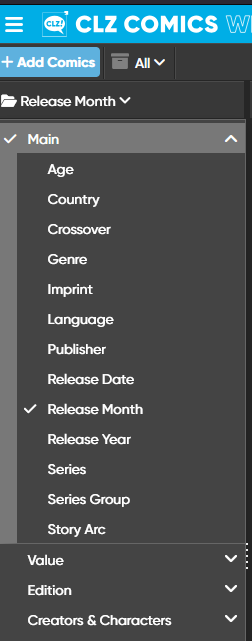
That is actually already available, it is hidden under “edition” (which I agree might not be a logical spot).
So click on “Edition” in that menu from your screenshot, and Cover Date/Month/Year are there!
Let me know if you have further questions,
1 Like
I found it and raced back to delete my post but you had already answered. Thank you for the response.
Is there a quick way to create a new collection and to add all books in the CLZ database form a given cover date month? Let’s say I wanted to create a collection which shows my “birthday books” whether or not I own them. Can they be selected en masse and added to this new collection?
Hah, okay good you found it 
Yes that is possible:
- First create the new collection using Manage Collections from the menu.
- Now go into original collection, then group by Cover Date Month.
- Click the month.
- Click the checkbox in front of the first comic, then click to select ALL
- Then use “Move to other collection” from the action bar at the top of the selected comics
- select the new collection you made, and move them.
It will be MOVED, not copied by the way. So they will go OUT of the original collection and IN to the new collection.
1 Like
Thanks so much. So if I wanted to copy them rather than move - leaving them in the original collection, I think I could do the following -
- Follow your steps above with MOVE
- Duplicate the resulting new collection to create a third collection (original set, birthday set, duplicate set)
- Move the duplicate back to the original
- Delete the duplicate collection (if the empty collection tab still exists after all books have been moved)
What a fun feature it would be for each user to offer the opportunity based on their birthdate to have CLZ automatically create a birthday books collection! (Because thinking up features is easy and actually doing them uses precious resources and the devil is in the details!!!)