Hello I want to change my name ( see screen shot) from LindaDoe’s books to The Doe Library.
Please if anyone has suggestions I would be grateful!
Thanks,
Linda
Hello I want to change my name ( see screen shot) from LindaDoe’s books to The Doe Library.
Please if anyone has suggestions I would be grateful!
Thanks,
Linda
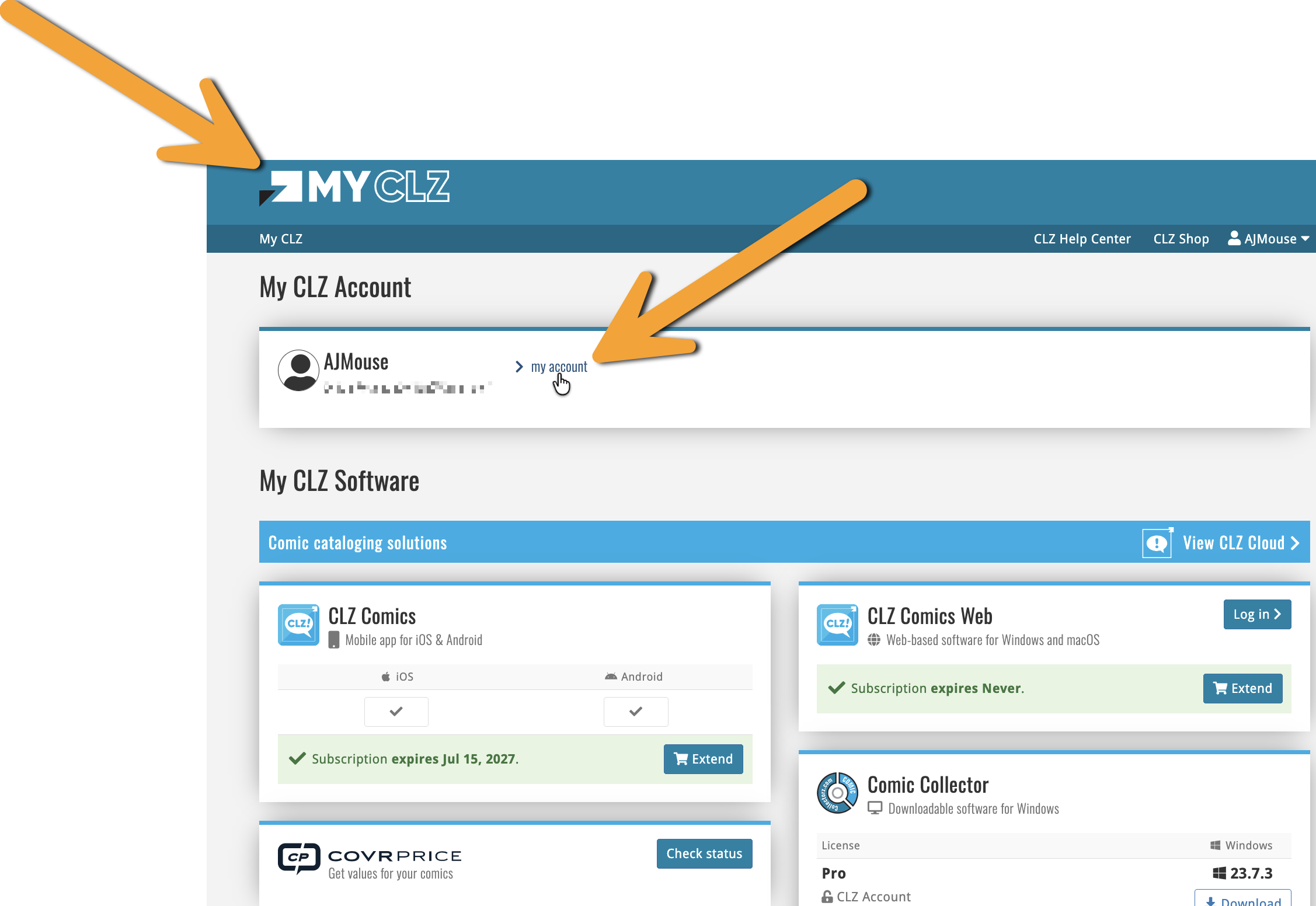
To change your username you can go to https://my.clz.com and log in. You can change your username there.
Note that it will always say “username’s books” - so the word books will always be there.
Also, a username can’t contain spaces.
If you’d change your username to TheDoeLibrary, it would become:
TheDoeLibary’s books
Hope that helps!
Hello AJ
Thanks for your quick response.
I have tried to find the area to change my name but unfortunately
I have had no success.
Could you please instruct me in detail how to do this.
Thanks for your continued help.
Linda
Hi Linda,
On https://my.clz.com Log in if you are not signed in yet.
After login you should land on your account page. The username field is under “MY ACCOUNT” link.
Change it there, save, then refresh Books Web. The menu will show [newusername]’s books.