When using the scan tool to list or add Books, it defaulted to the UPC/EAN for books with a barcode that listed BOTH an ISBN# & a publisher’s UPC/EAN barcodes.
I have also experienced manually entered older ISBN# being replaced with UPC/EAN# when I submitted to the CORE.
Currently, the ISBN entry feature lists only the UPC/EAN for the most recent publication of a given in-print title/edition.
UPC/EAN barcodes have only recently replaced ISBN. Books printed during the second half of the 20th century used ISBN or SBN as a publisher’s index code#. Books published pre-1950s may or may not have the Library of Congress entry # in the absence of ISBN.
Can the ISBN entry be recoded to a drop-down tool listing: UPC/EAN, ISBN, SBN, LoC#, NA
This data would enable a broader range of older books (reprints, updated editions, and out-of-print books) published before the present-day UPC/EAN barcodes. The CLZ Books App would be far more useful & accurate.
Sorry, but I’m confused. The scanner in CLZ Books Mobile can only pick up ISBNs, either ISBN 10 or 13.
We’re not planning to expand that to read a UPC/EAN (our legacy Windows scanner worked with an external barcode scanner, which picked up UPC, which we do not have in Core, as we have ISBNs, which caused mass confusion and most users when we tried to explain never knew differences between ISBNs and UPC/EAN).
In any case, for years and years we now have an ISBN scanner in CLZ Books that will check if the scanned barcode is actually an ISBN - and last year we added OCR reading of numbers that look like ISBNs - so that when you scan a barcode that is a UPC on a book, usually above or below it is the actual ISBN number - and our scanner is smart enough to pick that up.
So since we added that OCR thing to our barcode scanner as well we’ve actually stopped receiving any issues with the scanner not picking up a barcode (for when users scanned the UPC instead of the ISBN) because it kind of can’t happen anymore.
So I’m very very curious how you can make it scan the UPC instead of the ISBN? Can you tell me
how you’re scanning exactly
post a screenshot where it picked up the UPC instead of the ISBN
post a picture of that book where you scanned, so I can try scanning it with my CLZ Books Mobile app
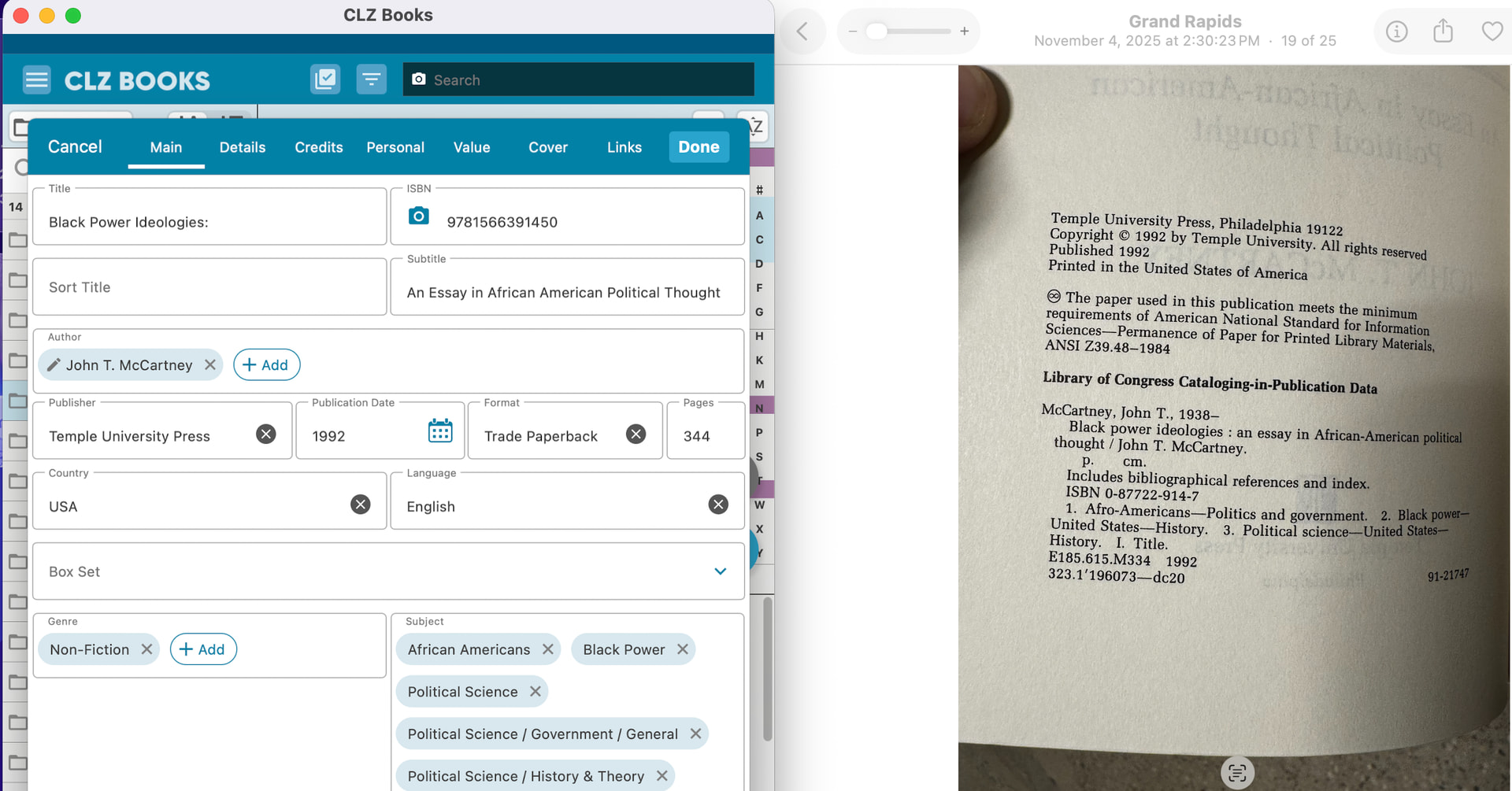
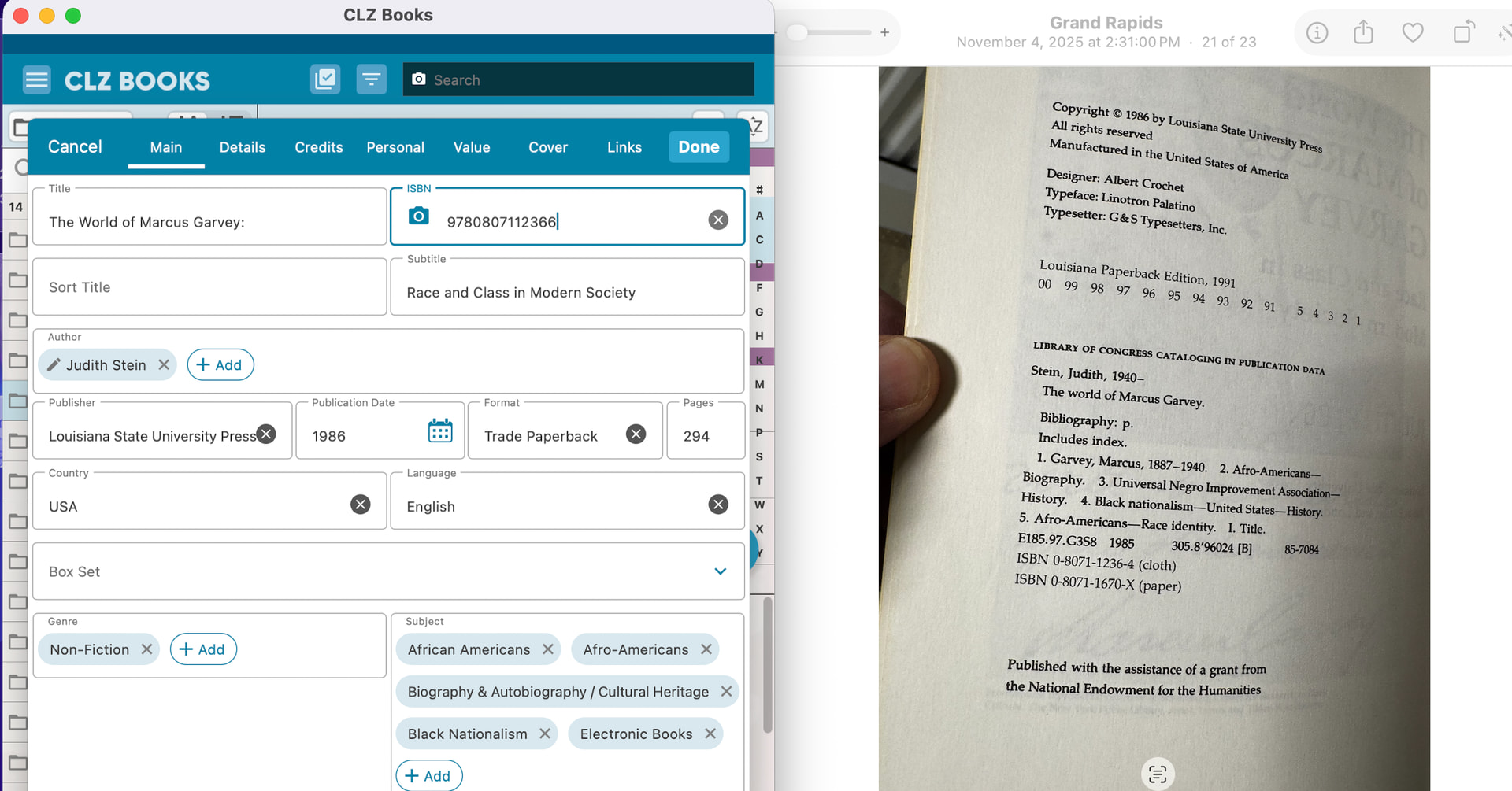
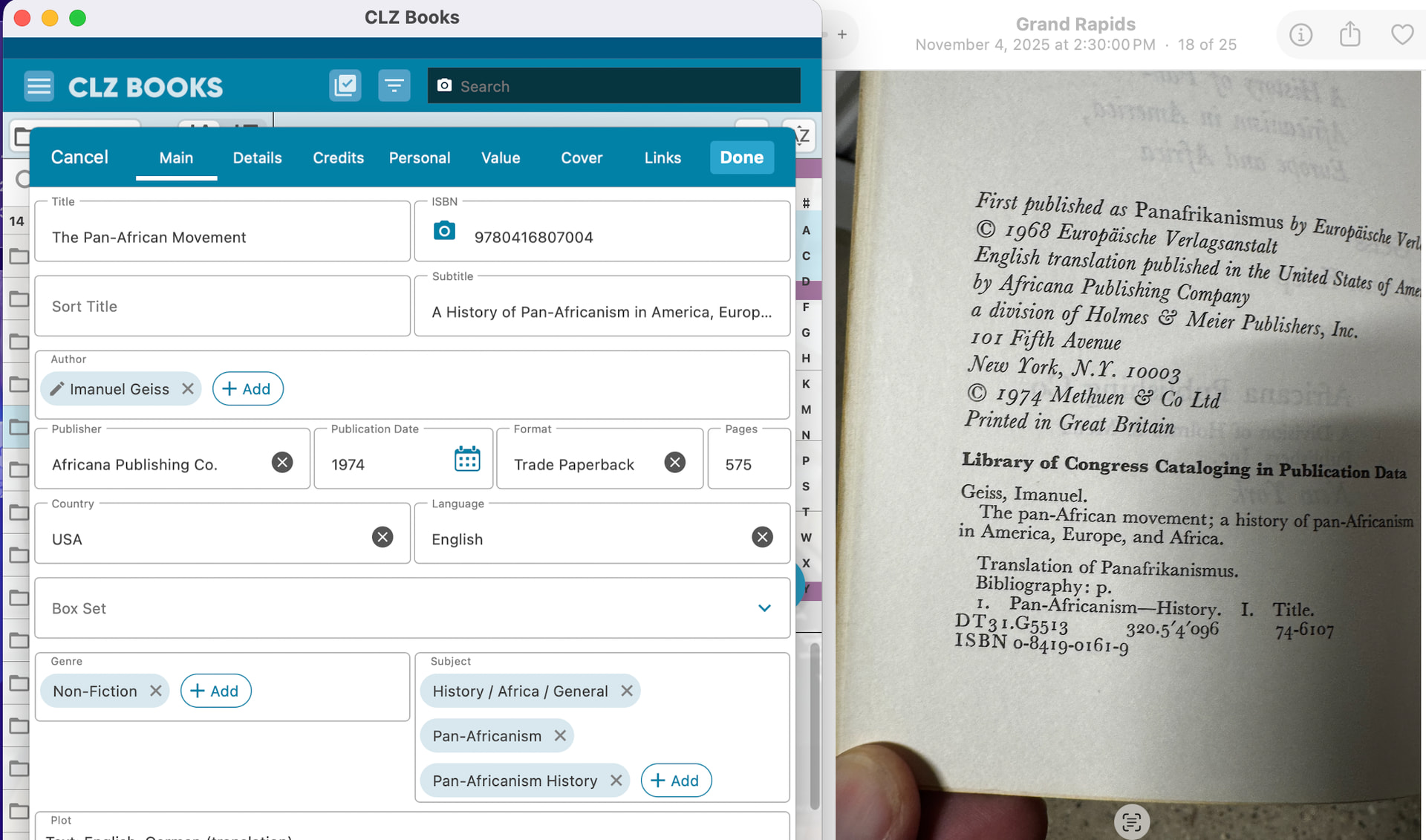
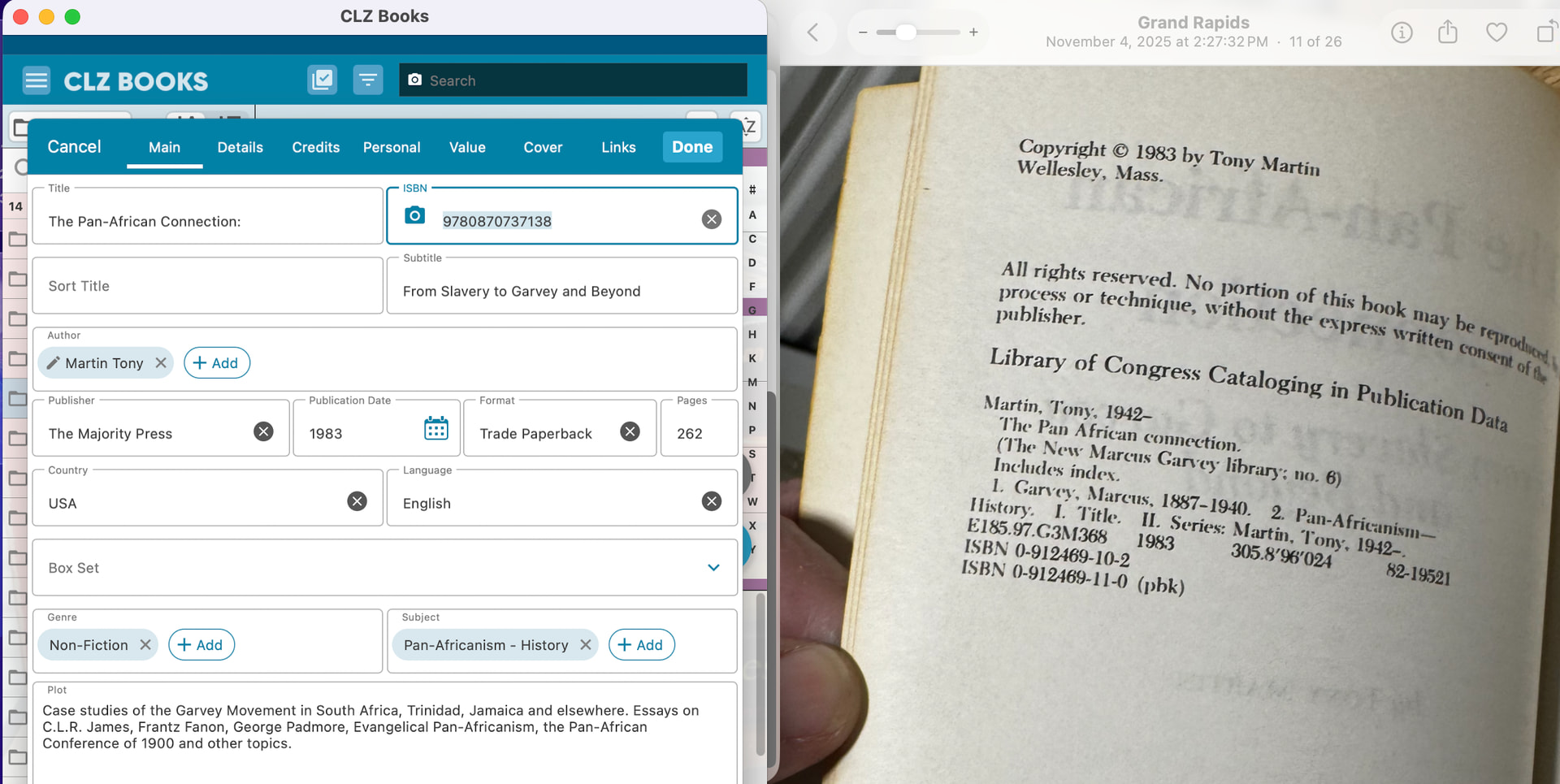
Sorry it has taken me so long to respond, the holidays & elder care have consumed my attention. Here are a few screen shots I took, showing the CLZ listing & the Book’s formal ISBN. I understand that you are using the 978 prefix, but typically the 10 digit # tends to mirror this with the exception of a final number or two.
My examples show a stark contrast, leading me to believe these are unique editions, original printings vs reprints or different editions.
My training has me defer to the book’s printed data.
When an ISBN 10 is found by our scanner, it will convert it to ISBN 13, which comes out at a unique ISBN number, which can also be translated back to ISBN 10, and it will just find the book.
In your screenshots, I do not see UPC or EAN numbers, so I still don’t understand what you said here:
Currently, the ISBN entry feature lists only the UPC/EAN for the most recent publication of a given in-print title/edition.
Can you give me a clear, step by step way where I can see how you are getting to this conclusion?
Note: When you scan from a page from your screenshots that shows multiple ISBN 10 or 13s, our scanner can instantly see all of them and might use those for the ISBN it wants to scan.