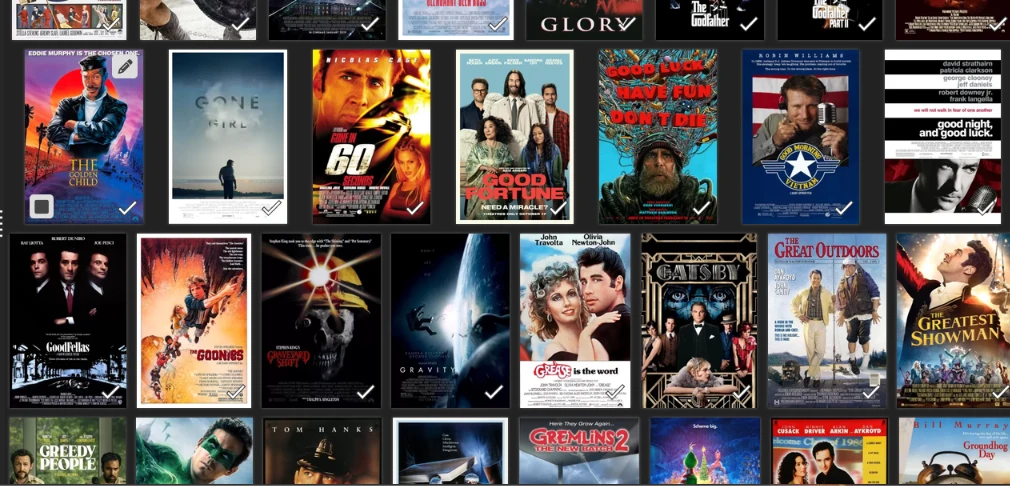
I was wondering if there is a way to make all the images displayed equal size. In this example, the 1st full row only shows 7 images because of size variations while the rest of the rows have 8 images. I have gone through and manually resized the images multiple times, but every time I add to my collection it throws off some of the rows. I was wondering if there is a way to set all the images to display in equal sizes.
I was also wondering if there is a way to ‘print to pdf’ the vertical cards instead of the film details. It would be nice to have a pdf file that looks like what I see on my CLZ Movies Web page.
The cover wall uses the real shape of each image. A tall poster takes more width than a square one, so a row can fit 7 instead of 8. There is no setting that forces them all to the same tile. Resizing the file does not change that, because the view follows the aspect ratio, not the pixel size.
List view is the even one. Every row is the same height, with a small cover and the title next to it (you can use the column button to add “front cover” as a column there.
Or use card view!
A pdf that looks like the card page is not there. Export to PDF prints the list, with the columns you pick, not the cover wall. But, you can include a cover column there too. A card-style pdf is a nice idea, and I have noted it. No promises.