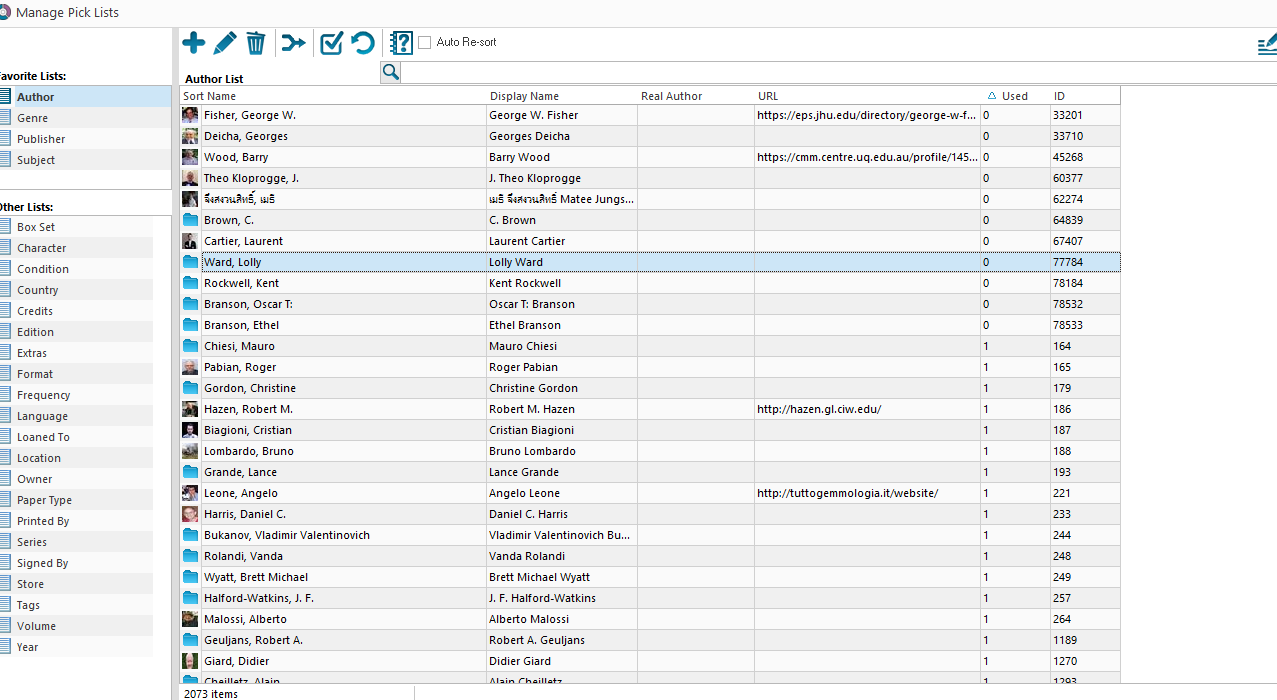
Will be possible to add an option in any manage pick list for sorting by value? Many time when i add some books from core ny isbn it had wrong subject, language , autor… And then when i want to remove the wrong unused ones inanage pick list , i must to scroll, look and delete one by one, so it’s not really usefull. This option it’s present in pc version, can add it also in the mobile version, thanks!
@CLZ_AJ this is possible to add in the to do list?
Will be very useful, in the book collector for pc i used many time, especially when i add automatically a book with many mistake
Are you asking to be able to sort the manage pick list by “times used”?
That is indeed not possible in the mobile app.
It is however possible in the mobile app to do this:
In your main list of books tap the folder button top left, then tap Subject
This groups all books by subject.
Now top right you have a toggle to sort alphabetically or by count.
That would at least help you right now to find the low count ones.
Also: if you have subjects that are not in use, or other pick list items, you can instantly remove all “not in use” pick list items;
Tap the menu top left, then tap Maintenance, then tap “Remove all unused pick list entries” - this will remove ALL unused pick list items for all pick lists!
Lastly in Settings you could also disable downloading of subjects or genres completely, for all books you add.