How do I keep from having the same movie column from going onto another page? This is with ALL of the databases issues.
I’m sorry to say I do not understand the question. Are you running into a bug? Or is this a feature request?
What is happening?
What do you expect to happen?
Can you show me with a screenshot?
And which app exactly? CLZ Movies Web?
Is there a way I can upload a picture of what I’m asking?
Sent an email to y’all with the screenshot of what I’m mentioning.
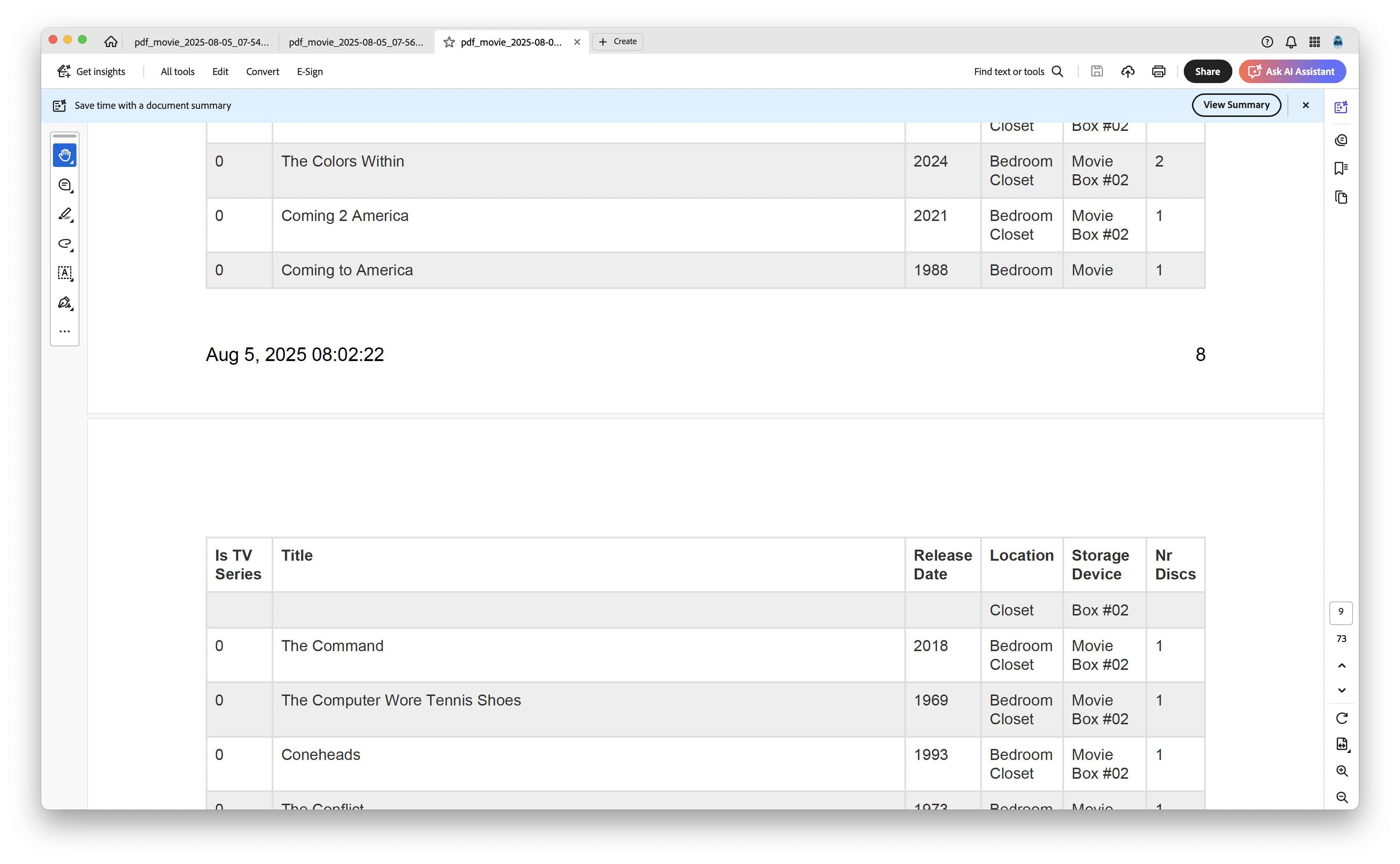
Okay thanks for the screenshot.
This looks normal to me.
What is the exact problem here?
The first row should be with the “Coming to America” Location should be “Bedroom Closet” not “Bedroom”. Storage Device should be “Movie Box #02” not “Movie”.
Ah I understand now. It seems that it’s dividing 1 movie (Coming to America in your examples) over 2 lines, meaning it “flows over” into the next page (where you see “Closet” from “Movie Closet”.
I will put in a report to fix this: “if an entry doesn’t fit on a page anymore, it should start on the next page”.
For now I have no workaround solution other than setting the max number of movies per page to something (and switch it on!)
It’s under “more settings”
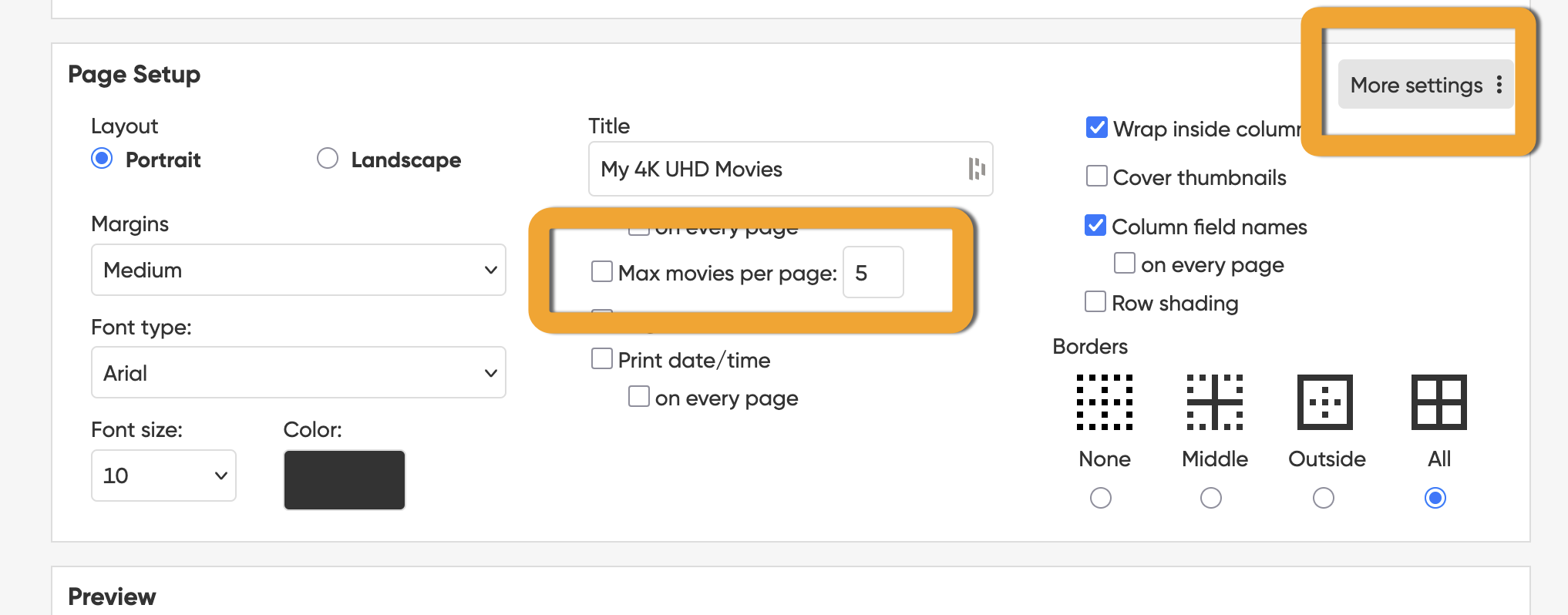
Maybe use like 10 movies per page? That way it will never overflow to the next page.
Thank you! I’ll try that next time