Read symbol is wrong

I’ll try to explain this so it makes sense.

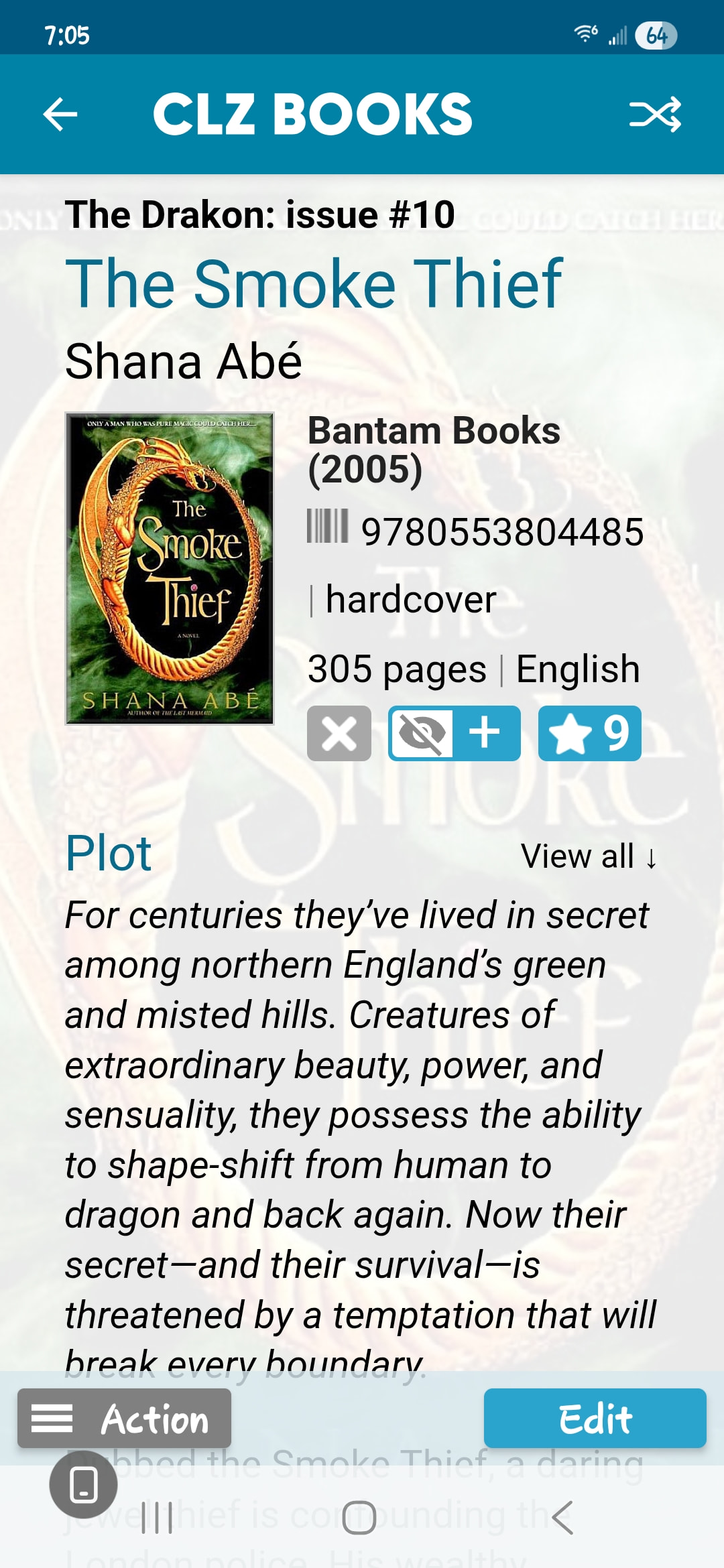
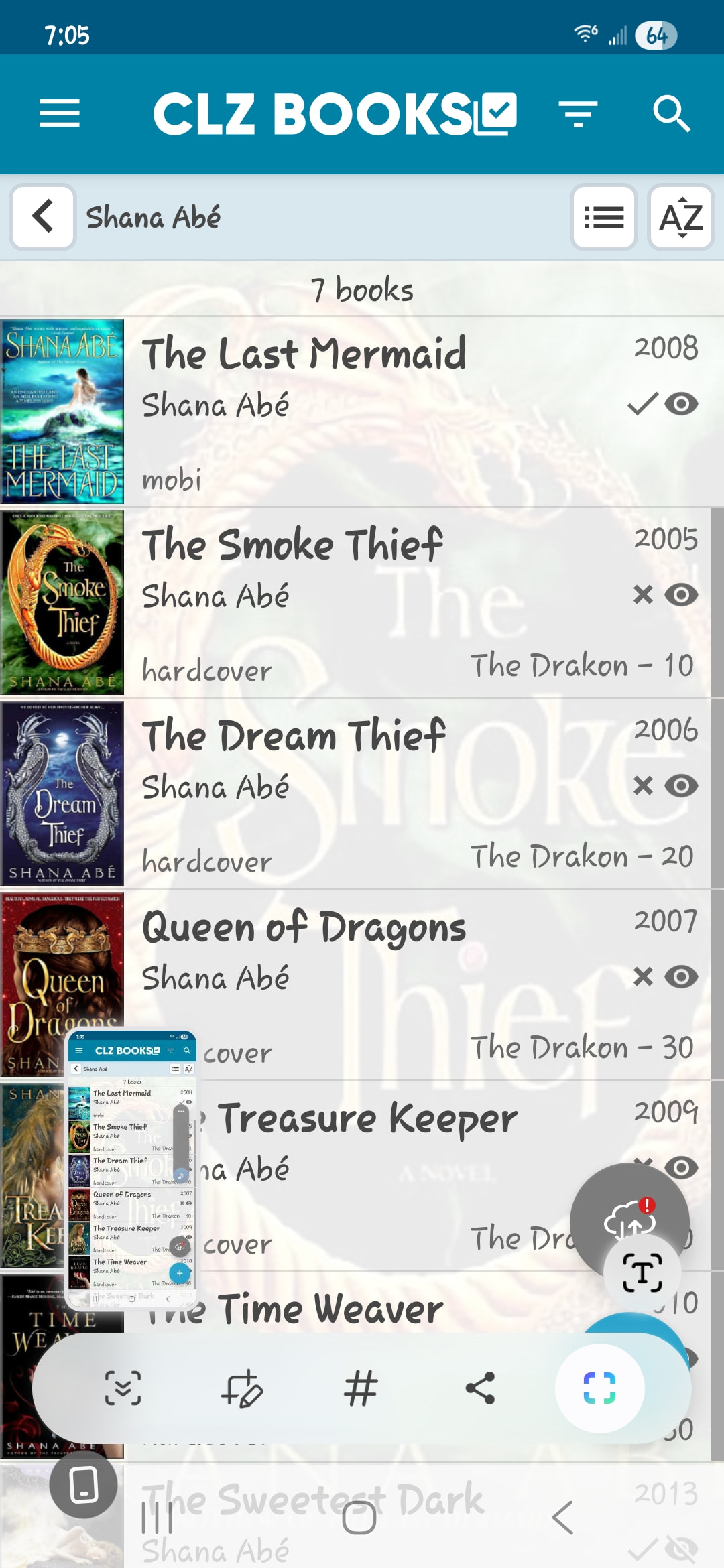
When I’m looking at the books of an author, the read symbol (a blue eye) in the list view is correct. But when I go to the individual book page, it shows the not read symbol (an eye with a slash through it). It’s this for all the books I’ve checked.

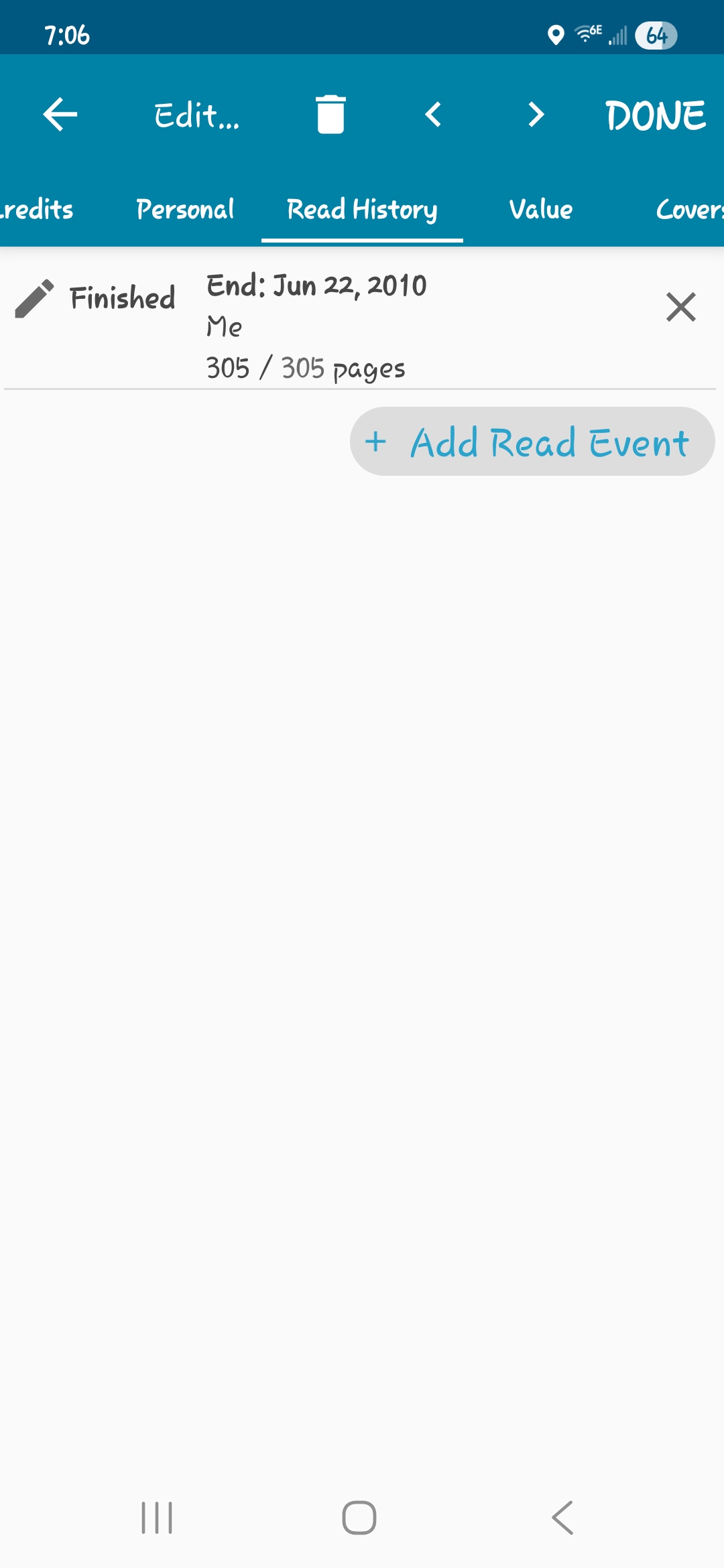
If I go down the page it says read yes and the date.

I have version 10.7.1 Google Play doesn’t show any updates available.
I can’t seem to reproduce this on my side on Android.

Can you please send me a couple of screenshots?

  • One of the list with the correct read symbol (full screenshot)
  • One of the Details panel (individual book page) where it is wrong
  • One of the EDIT BOOK screen on the “READ HISTORY” tab?

If you don’t know how to make a screenshot, here’s a page that explains how to:

Here are the screenshots.

We found the bug and it will be fixed in the next version! Thanks for letting us know about this one.

Thank you for taking the time to find it.

1 Like