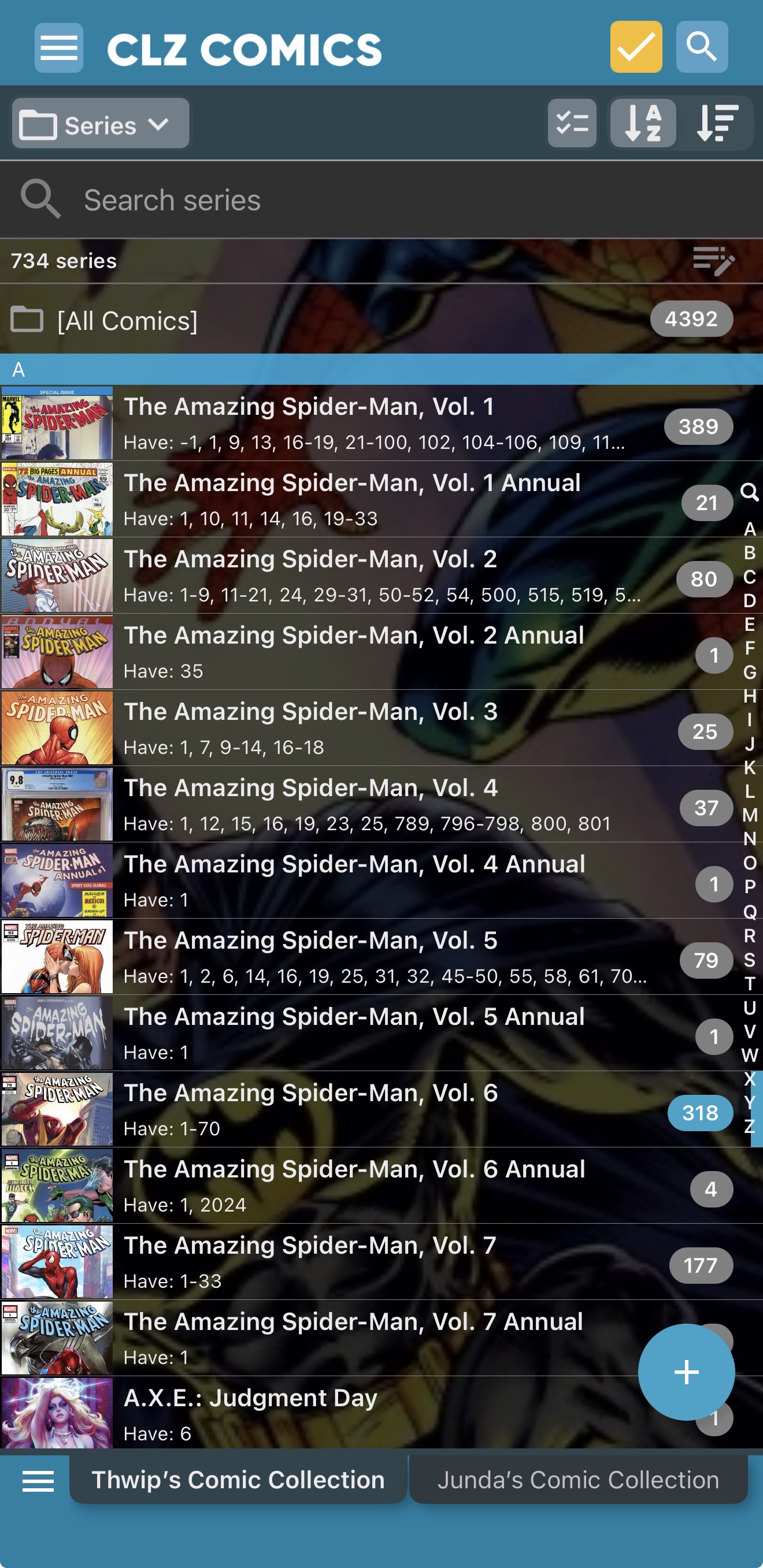
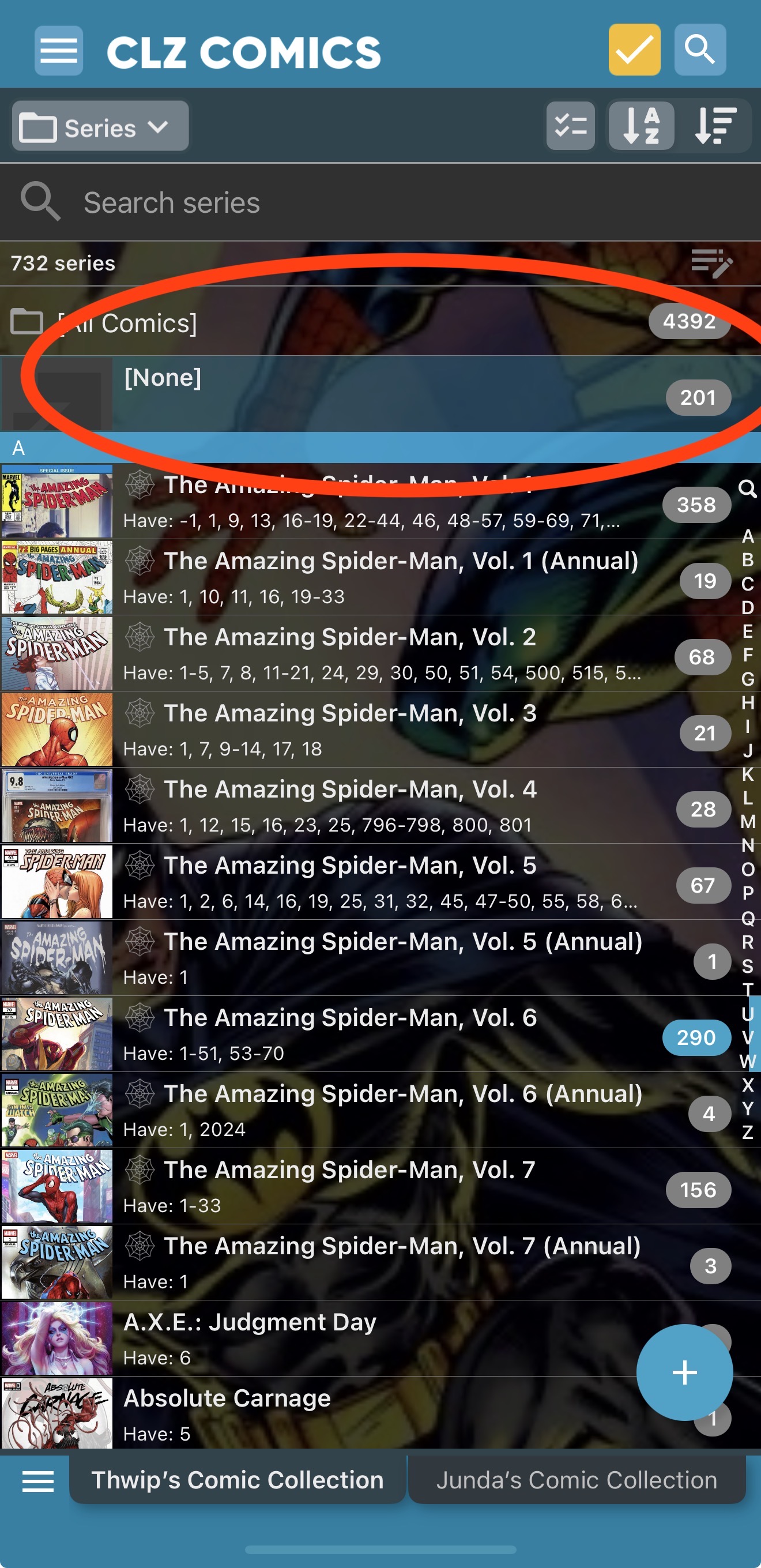
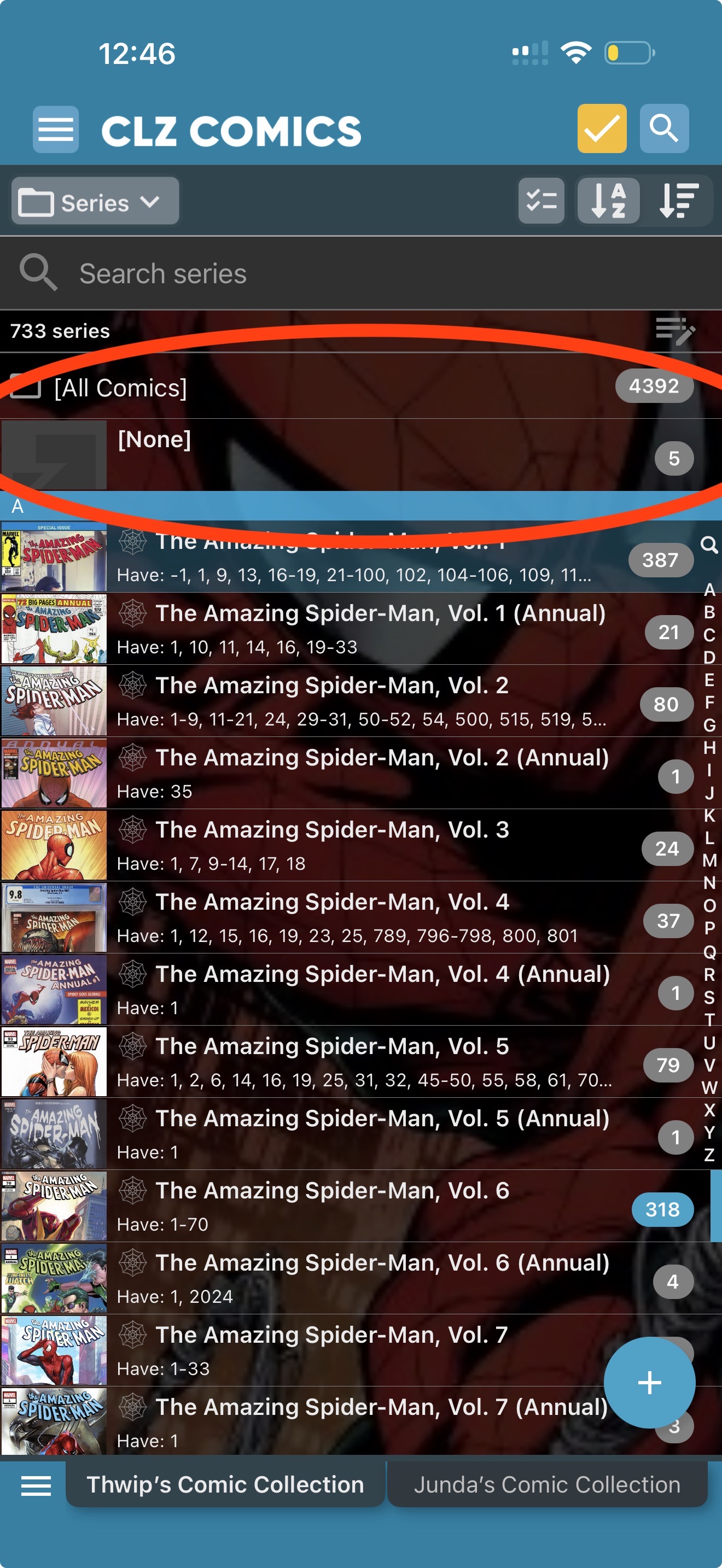
I’m not sure if this is related to v11.0, so I’ve tried nothing to resolve it, just in case someone on the CLZ team wanted to take a look.
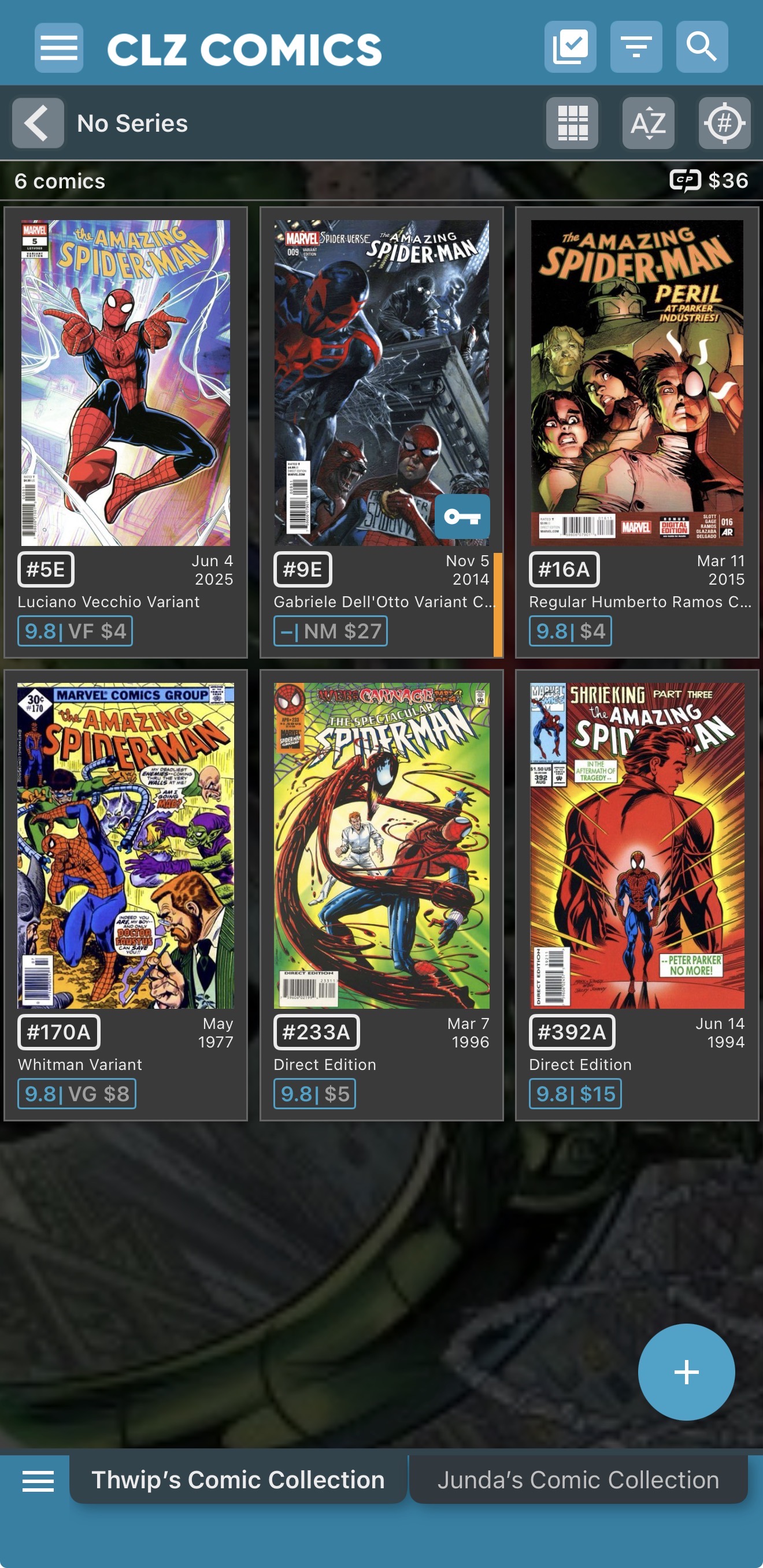
While looking at my comics in the app I noted 5 showed up at the top of the Series Folder as [None], which I found very odd, having not made any changes. It was actually 6 comics, when including the one showing up in my Wishlist (pics below).
Then while looking at the 5 / 6 comics affected, thinking it was an odd glitch, and no big deal I’ll just add them back in, I literally watched as the number jumped to 201, 228, when including Wishlist (pic below).
As noted, I haven’t done anything with the [None] Series books because I’m not sure of the best course of action. Please advise, and let me know if you’d like me to try anything to help you investigate.
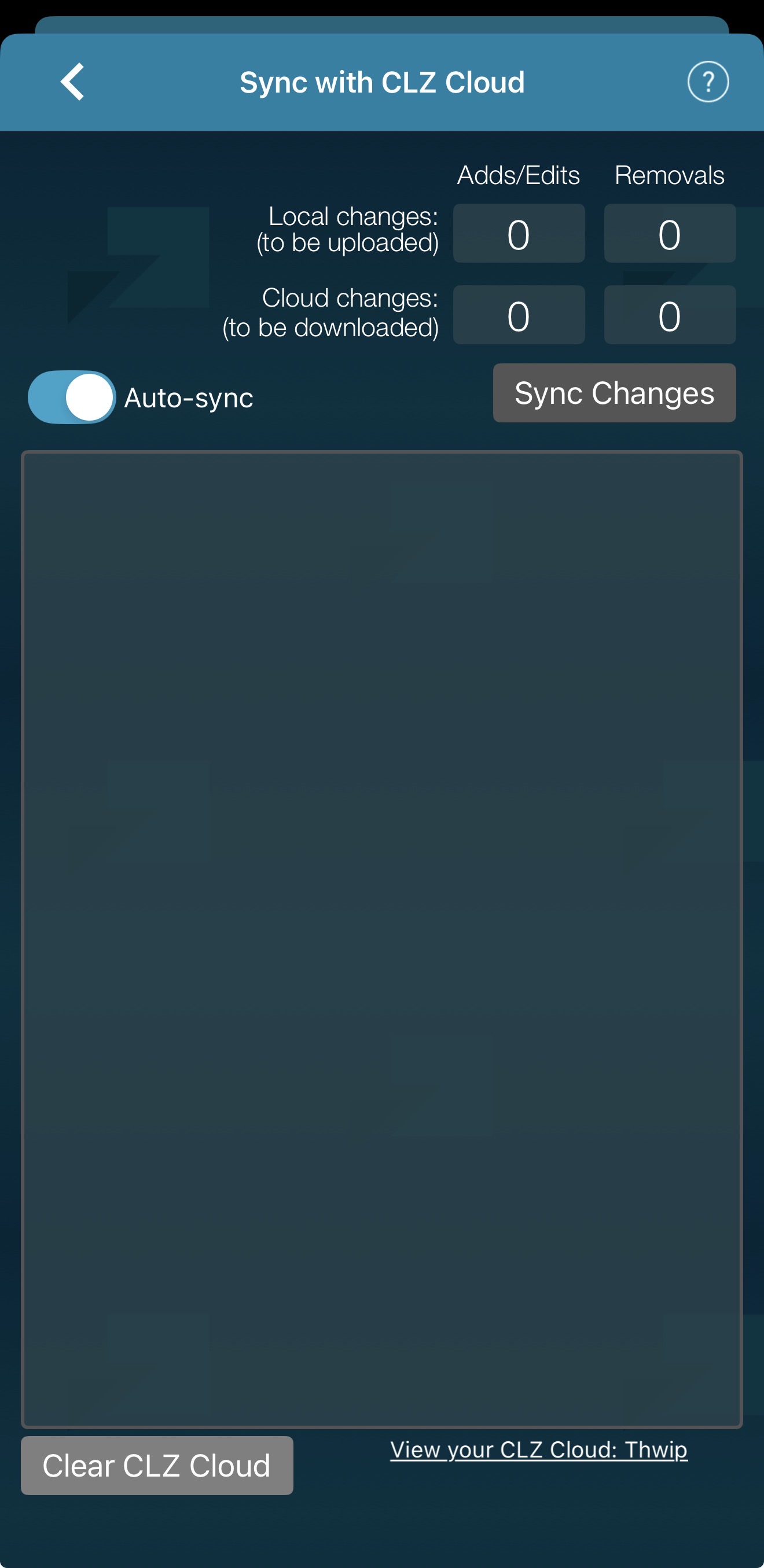
First question: do you have Auto-Sync on?
Because that would be my only guess on why comics are suddenly changing/appearing automatically while you are browsing the app.
Second question: what I noticed in your screenshots is the “web” icon in front of your spider-man series names. I am getting the feeling that that is related.
It took me a hot minute and an AI inquiry to even know where Auto-sync was located Yes I do have Auto-sync on, see pictured…
I added the web emoji to the front of the main Spider-Man titles, as an organizing feature to keep them at the top of their specific series number, back May 27th of this year. I guess I would find it surprising if it took this long for it to become an issue, but maybe.
Regardless, any suggested fix? Should I just update from Core, sync from the Cloud? I really don’t want to make it worse, and in an ideal world, I’d love a solution that self corrects the comics out of series.
In the meantime, we found that this emoji really is the cause of the problem. Our cloud database does not support the storing of emojis in the database and that caused the emptying of those series name. That must have happened, in the cloud, immediately after making that change in your app. Maybe you never checked your cloud data after that?
What changed now, probably, is that cloud side changes were now synced back to your app, causing the empty series name to appear in your app too.
Luckily, the solution is simple, just select all those problem issues, and do Update from Core on them, and set the Series field to REPLACE.
Thanks a lot, Alwin and team! My apologies for being the cause of the issue and for any work you had to do to find it. Honestly, I liked the emoji, but not at the expense of my series database. I’ll remove the emojis promptly and use your noted solution to resolve the missing series fields.
I’ll report back again after the fix and let you know that it worked.
PS: If you read this and don’t mind replying. Would it mess with the database to put an asterisk * at the beginning of a series name, or maybe to put the series name in (brackets) or [brackets]? I genuinely liked being able to have my favourite series at the beginning of the series names. I’m just spitballing other ways I could accomplish this, without using emojis.
Doing the Update from Core will automatically remove them.
That would not mess with the database. Tip do this in the SORT NAMES of the series. That way they will sort where you want, but the series name will still look the same.
All fixed! Thanks one more time for your assistance.
PS: That tip about ONLY updating the Sort Name was a game changer. I guess I’d always thought of it like pooping and peeing; you can’t go poop without also peeing Who knew in this instance you could?

 Yes I do have Auto-sync on, see pictured…
 emoji to the front of the main Spider-Man titles, as an organizing feature to keep them at the top of their specific series number, back May 27th of this year. I guess I would find it surprising if it took this long for it to become an issue, but maybe.