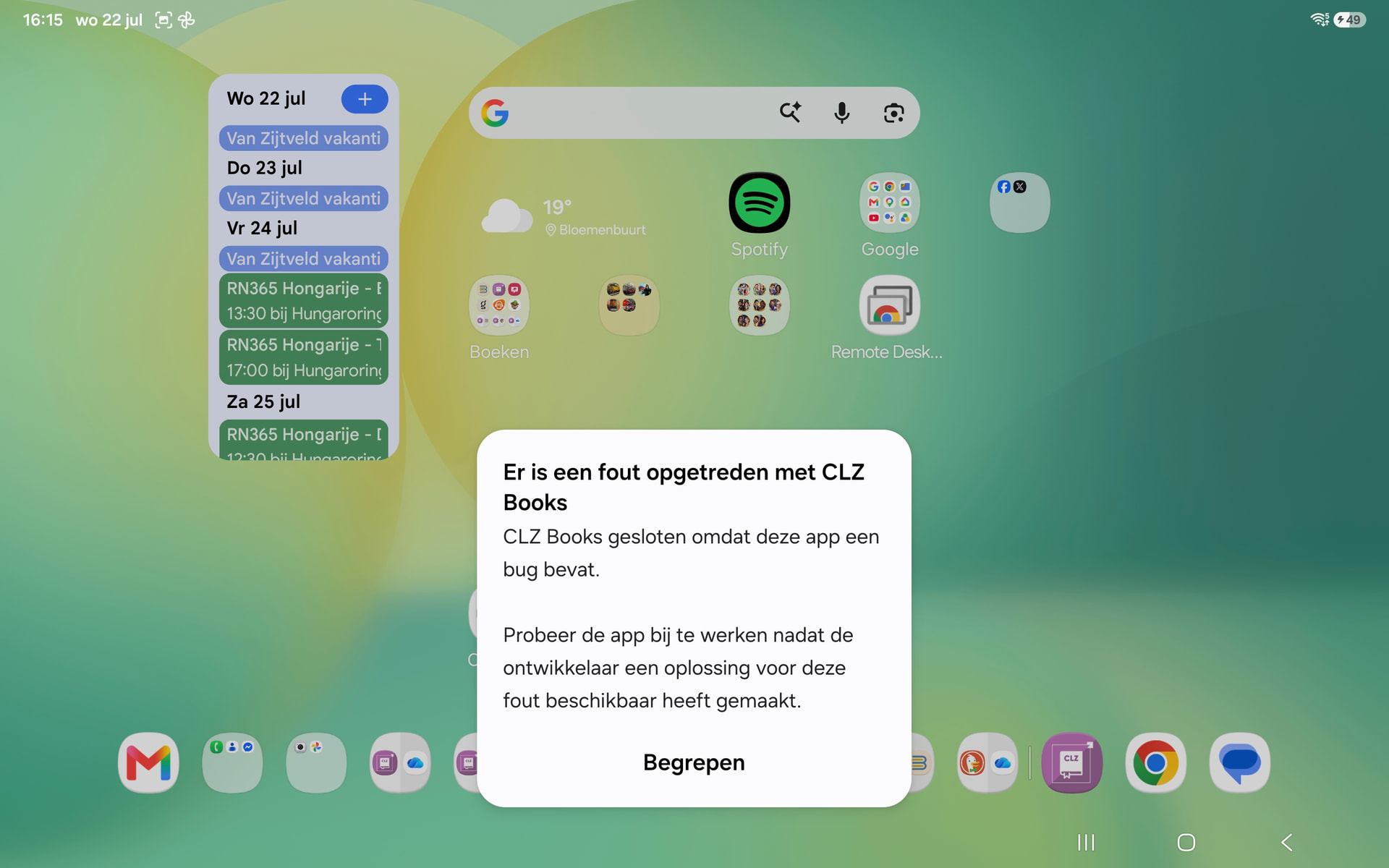
After the latest update, witch was very welcome.
In the adroid app the split screen functien is no longer working, this was very helpfull for updating the data.
I hope you can fix this
After the latest update, witch was very welcome.
In the adroid app the split screen functien is no longer working, this was very helpfull for updating the data.
I hope you can fix this
I am sorry to hear you ran into a new problem with the Android app. I assume this happened after the new v11 release?
Will ask our Android developer to look into this.
yes, after the new release
What do you mean with “split screen functien”?
Can you perhaps send a screenshot of the screen that is broken now?
where can i ad the sceenshots
Never mind the screenshots.
Do you mean the feature on an android tablet where you can run two applications side-by-side? Like having a browser on the left side of the screen, and CLZ Books on the right side?
yes, sometime when i try, it gives an error, sometimes only a message that it is not possible
You can add screenshots to your forum post here.
I’ve got a Google Pixel Tablet, and it runs CLZ Books and the Chrome browser side-by-side without any problems.
Can you answer the following 3 questions?
Samsung galaxy tab S10FE+
mostley there is a short message “de app ondersteund geen gesplits scherm” and sometimes like in the screenshot
when i first open chrome and then clz it is working, when trying clz first not
I think I got all the information I need, thanks!
It seems that CLZ Books does not like to be resized while it is running. That’s why it is crashing, and that’s why it does not crash when you first open Chrome.
A nice coincidence: A part of the current project we are working on is making CLZ Books resizable while it is running. However, that will take a some time to fix and test.
Not resizing CLZ Books by opening Chrome first, and then opening CLZ Books should be a workaround for the time being.
thanks for the quick respons, at least there is a workaround