I am new to Movie collector software. I tried it in the past but preferred CATVids and am only trying it again because of the increasing probability that CATVids will finally become unusable. After importing all my data from CATVids and playing with the program for a while I have discovered a very big problem for me which the developers obviously don’t think is important. A very important data point for every movie is the year that movie was made/produced/released not the date when the commercial consumer version of the movie on VHS, DVD, Blu-Ray etc was released, although that can be important in differentiating different releases. This made in year date is a very clear field in the IMDB data and was in the data for my films imported into Movie Collector and my online database. Unfortunately CLZ software has not dedicated a field to this data point. The date listed on a movie in Movie Collector or in the online database could be anything. Sometimes it is the original movie release date but most times it is the DVD date or equivalent as far as I can tell. I have created my own field in Movie Collector for this date but it is going to take countless hours to enter the dates for 6000 + movies.
I discovered that user defined fields are not synced to the cloud so I will have start over. I finally figured out the way to do this is to link all the movies to the core and then download the dates after setting core to overwrite the movie release date field . I have done this. It took a very long time but I did not have to be there. A fair amount of handwork was need in addition primarily because incorrect dates had somehow been appended to some titles and do to some inadvertent misspellings of titles in some of my uploaded movies. The changes are now being synced to the cloud so all is well. None of this would have been necessary however if the import from CATVids had been programmed to insert that movie release date that is in every contents entry for every film into the correct field and not get confused by disk release dates in the video section of each movies data.
- Movie Collector for Windows is now deprecated. It is not available for new users. As a virtual new user, you may be far better off using the Web software. There is a free trial, and a special offer if you decide to switch.
- User defined fields will be coming to the Web software next year, although I don’t know if you will be able to import to them.
- In the Windows Software thare is a facility to copy data from one field to another. New “Transfer Field Data” tool: copy or move data between fields - CLZ.com . Have you looked at this?
First off: I’m confused about what your question is about exactly:
In 2014 you purchased Movie Collector Windows. That doesn’t sound like your new to the software?
- You are now posting in Movie Collector Windows installable software forum.
When I check your account it looks like you now have CLZ Movies Web, the web-app for your webbrowser.
Can you please state very clearly what your questions and comments are about? Which software? CLZ Movies Web? Movie Collector Windows?
That sounds like a big assumption, but okay. We have two dates for movies. We have the Movie release date, that we import straight from IMDb. On top of that, for a lot of blu-rays/DVDs etc we also deliver a release date of that specific version on disc.
When you edit a movie, you can see there are two fields for this! Look, main tab hosts the “Release Date” - this is the date (or at least year) we get via our official IMDb license:
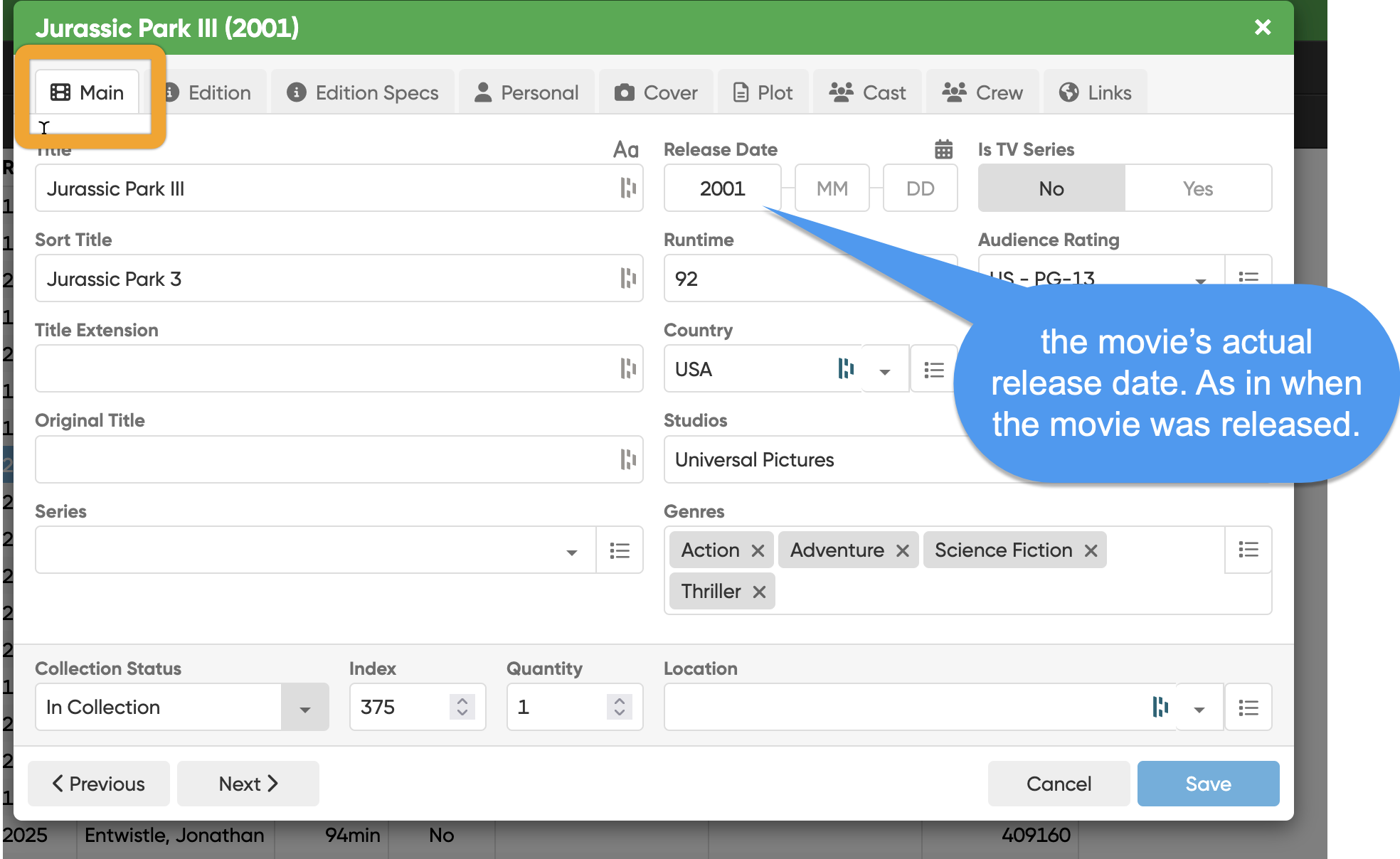
And on the EDITION tab you have the Edition release date:
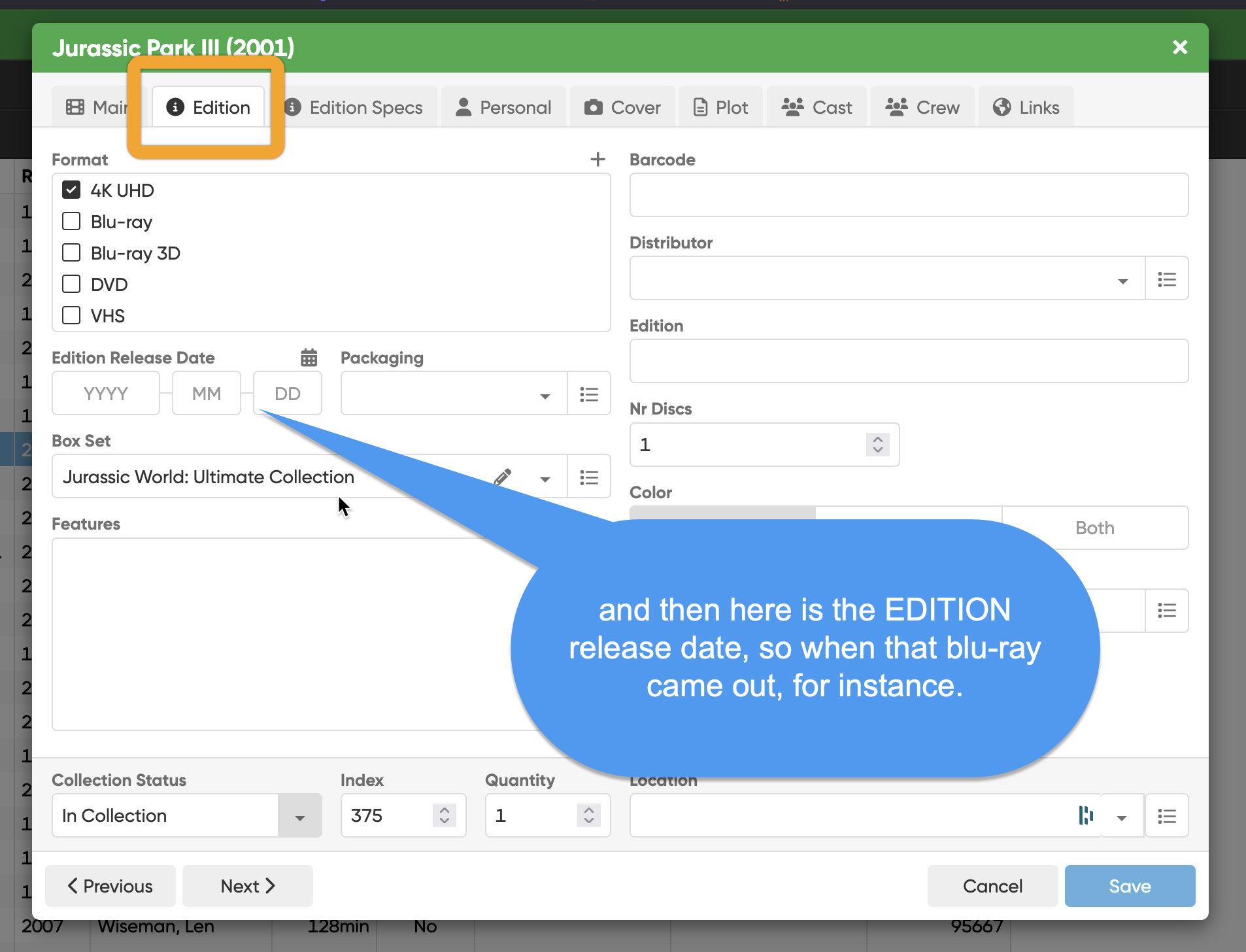
This is how it has always worked in our software, we’ve always had two dates.
I understand you imported from CATvids and I do not know which date is filled in where in CATvids. Maybe the import is just wrong and the date from CATvids should go in a different date field? Because that would be an import bug we can fix. We are in the movie cataloging app business for a long time and of course we find those dates important 
If that is the case, please report those on the forum so we can fix them:
Ah I see. Well, if you import from CATvids, we can not automatically guess which movie is connected to our Core version of it, so linking is indeed needed. But you only have to do it once!
Just let me know how it looks like in CATvids, perhaps we can fix that import. I understand that for you this won’t be needed anymore.
We are working on “Custom Fields” for CLZ Movies Web.
It will likely come out in January/February of 2026.
It is a big update.
We are also aiming on making an import from XML for it where you can then do a 1 time export from your old Windows version, to get the User Defined Fields, and then import that XML and attach the User Defined Fields as custom fields to your movies in CLZ Movies Web.
This might not be available on day 1 of Custom Fields, it is a separate project most likely.
I hope this information helps!
Thanks for the detailed reply. I think you have an excellent piece of software so I hope you are not offended when I say I still prefer CATVids. I am pretty old now and changing any part of my routine is difficult and using any database program as more than just a cataloging tool can have a long learning curve. As I said I tried Movie Collector some years ago when the active development of CATVids stopped but the developer has kept it functional all these years. Now he has said that he may not be able to manage scraping data from IMDB for much longer so I resubscribed to your desktop app and the web app. I am sorry if there is confusion about which app I am using, desktop or web, as I am using both and I will probably use the web more as I get used to it.
I believe that the CATVids import into your programs could be improved. I know nothing about coding and I haven’t even tried to look in detail at what is in the xml files exported from CATVids but in the export dialogue all the available fields are checked which means that the movie release dates for each film is in there and the IMDB link containing the IMDB ID number is also in there, so if the import is done perfectly that data should be imported and when you then attempt to link all the imported movies to the core, it should find each one easily and correctly since that IMBD number is unique and available.
I hope you have a development team with some depth. Over the last few years I have had 3 programs which I use constantly cease development or go out of business completely because they were one man operations.