Just opened Game Collector to find this on all of my games:
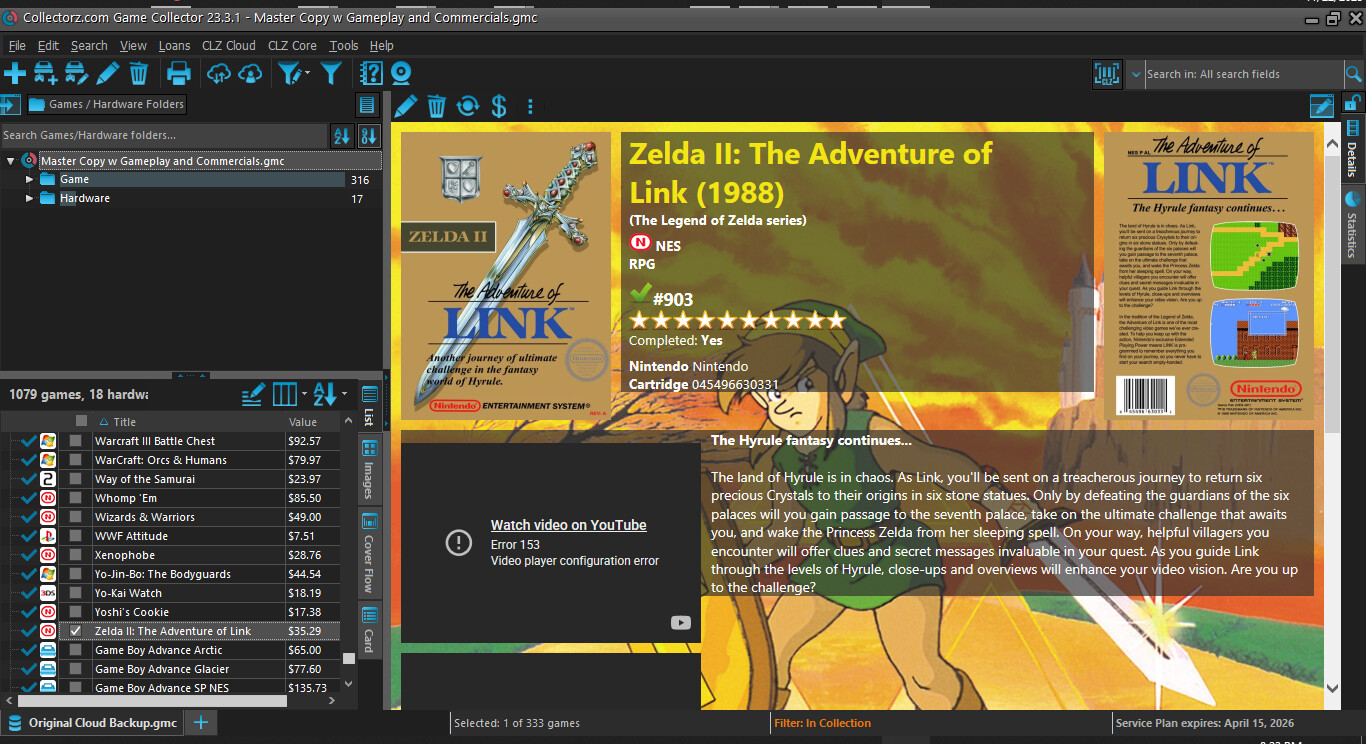
Are trailers broken now? Is there a fix? Is there a plan to keep this program updated, now that Windows 10 has been deprecated?
Just opened Game Collector to find this on all of my games:
Are trailers broken now? Is there a fix? Is there a plan to keep this program updated, now that Windows 10 has been deprecated?
This article v23.1: Game trailers now appear as clickable thumbnails - Game Collector (Windows) - CLZ.com shows that you now have the option for embedded trailers or clickable trailers.
I would imagine that some updates to YouTube have stopped embedded trailers from working - they certainly don’t work on my PC.
I think the answer to your other question is that there will be no more enhancements to the Windows version. I had thought that when User Defined Fields were added to the Web version that the Windows version would be enhanced to sync these, but it appears that Clz are going for a one time XML export, so that you can export this data ONCE to get you into the Web version, but not a continuous sync.
So, unless you have a good reason not to convert to the Web version, I would certainly urge you to consider doing that.
My reason for keeping the software instead of using the web version is offline independence. If my internet goes down or your server goes down, I won’t be able to access my collection data regardless of what I’m trying to do (add, edit, update, etc.) With using the dedicated software, I can add and edit to my heart’s content without the internet, and I’ll just update everything when my lost services come back up. If I have an issue with the software, the problem is local and has nothing to do with the web version.
I think that if the idea is to abandon the software there should be one last feature update as a send off: add the embedded player feature (mp4 compatibility should be more than enough for simplicity’s sake), and allow locally stored videos to show where the YouTube videos land in the records (instead of under everything else). That should satisfy anyone else using the dedicated software, and should light a fire under your devs to create something that the software can’t do as an incentive for users to migrate once and for all.
Unless there’s already a way to plant local videos in the main record bodies that I’ve missed somehow…?
Youtube trailers are online regardless of which product you are using.
The Mobile app stores information off-line, and allows you to see (but not edit) your collection online, using Cloud. The mobile app has fewer features than the destop/web programs, but is half the cost, so this is worth checking out, to see if it has all you need.
Mobile + Web gives full editing and off-line use, but here the cost is higher, so is more difficult to justify.
I would suggest that you look at these products (Web, Cloud, Mobile) and see if any combination can fit in with your requirements.
But I think support for Windows is likely to be very limited - there hasn’t been an update for about 2 years.
We’ve seen issues popup now in the old Windows version if the details template selected is one that has “embedded” trailers.
This is also why years back we introduced click-to-popup trailer links, which then opens in your web-browser, and always works.
The old VeeEight templates still have embedding , and YouTube seems to not like our Windows software to access those/show those (and it seems that a couple weeks/months back they doubled down on that, causing the problem you’re seeing).
I recommend to switch to one of the more recent details templates:
As for the Desktop version:We have stopped the development of the legacy Collector desktop software quite a while ago (early 2023). There will not be any feature updates anymore, but we may still do maintenance/compatibility updates when absolutely necessary. Our complete focus is on the CLZ Web web-based software and of course the CLZ mobile apps. For use on your computer, the CLZ Web software is the way to go and we are recommending all desktop users to switch to the web-based software.
Web based software 
can i use the web based software to play my movies like i do with windows software.. Or is it only for categorizing and keeping track of what you have. Looking through your movies with no links to play them I have zero interest in.
Indeed if you use local files, we strongly recommend sticking to the old Windows version.
I’m assuming @Junyjr1212 you’re posting here in this Game Collector topic but you are asking this for movies? If so: You might want to look into something like Plex.tv which works absolutely awesome for files, and is free, and was created specifically to catalog (and serve) files to your smart tv etc. Really useful.