Hello, it seens that some information is being covered by other controls. In picture you will see at the bottom of page. Is there anything that can be done?
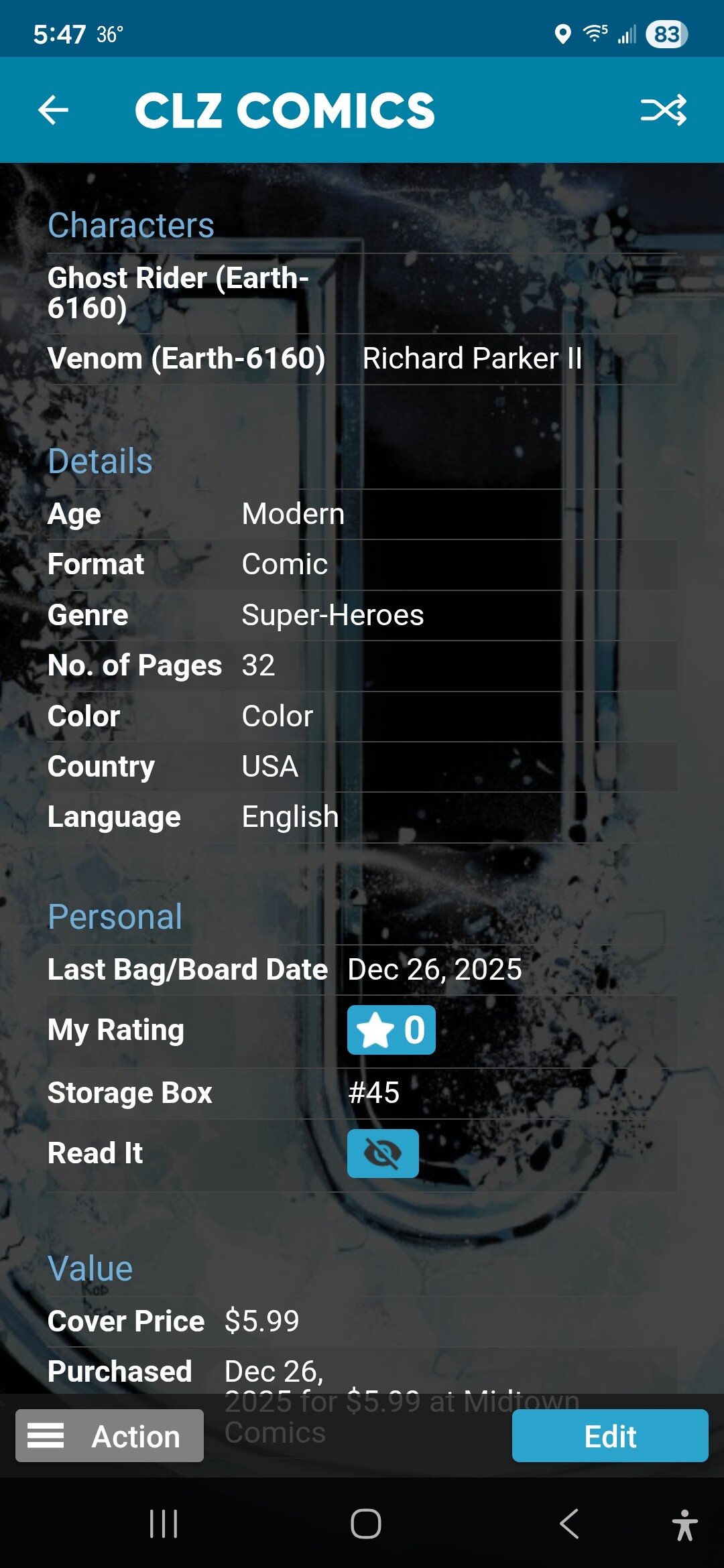
Hm this is not happening for me, not even if I use the “3-button navigation” on my Android here.
- Is this happening for every single comic you check where you scroll down? Can you try like 5?
- Is it only happening when “Purchased” is 2 rows long?
- Can you try using “Gesture navigation” in your Android settings, is the problem gone if you try that? As a test, of course!
Hello,
The only place it seems to be like this is for Ultimate Endgame #1, but not for all of them. I have looked at other comics and everything seems fine. Could it be just this one comic or is that inpossible? I looked other variants I have and it is the same way.
Also what is gesture navigation?
Oh wait, just did an update from Core and that seemed to fix it. However, I would still like to know more about gesture navigation.
Gesture Navigation is an Android setting! It frees up some screen real-estate, and gets rid of the 3 buttons you have in the bottom of your screen. Takes some time getting used to (but I never want to go back now 
To enable gesture navigation on Android,
go to Settings > System > Gestures > System navigation, then select “Gesture navigation” , which replaces buttons with swipes for going back (swipe from edge), going home (quick swipe up), and seeing recent apps (swipe up and hold).
(note this is an ANDROID setting, not a CLZ setting
1 Like
It could be, but to investigate I would like to see if there’s other comics that do this for you, it might just be some data string somewhere that just pushes the data right below the navigation bar on your Android!
Looks like someone else is experiencing this too:
I see. With me, I updateded from Core with all the ones that I experience it with and it was fixed. Not sure if that really fixed it or was just a glitch.