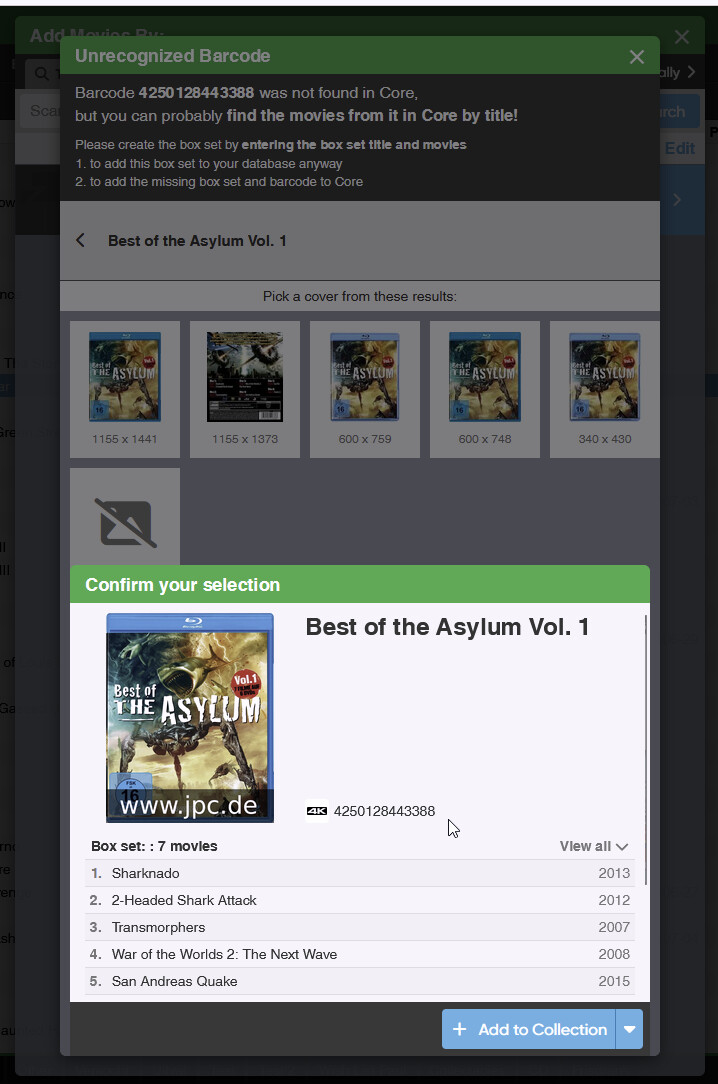
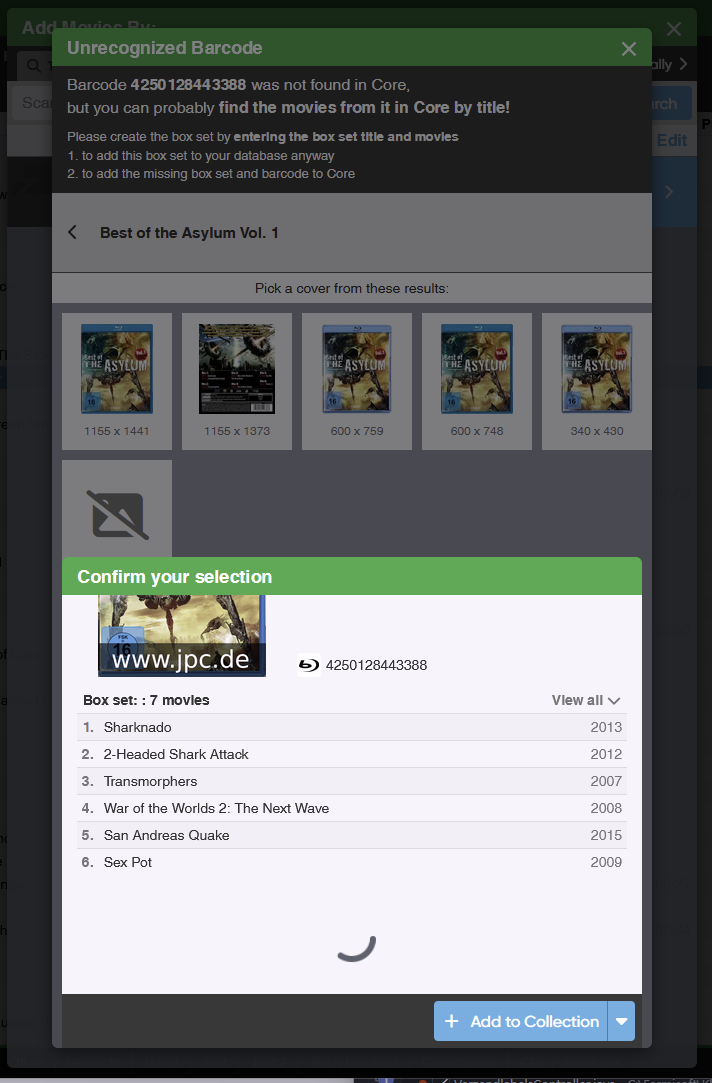
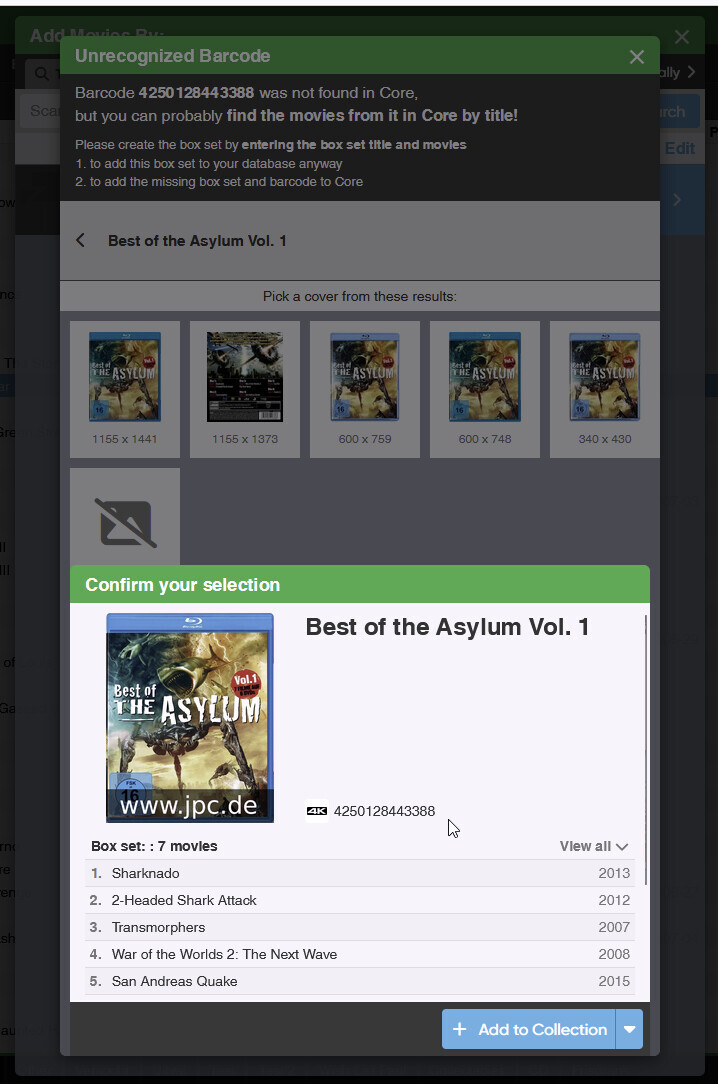
I have an Unrecognized Barcode (Box set), so I went through the steps of adding the movies. Than have to pick a cover. I chose the first cover. But before confirming I notice the cover is different compared to the one I picked (see screenshot). But from this screen I can’t go back to pick a different cover:
I tried the Esc button a couple of times, but it did not do anything. However, now it works. Anyway, I think it is also more clear for a user if there is a button to go back.
Currently it looks like a Confirm Dialog with only 1 option to chose: Confirm.
This works the same as the regular “Add sheet” we have if you use Add by Title for instance: you can just click outside the sheet that slides up, and it slides down.
Not sure why you had a spinner though. I do feel the “show all movies” dropdown inside that sheet is a bit useless, so I’ll make a note that that is always expanded when
would also get an x button to close the window then all popups and screen can be closed the same way.
Clicking outside the box or using Esc is not concise around all dialogs. The Edit screen cannot be closed that way (makes sense). Nice if it can be done in some places, but I think it is important that there is always 1 way to close something (Like using the x button or Cancel button). Less confusing for basic use. If you know the hidden features that is a nice bonus.
Not a big issue, because I can work around it. But maybe others have more trouble.
It’s working on my side in Windows in Firefox, so that is kind of strange. I’ve also never had any emails about it in support. The sheet is a bit different than our popups, which is why there is no X, but I feel it can use an X, and there is space. Still, I’m confused why the sheet won’t go down again on clicking outside, or above the sheet.
I have to correct myself. I was reading your instructions wrong. Yes that did work. Al working now. After all I was not paying attention and somehow a broken version of my custom script was still running from a couple of weeks ago and was testing something else in Incognito (don’t ask why…). And when I was testing in Incognito again I was reading your instructions wrong and was testing stuff that cannot be closed with clicking outside the box anyway…
Sorry about this one. I blame the warm weather
I can also trigger some other bugs in the cover picker from this dialog. I also used the same barcode as you used. Some image results can be clicked but nothing happens (I see those are SVG files, maybe hide all unsupported file formats?). Sometimes I get the Format selection dialog multiple times. When want to reproduce it, I cannot. If I don’t try it I can trigger it, but then I don’t remember the exact steps…
Now I notice that the popups without the X button can be closed when clicking outside the box. Except the Pick the format for this release popup. I think it still makes more sense to give all popups an X button anyway. What would even be better in my opinion:
Give all dialogs (including the Edit screen) the possibility to close it in 3 ways:
X button (currently most screens I guess, but not all)
click outside the box (only most screens where there is no X button?)
Esc button (see click outside the box)
However in all case where you changed data and can lose information if you close a popup, give another confirmation dialog: You have unsaved information, do you want to close?
Currently you can close the Edit screen without saving and you will lose all modifications. No confirmation dialog is shown.
This is my view. Anyway the original issue I posted is not an issue at all, but can use some usability improvements.