The web app is a nice idea and works well except for a display problem on a Mac. On my Mac, when I launch the web app from the dock, the top of the screen has the OS controls (close, minimize, etc.) overlayed on top of the top row of CLZ, obscuring the settings hamburger. See attached screenshot.

It seems like this might be from an older macOS. Which macOS are you running? Are you able to update it to a newer one?
I’m running Tahoe 26.5.1, the current OS.
Thank you. I’m also using Tahoe!
Here’s what it looks like for me:
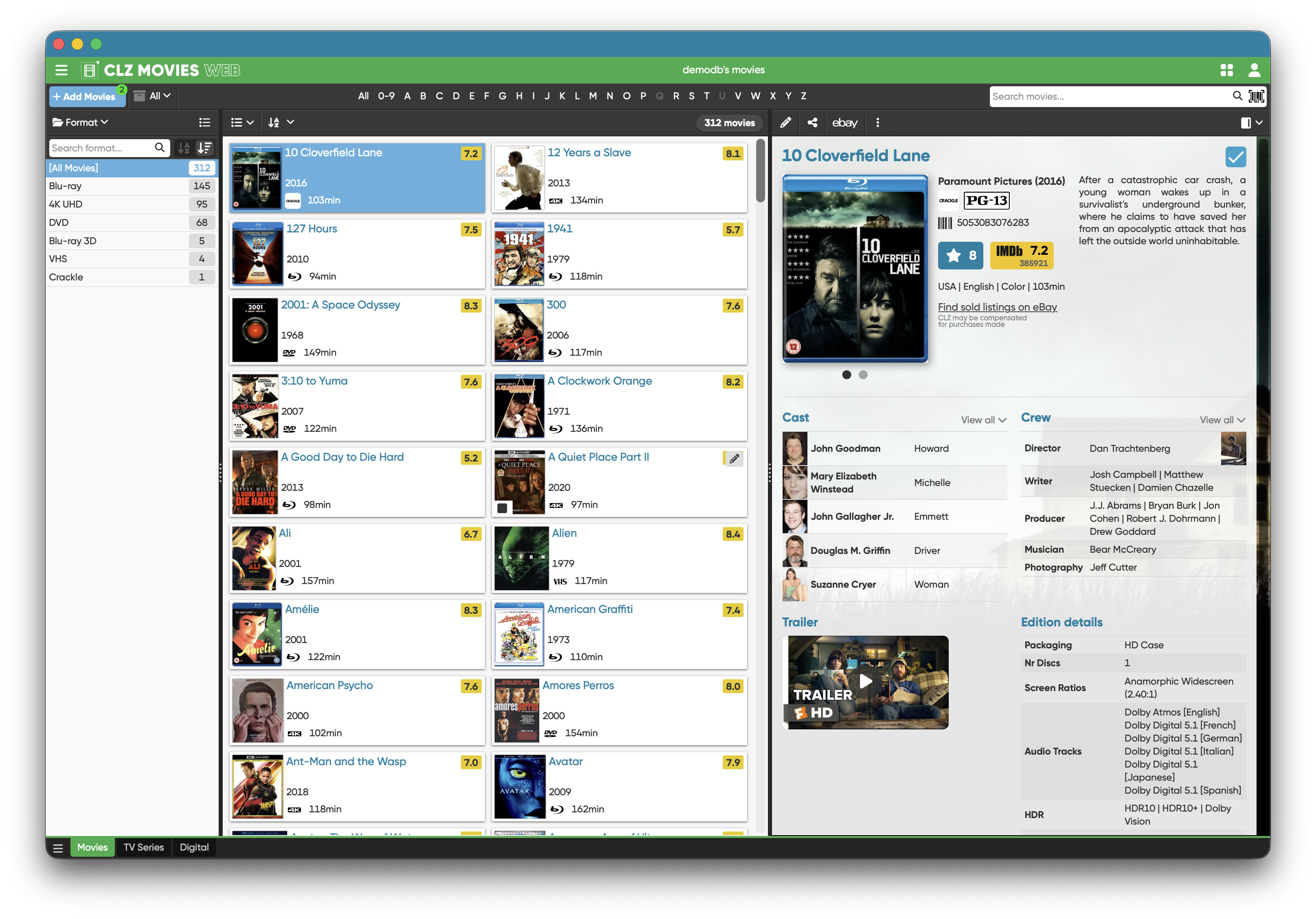
On your image, the blue bar seems to be missing at the top, causing this problem.
What happens if you open it and click menu View > Hide Toolbar - does that make it work?
And:
- Could your remove the web app from dock,
- then open Safari, go to Online music database software » CLZ Music Web
- then click the Share button top right, and click Add to Dock again, and see if it works then?
Thanks for the response AJ. I’ve deleted and reinstalled the app, same results. If I hide the toolbar, then it’s ok, and if I then unhide the toolbar, it’s still ok. But if I close the window and reopen it, it goes back to the overlapping toolbar.
That is strange. I suspect it must be due to some kind of view setting/normal setting inside Safari, but I can’t put my finger on it.
When you make it so it is “ok” for you, do you see the blue bar above the orange top bar? Or Just the orange bar still?
If I hide the toolbar and then unhide it again, I get the blue bar above the orange bar and everything looks like yours. If I close and reopen, it goes back to the overlap.
Thank you. You are using Safari? (I see I never asked it in this topic)
Yes , Safari.
Update: The Mac I’ve been using is a 2020 Intel iMac. I just set up a new Apple Silicon Mac and it works fine. So maybe the issue is specific to Intel-based Macs. Are you testing using a newer silicon Mac?
That is correct. Just tried on an Intel based one, and the same problem emerged. I’m not sure if we can fix that, but we’ll take a look.. for now I recommend just going to the website for you then.
Or, install Chrome, and then use that to create an “app” for the dock. That might work!
My apologies for the inconvenience caused, and thank you for letting us know about this one.
All good, thanks AJ. I’ll use the new machine.
Alright. We on our side tried with Chrome on the intel based mac, and installing CLZ Web as an app via Chrome worked just fine, so there’s that at least (for anyone with an older mac right now: just installing Chrome and just for that, would also do the trick 
1 Like