White screen of death, again! How do I fix this?
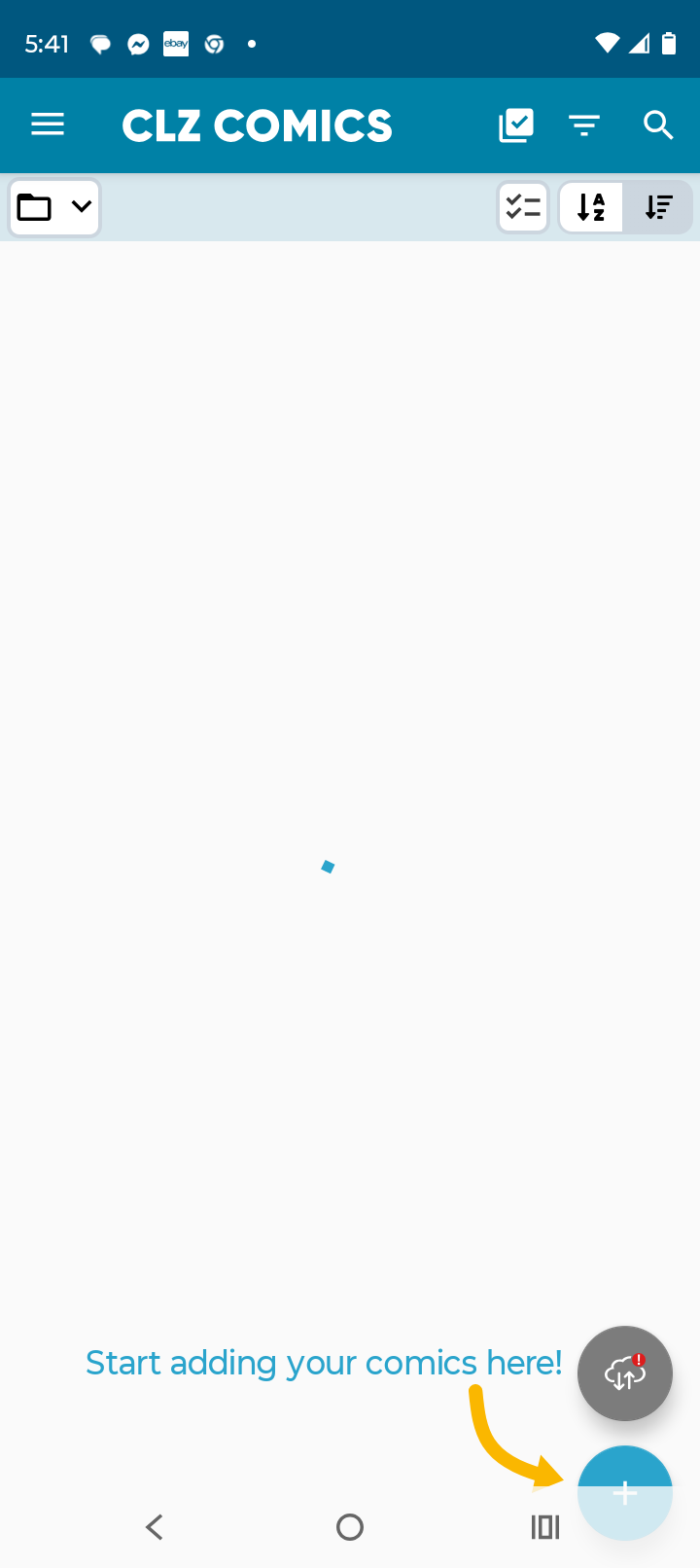
Do not like the update. Having issues with scrolling through my inventory. Keep getting the white screen with the blue circle for searching…I call it the white screen of death. Only way to get past this is to close out ALL of my other apps that are open and then I can see the individual series that I want to see. Doesn’t help when I need those other screens still open because I am checking my inventory to see what I have. No good!
Mark Woodward
5g moto g
Hi Mark,
I am sorry to hear you are having problems with the v11 update. We have seen ONE other user with similar problems. We are already working on a fix for the next update.
It seems to only happen on very old and slow devices. From past conversations, we know that you are a big fan of the Moto 5G, so I think that is part of the problem here (again).
Will let you know when our bug fix is live.
Ugh! This just isn’t a world for keeping the same technology for longer than 2 years.
Are you having similar problems with the app?
I mean…yes. You must be directing this question to the broader audience of other Android users?
No, I was specifically asking YOU, because you commented on this post.
I am trying to keep track of all users why are running into problem. So that we can maybe ask for more information once we continue the investigation on Monday morning.
Also, we suspect the problem is mainly occuring for users with older devices, we’re not sure yet. I have also seen a couple of users who have this problem on more recent phones.
Wait, 2081, I now see that you are Mark Woodward, the OP. Sorry, I was confused by that username. Did you change it?
I am also running into this problem. Samsung Galaxy S25 Ultra.
Things I’ve tried are cache clears and total reinstall of CLZ comics to no effect. Issue did start with the custom fields update.
Thanks!
I am also having the same issues.
Have not changed my name nor identity with CLZ. Have always been “Mark Woodward” and CLZ knows me as “2081” since I talked to Alwin about problems with the camera not letting the app put the pics of new comics not in your database. We established there is a work around, I have to take pics of the comic outside the app and import the image from my photos and stick them into the individual entry. We went round and round…it was maybe a year ago?
Great news, our Android developer Pim has just found and fixed the problem!
A new 11.0.4 update for the CLZ Comics app is now available in the Play Store.
Can you please update your app to version 11.0.4, then try the app again to see if the problem is gone?
Here’s how to update your app to version 11.0.4:
- On your device, open the Play Store app.
- Search “CLZ” and select the CLZ Comics app.
- Tap “Update” to update the app.
Does that help?
In any case, our apologies for the inconvenience and the delay in getting this fixed!