Wicked: For Good, cannot 'Link to Core'

Wicked: For Good, barcode 3701432066516

I notice some strange issues with this barcode. A while ago I submitted the front and back cover. Only the back cover was visible after you processed my submission.

Today I was entering all edition specific details and wanted to submit this entry to core. But by accident I hit the ‘Unlink from Core’ instead of ‘Submit to Core’. Usually not an issue. Just use ‘Link to Core’ to relink. However barcode 3701432066516 is missing from the results?

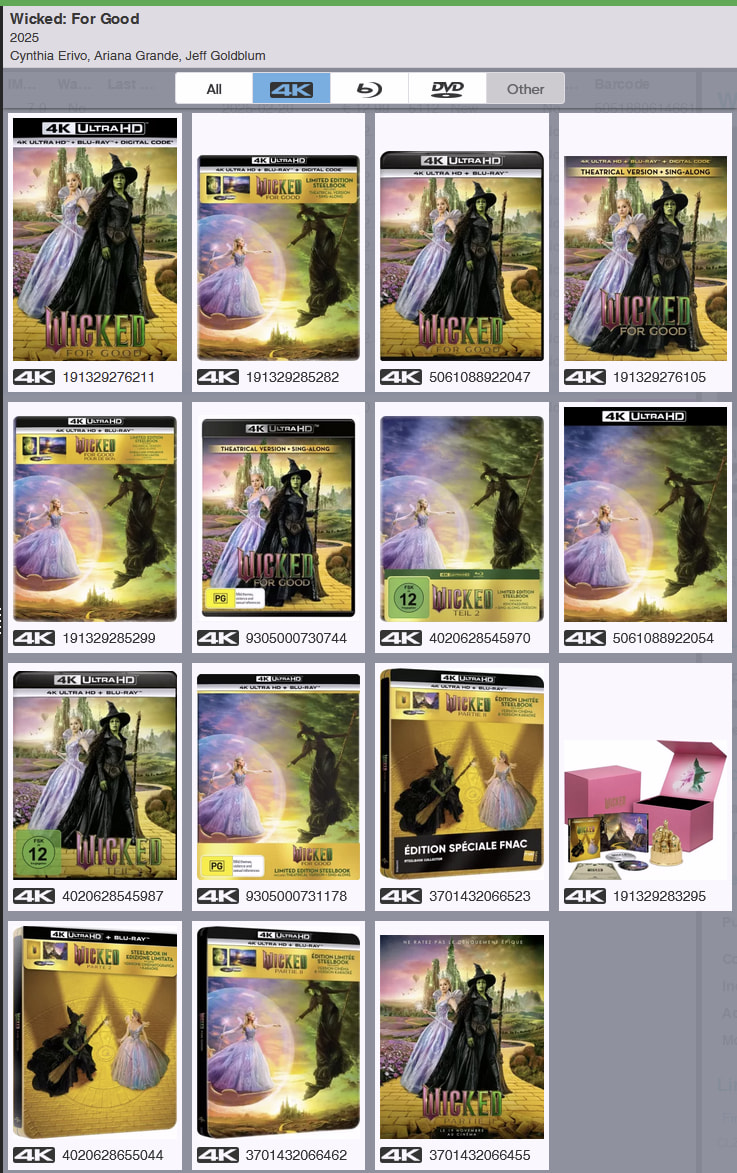
Not in the results (also not in All):

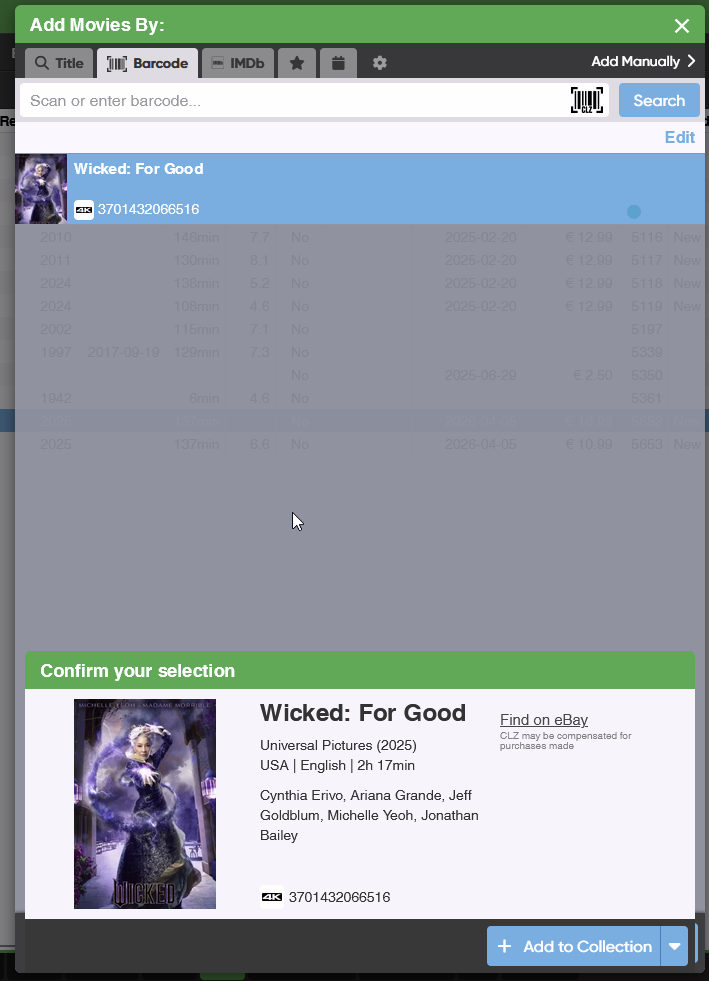
If you add it by barcode it is recognized as a 4K:

Not sure if this is an Core issue or a Web issue.

The title search results only include editions that have a front cover, which is why this 4K UHD version wasn’t visible. In the barcode results, however, you do get a match with a “Default” cover.
I’ve now added the missing cover to CORE, so the barcode will appear in both search results going forward.

Thanx for adding ‘a’ cover so I can link it again.

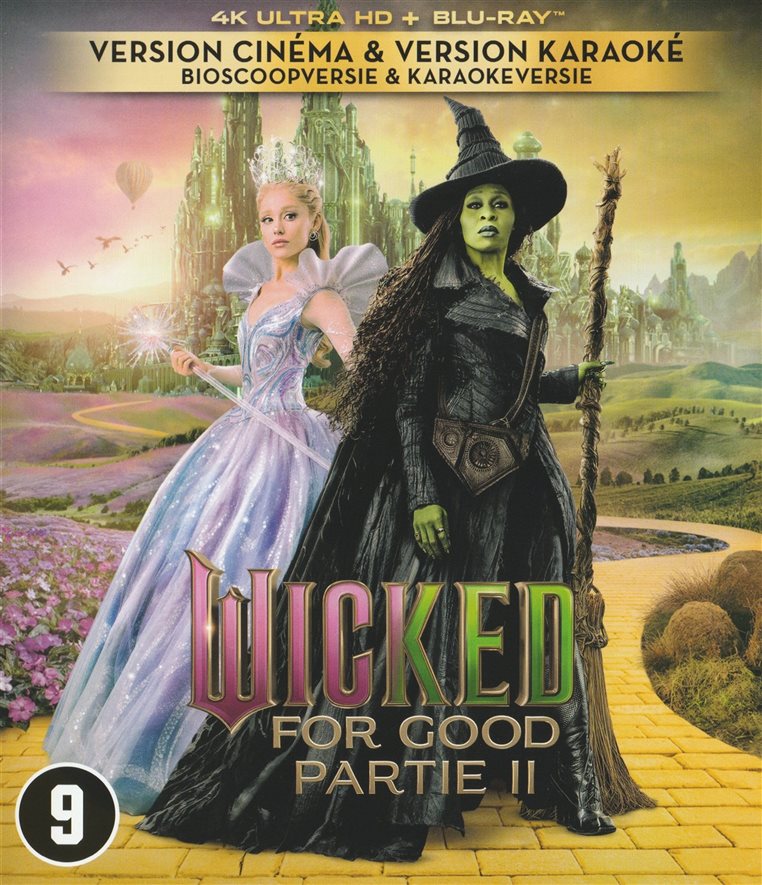
Can you check if I submitted the front cover a while ago? Only the back cover I submitted was added. The Cover you have chosen is the wrong cover. This is the right one:

I think the functionality Unlink/Link to Core is wrong.

In the old desktop software it doesn’t matter if there is a front cover or not. It links it to the barcode anyway. That worked very good for me.

There is also no warning message when you ‘Unlink from Core’. So it is easy to break, but in some cases (maybe a lot of cases I don’t know) you are unable to fix it.

I would prefer: show all barcodes that are linked to that specific title, with or without cover.

Or something similar like the old desktop app: just link it to the right one based on the barcode.

If I am not mistaken I also submitted a front and back cover for barcode 5056453208444:

only the Back cover was used. The front cover is still missing.

Maybe I now understand how it works?

If you select the ‘Default‘ result without the barcode in the dialog, you are not linking to just the movie, but you are linking to the specific edition with the barcode?

Edit:

I understand less and less. Fiddling with adding function.

  1. Add the movie Sunset Boulevard as a movie (not specific edition).
  2. In the submit to core I can see it is just the movie
  3. Add the barcode 5056453208444 in the edit dialog
  4. Now unlink from Core
  5. Now Link to Core
  6. Select the Default image (specific edition is missing)
  7. Submit to core to verify it is now linked to a specific edition, you see the back cover for example
  8. But now the back cover does not show up in the collection.

If I am not mistaken above works like a charm in the desktop app. I have done it many time to upgrade a non specific movie to a specific edition. In Web it looks like it is broken.

I notice this is actually a different ‘issue’ then my original ‘issue’.

@twazerty

Yes it works different from desktop.

When you add a movie level entry, for instance, you get Core data.

When you unlink a movie, all Core data will just go away. Unlinking is not something we ever advise users to do, and you seem to want to submit a missing barcode to us - unlinking your movie level entry is not the way.

On desktop, cast/crew/covers are downloaded to your computer. When unlinked, the data doesn’t get removed. Because it is stored locally. On Web (some) data is shown based oin the movieID/mediaID.

If you unlink it, the Core data disappears, Easy, no need to warn we feel, because if you did it accidentally, well, just re-link it back to your regular “movie level” entry in Core.

  • The “link 1 movie” screen indeed only searches on title. This is intentional. I’ve taken note of your wish to change this. But, I do not think you do need this feature for your end goal.
  • The “menu > maintenance > link movies” will do a search on barcode and auto-link the movie to the media-level entry on our side.

If you want to add a barcode that we do not have for a movie we do have, I recommend just opening the Add Screen, then search for the barcode, then add it.
If we do not have the barcode yet, you will be prompted to let us know which movie it is, which will then auto-link it to the right version (the one you just let us know does not exist).

From this point on you are free to add a back cover and submit it.

  • If you add by title, and you put in a back cover, and then submit, then it will not submit the backcover. We do not accept back covers on movie level linked entries. Perhaps this still happened. We have not seen the backcover come in from you for 5056453208444 - but I hear @CLZ_Martin has just added it.

  • Your steps you mention in the end: When you try to submit, and you have the barcode, it will try to still match it to that barcode when submitting, so it will look like it “has a backcover” where it doesn’t I can understand that might be a bit confusing.

In short: please see if you can just use the Add by Barcode screen, and search your barcode, and if we do not have it, just go from there, follow the screen instructions.

Adding the “main entry” then adding the barcode, then submitting is not the way. Thank you!
I am not submitting new barcodes that way, only submit missing Edition details.

Missing barcodes I always submit via de Add movies dialog.

If it were that easy I would not have made this Topic :slight_smile: Just re-link works very unclear for me.
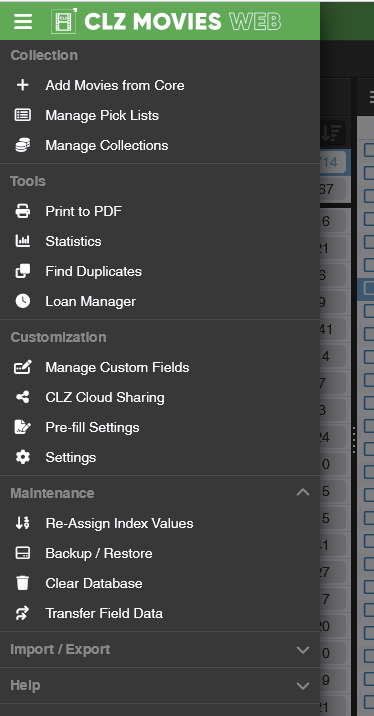
That option is not available:

That is the way I work.

There is some confusing here, making it even more confusing. I am 90% sure I submitted a Front and back cover for the 2 movies I mentioned, but a couple of days later I only found the Back cover, not the Front cover I also submitted. So I was wondering what happened. Then the combination with my accidental Unlinking from Core I ran into this ‘Unclear Link to Core’ function.

I know back covers are only supported on edition entries. I submit a lot (I think :slight_smile:), I know what the limitations are. But lets not focus on this part of the issue. If it happens again in the future I will report a new issue. I will save proper documentation on what I did then.

Now the real scenario where I ‘Unlink from Core’ on purpose. I did not do this on Web yet, I have done it a lot on the Desktop app. (My issue in this ticket is where I did it by accident, but Unlinking/linking is the same.)

When I add a boxset with multiple movies, the individual movies are not linked to an edition specific release but just the movies (movie linked entry). If possible I link it to an entry of the movie WITH a barcode. For example:

So I unlink the movie from core, add in a barcode and link to core again. So I get the entry with de edition specific details and covers. This is not always possible, but if I can I will do it.

So what happens is when the barcode does not show up in the ‘Link to Core’ screen, but is present in Core I don’t have a clear way to fix it. Off course I can always add it again using the barcode. For my case with the boxset I can add it by barcode first and swap the movies in the box set (done this as well).

Not what I am doing :slight_smile:

Twan, heb je weer vakantie of zo. Man man man, wat een verhalen :slight_smile:

It is under import/export. Sorry.

Yeah I wouldn’t do that, just modify your entry to what you want and just add your own data to it, and do not submit it.

Twan,

You inadvertently UNLINKED a movie and then went down the rabbit hole. Unlinking a movie is NOT a common task that users do. It is typically used when your entry is linked to the WRONG movie, and then the unlink action lets you use Link Movie to re-link to a different movie.

The situation you ran into: linking a movie that has a barcode and the barcode IS in Core, is a VERY uncommon situation and that is NOT what the Link Movie screen was designed for.
The batch-link screen (Link Movies in the menu, under Import/Export) may do what you want here.

Anyway, let’s leave it at that. We are not going to spend more time on this conversation, sorry.
I know you want to dive into this and want to fully understand how things work and also WHY things are as they are, but I don’t think we have the obligation to spend the time to explain all this to you.

We are always interested to hear about the bugs you find, especially in new features we introduced and we are ready to dive into those. So please keep sending those in. But we cannot afford the time to dive into any rabbit hole you happen to fall into. Sorry.

I am not expecting answers or full explanations :slight_smile: don’t worry. You don’t have to apologize for that.
No vacation currently, super busy. :slight_smile: I though it might be important enough to share (then I make time for it). I don’t always know when it is a bug or intended feature. I don’t share everything I see what might be a bug. Great to hear you appreciate my bug reports.

Thanx for the hint in the export/import, didn’t notice it was there. Will try that in the future. Coming from Desktop I thought this was the way to go.

Your explanation is clear to me what the feature is mainly used for. Indeed, because I clicked it accidentally I went down the wrong road (most logic reaction for me was to use the opposite feature: Link to Core). The options above and below I use regularly, so a wrong click was bound the happen.